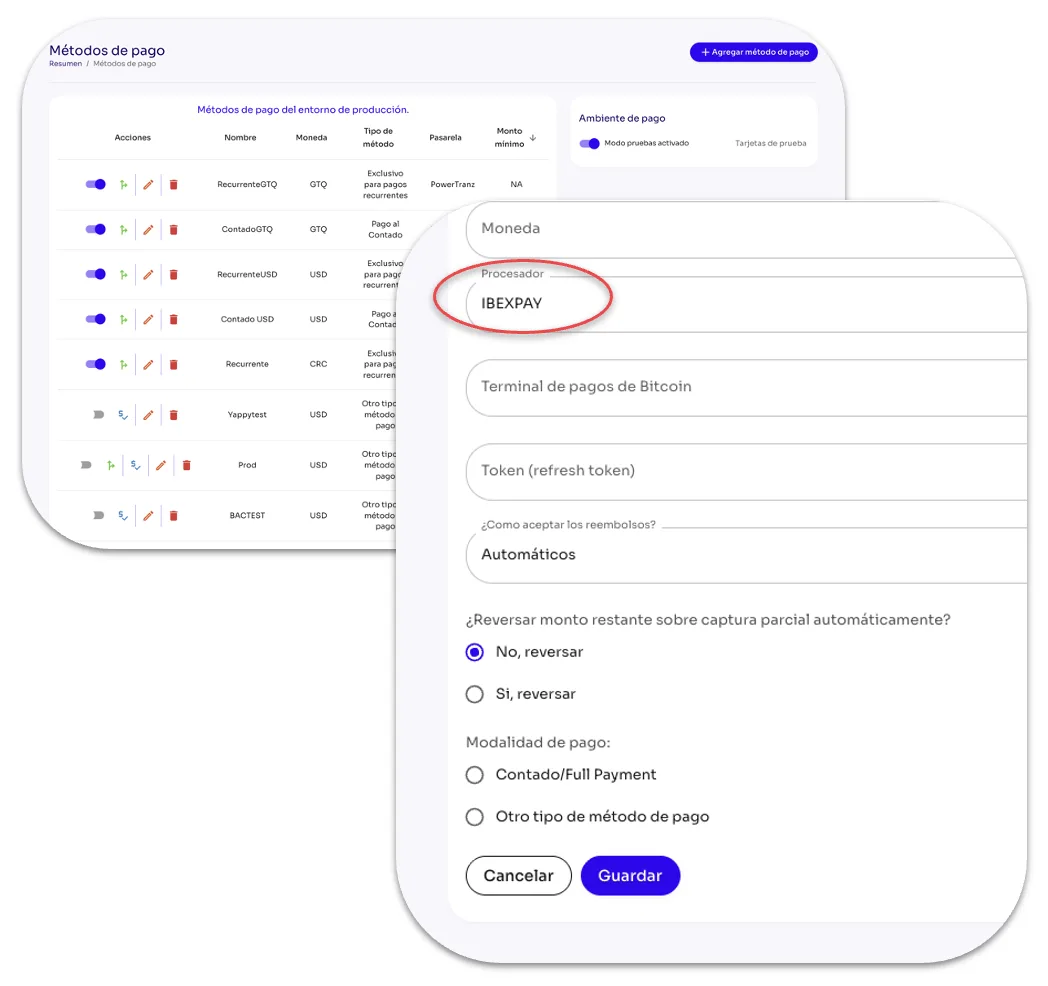
How Do I Add the IBEXPAY Payment Method in Tilopay?
Secure transactions through your IBEXPAY integration.
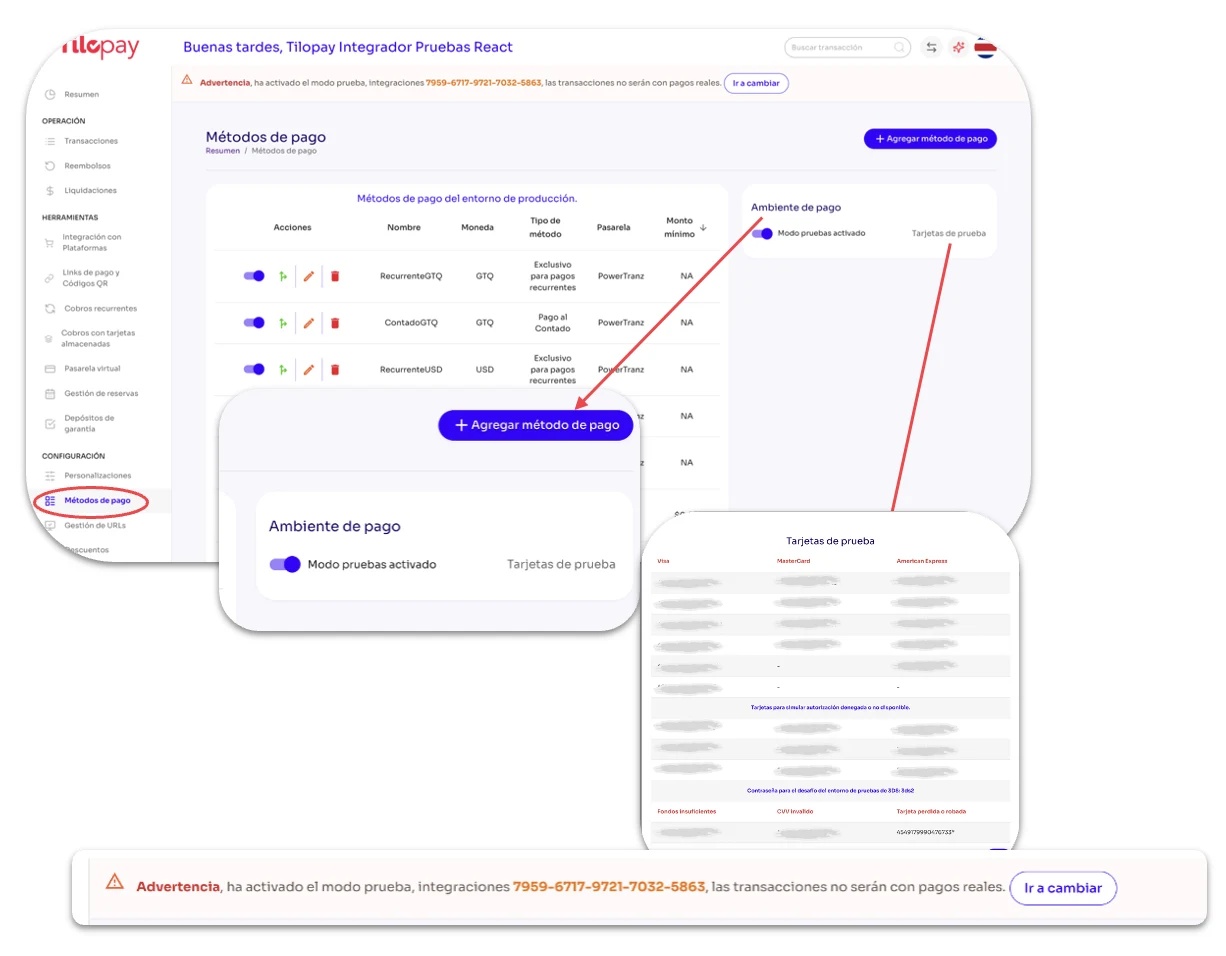
To add the IBEXPAY Payment Method, you can access the form in the +Add Payment Method section from either Customizations or Payment Methods in the Tilopay Admin Portal.
You can also use the toggle to enable Test Mode if you want to test the different Payment Methods you've enabled. Next to it, you'll find Test Cards that you can use to run tests in a secure environment.
When you enable Test Mode, a message will appear at the top of every screen in the Tilopay Admin Portal letting you know that you're in this mode.
* Test Mode only supports one-time test transactions, not recurring charges.
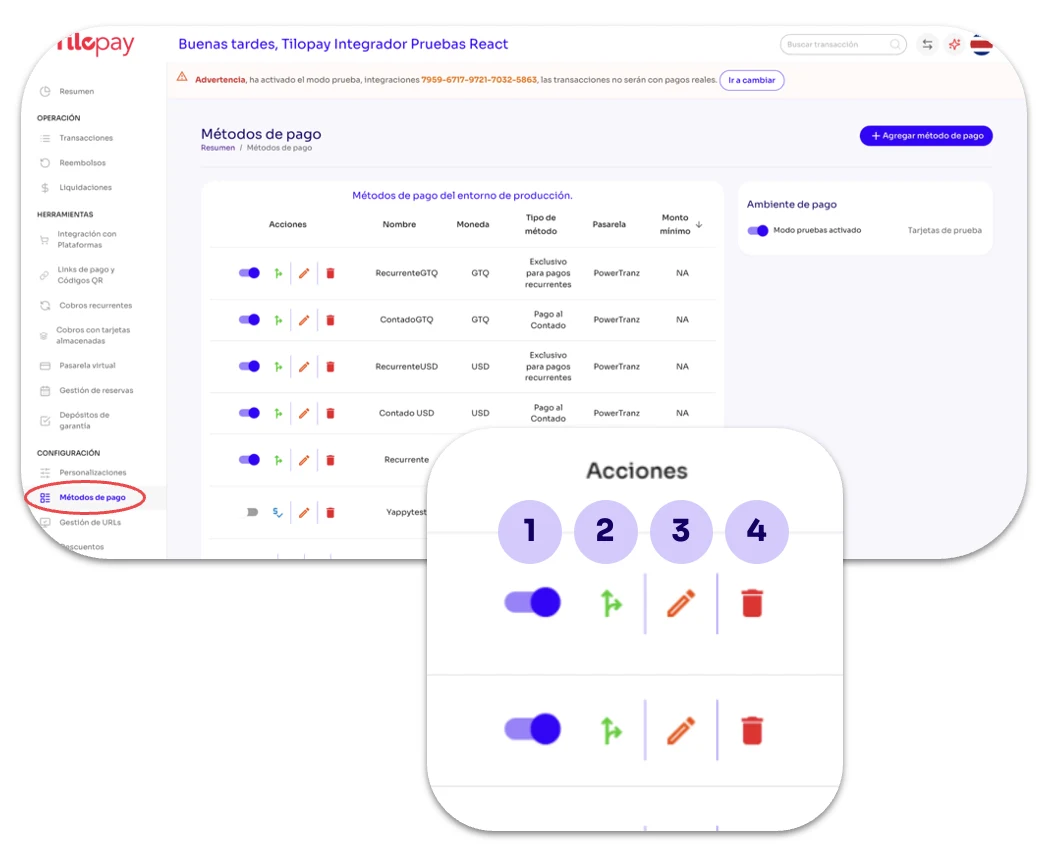
Enable Toggle: Use this to enable or disable the selected Payment Method.
SmartRouting: Tilopay lets you enable SmartRouting for each Payment Method.
This intelligent transaction routing helps improve approval rates, increasing your businesses' revenue.
Edit: Use this when you need to Edit the Payment Method details.
Trash: Use this when you want to delete payment link records. This action CANNOT be undone.
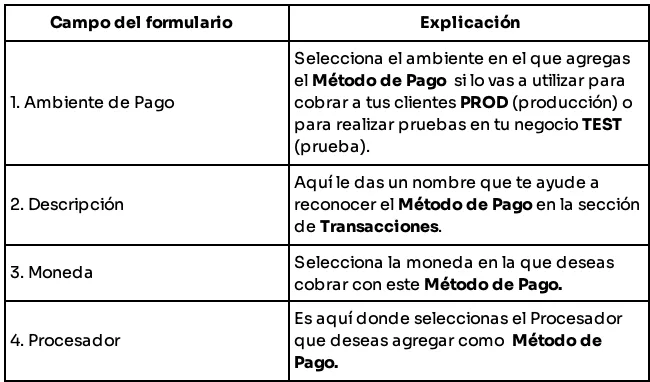
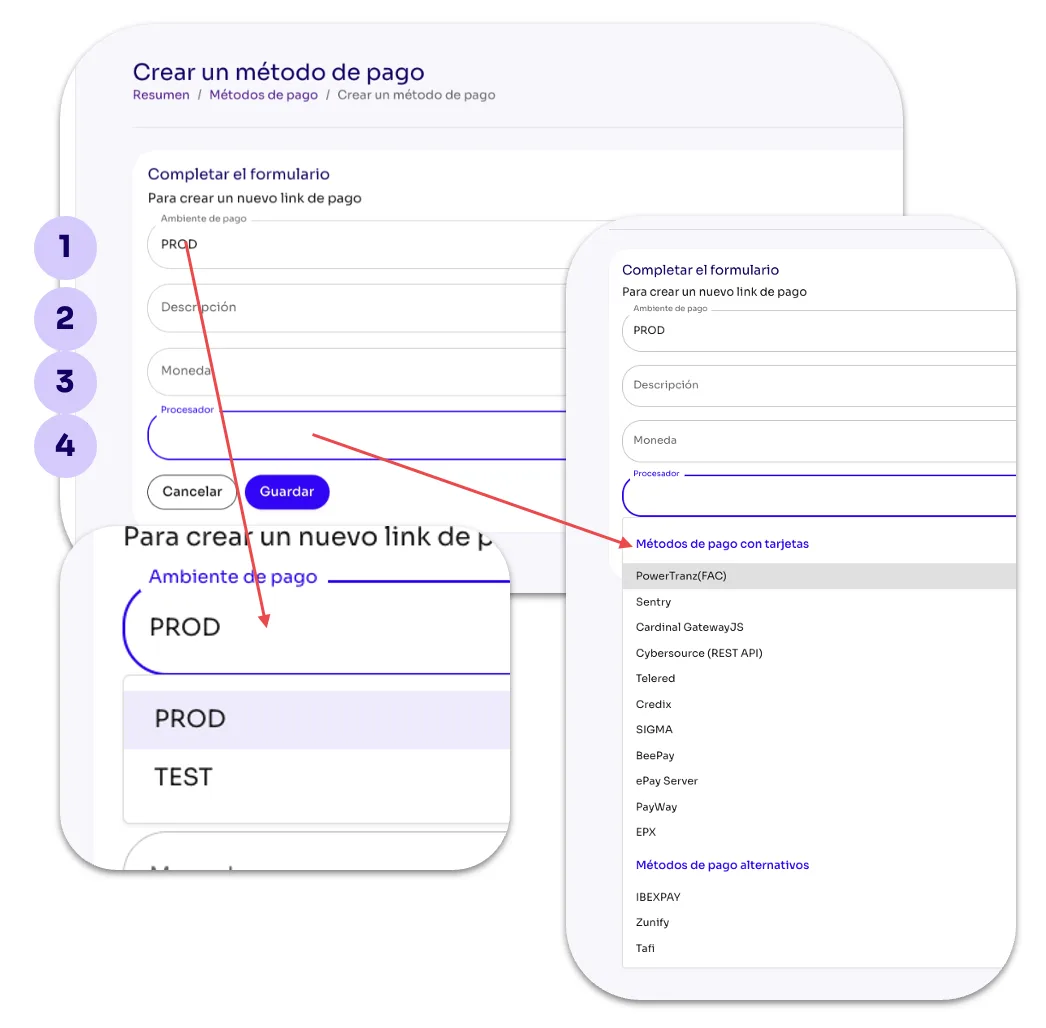
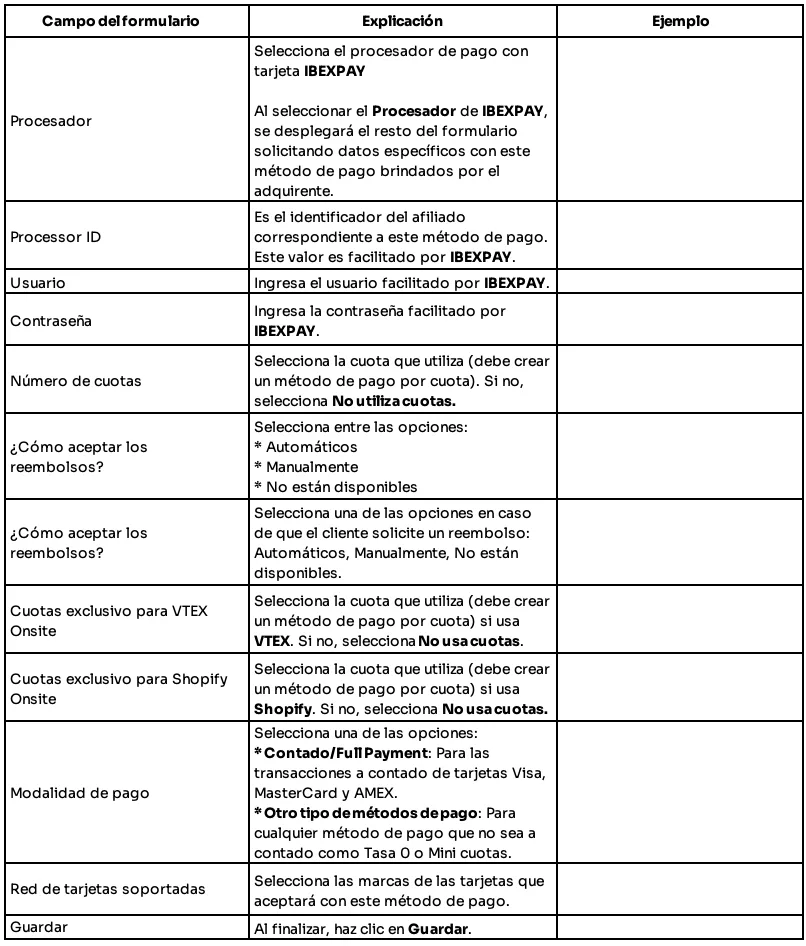
After completing the form to add IBEXPAY as a Payment Method, remember to Enable It in the Payment Methods section.