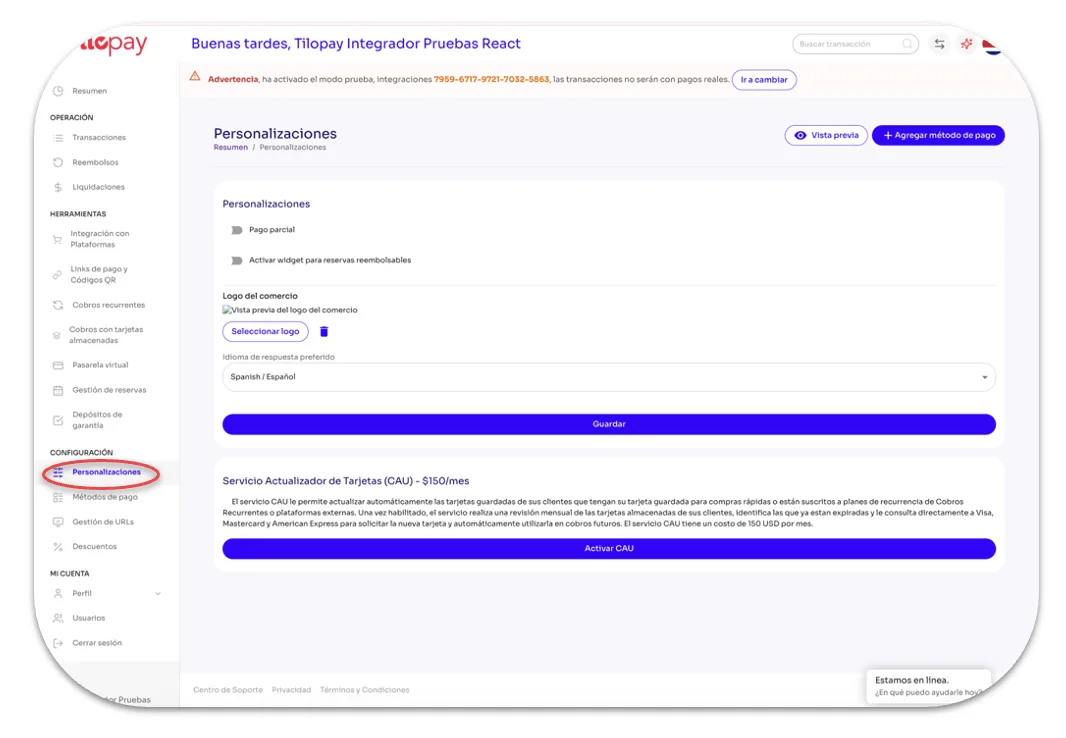
Customizations Section in the Tilopay Admin Dashboard
From the Customizations section in the Tilopay Admin Dashboard, you can enable Partial Payments, access the Refundable Bookings widget, select your business logo and preferred response language for your customers, and enable the Card Account Updater (CAU) service and Refund Protect.
You’ll also find a Preview button that lets you review the payment flow as a customer would see it, as well as an Add Payment Method button that redirects you to the form where you can add the Payment Methods you need.