What Is the Catalog?
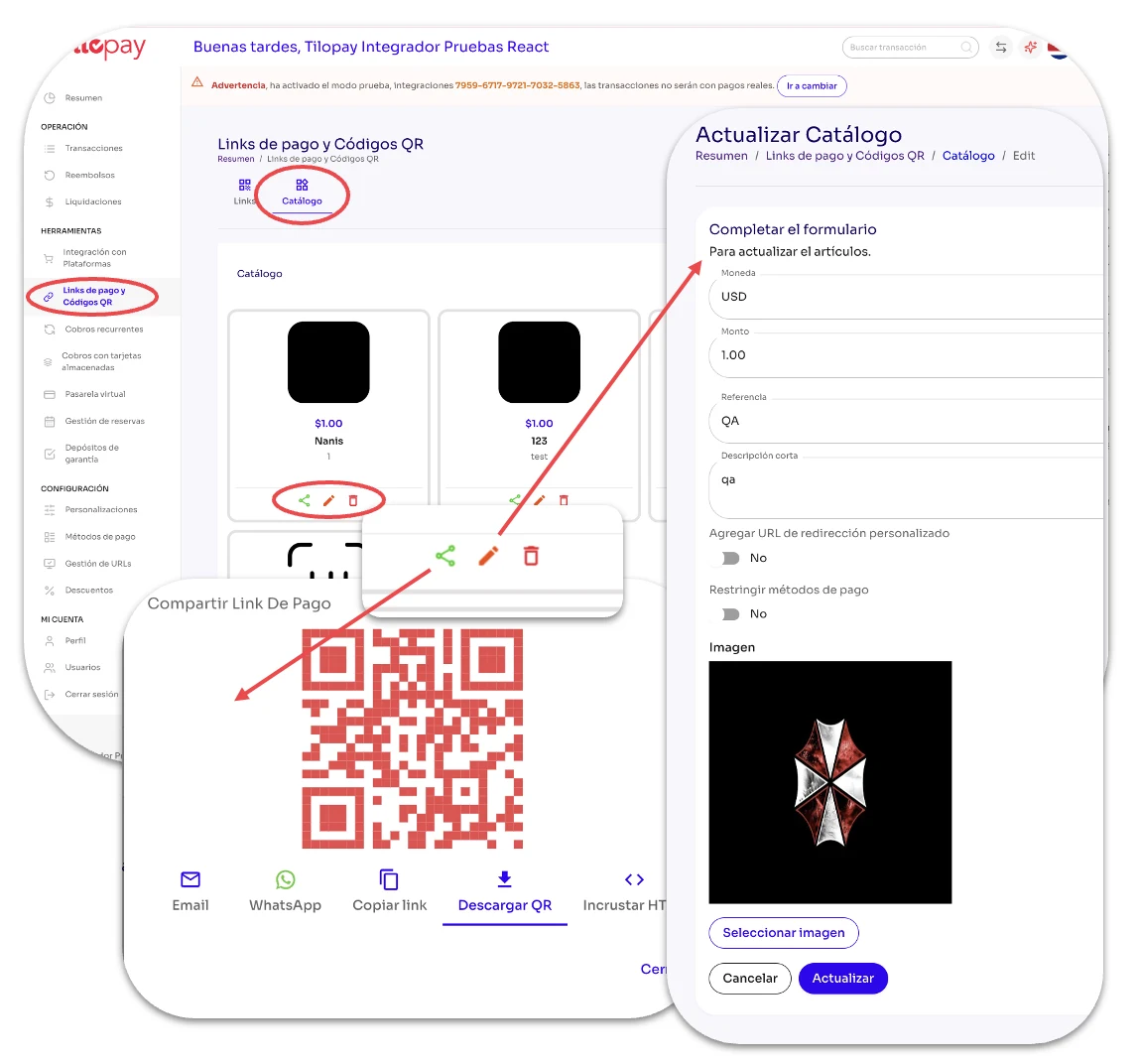
The Catalog section under Payment Link and QR Code in the Tilopay Admin Panel lets you add images and prices for the items you offer.
Tilopay gives you the same options for sharing an item that are available in Payment Link: Email, WhatsApp, Copy Link, Download QR Code, and Embed HTML.
You can also edit each item at any time.
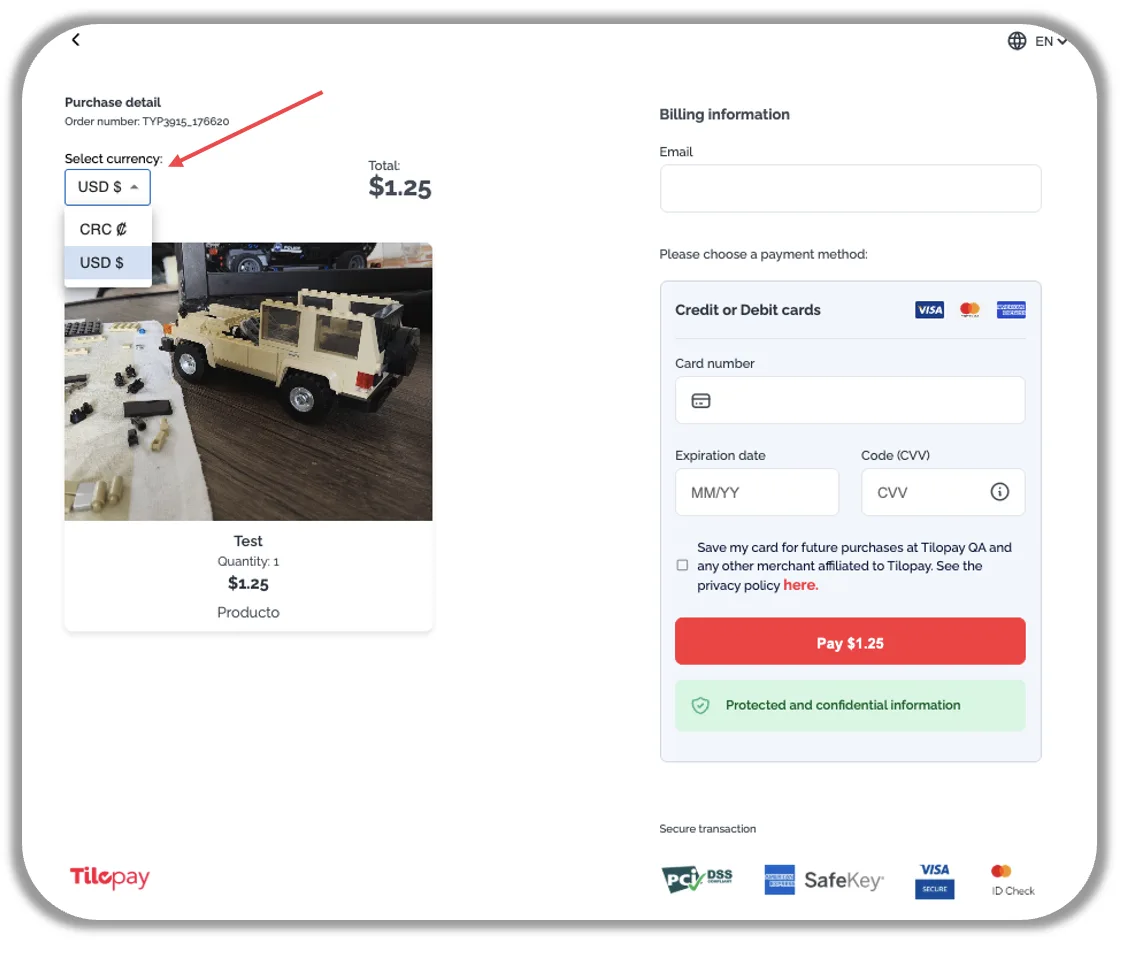
When your customer opens the link to the Catalog item you shared, they can select the currency they want to pay in, as long as you have it enabled in the Tilopay Admin Panel.