How Do I Generate a Payment Link?
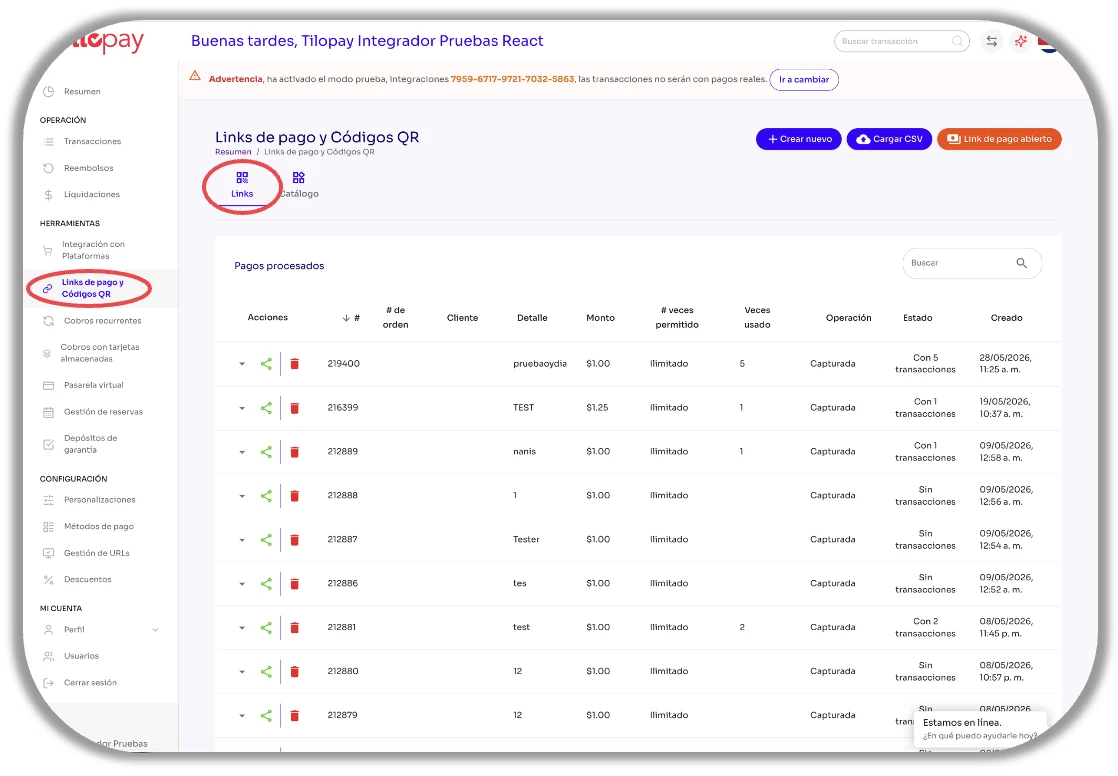
The Payment Links and QR Code module includes a Links section and a Catalog section.
The Payment Links and QR Code module in the Tilopay Admin Panel includes a Links section and a Catalog section.
In the Links section, you'll find buttons to Create a new payment link, Upload CSV to generate multiple payment links at the same time, and create an Open Payment Link that lets your customer enter the amount they want to pay.
You can't edit Payment Links. You can delete a link and generate a new one with the correct information.
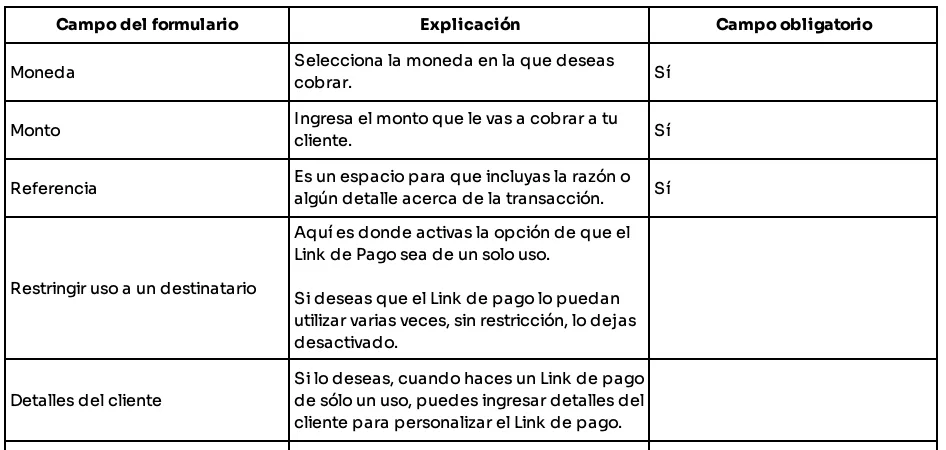
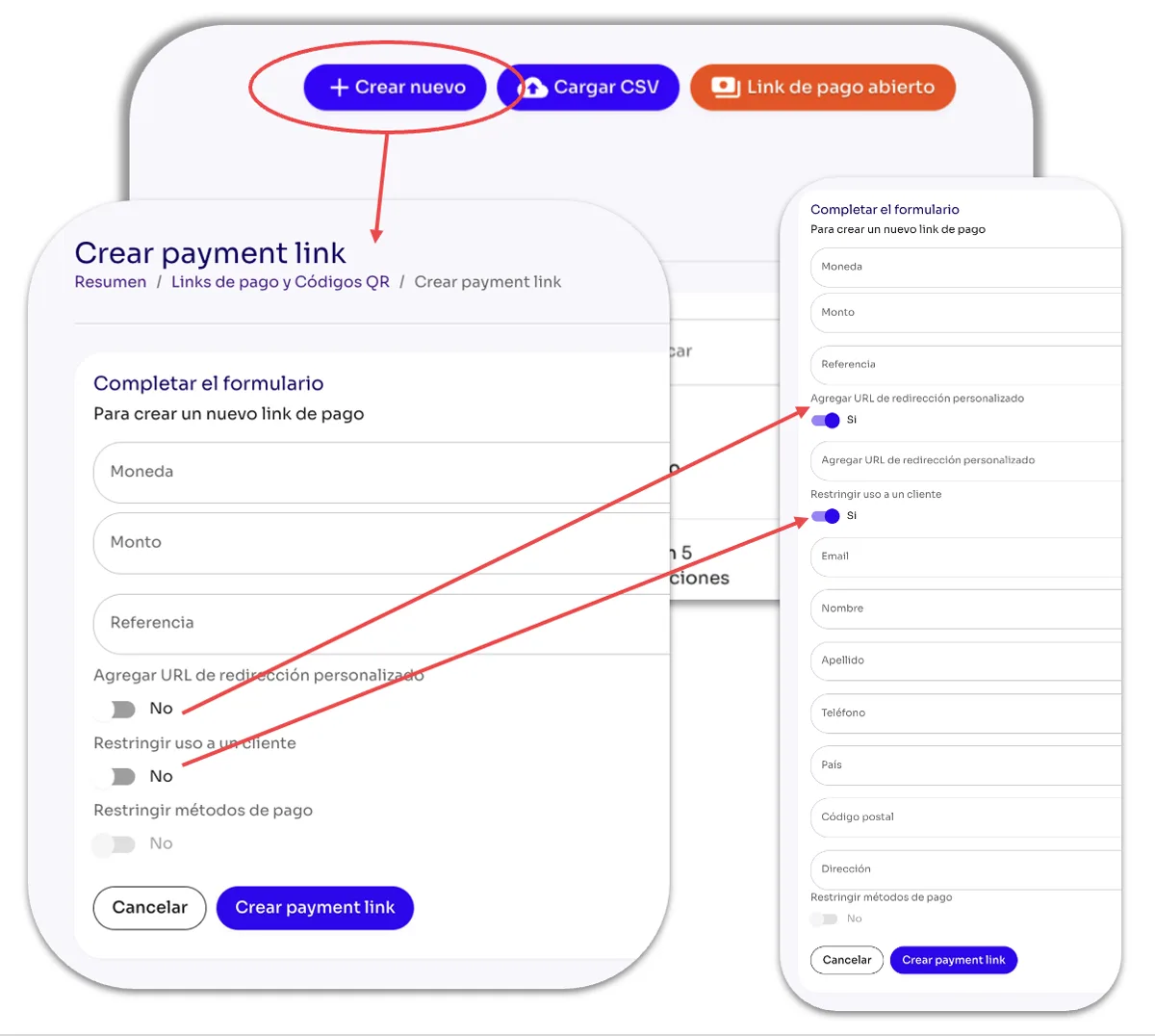
On the right side of the screen, you'll find the Create New button, which opens the form you can use to generate a Payment Link and collect payment.
Complete the fields in the form and click the Create Payment Link button at the bottom to generate it.