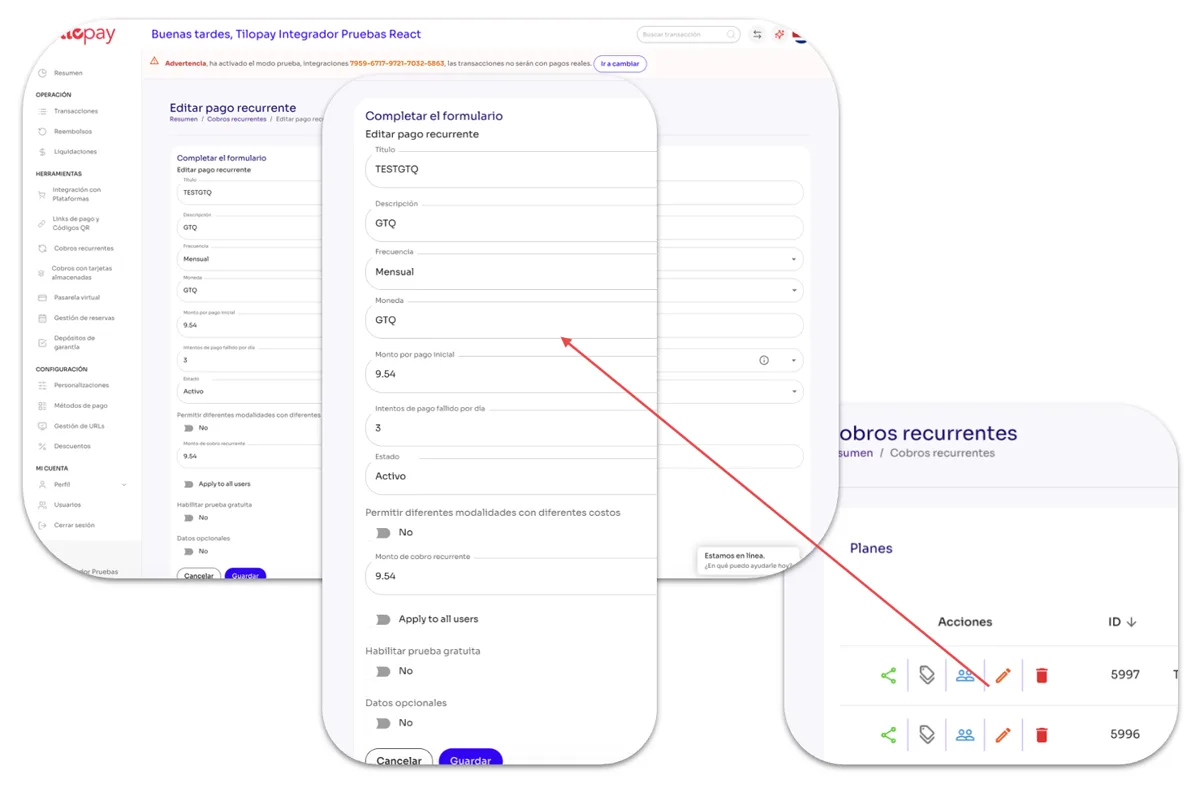
How do I create coupons for a plan in Subscription Payments?
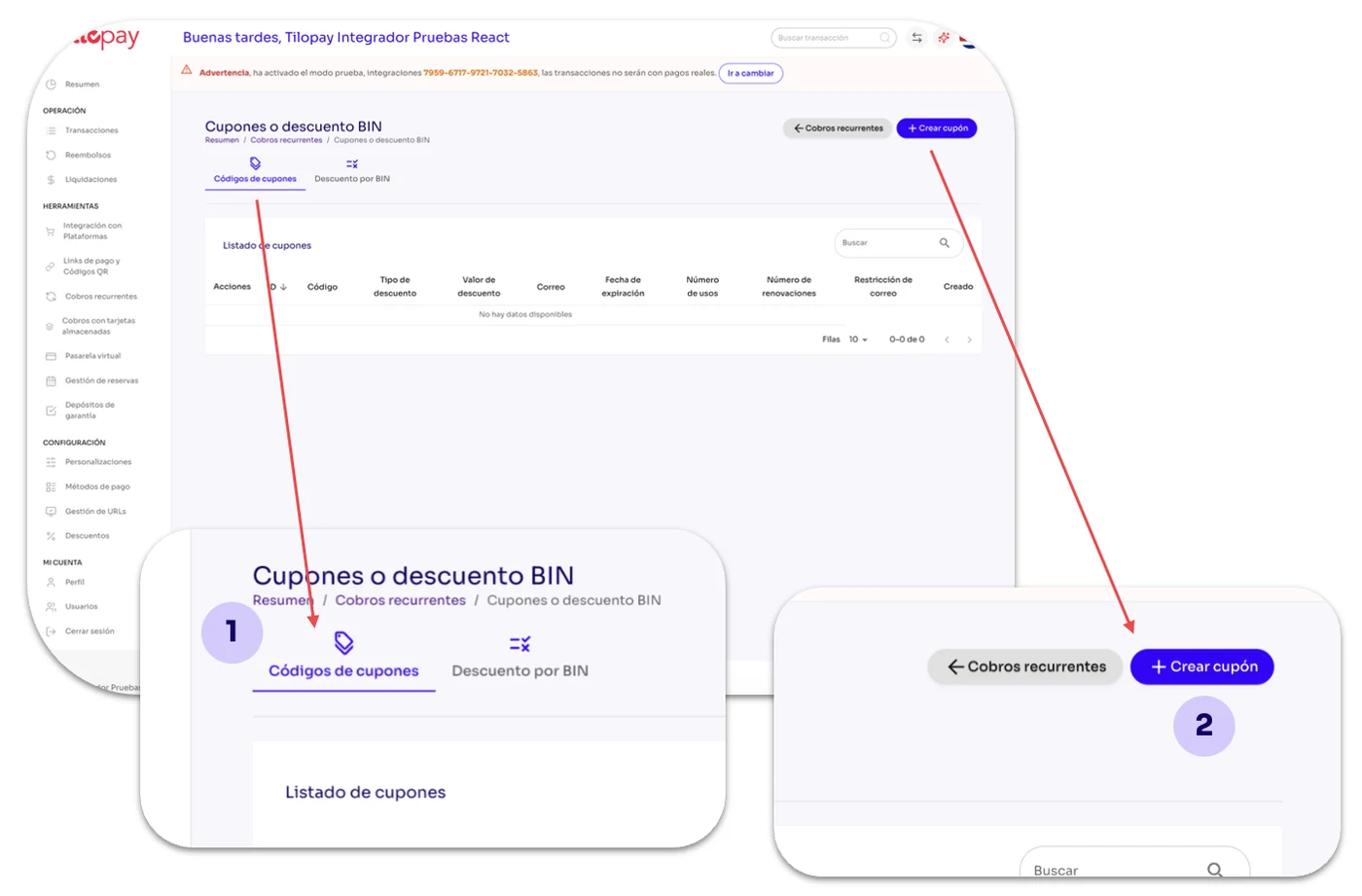
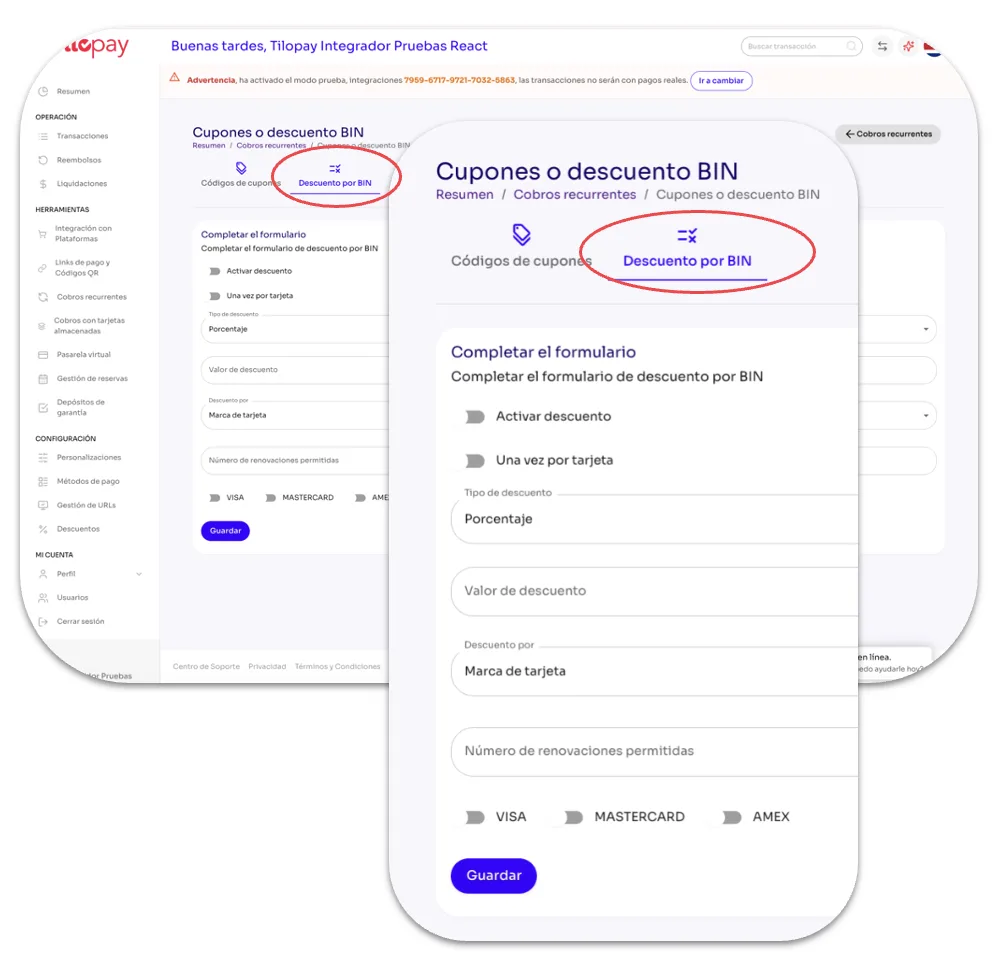
From the Recurring Payments section in the Tilopay Admin Dashboard, you can click the Coupon Codes or BIN Discounts icon under the Actions menu to activate them automatically.
Coupon Codes: When you click Coupon Codes, the Create Coupon button will be available so you can create coupons for the recurring plan you selected.
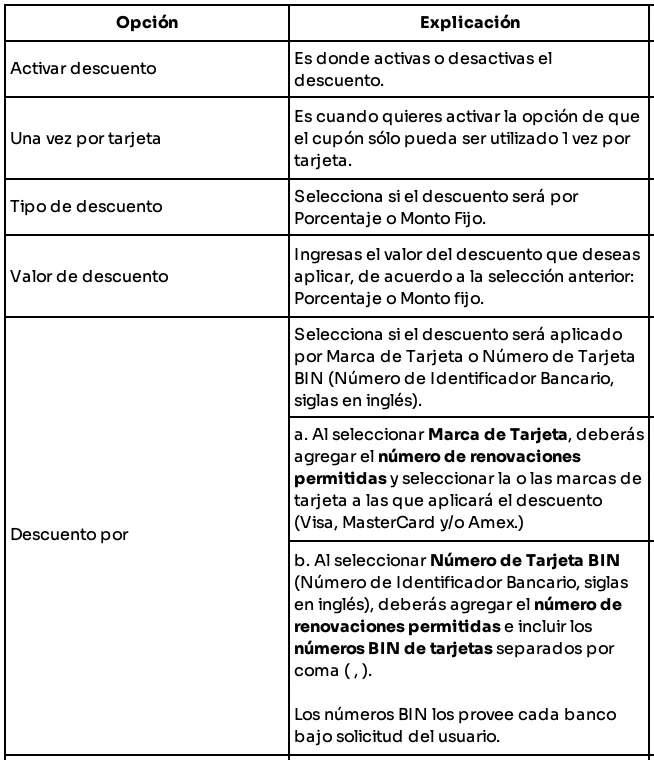
When you click Create Coupon, a form will open requesting information.
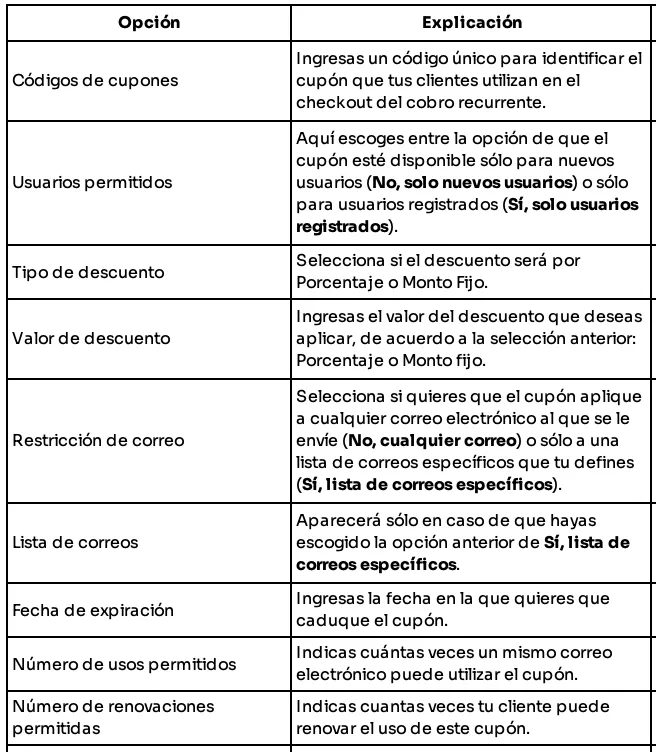
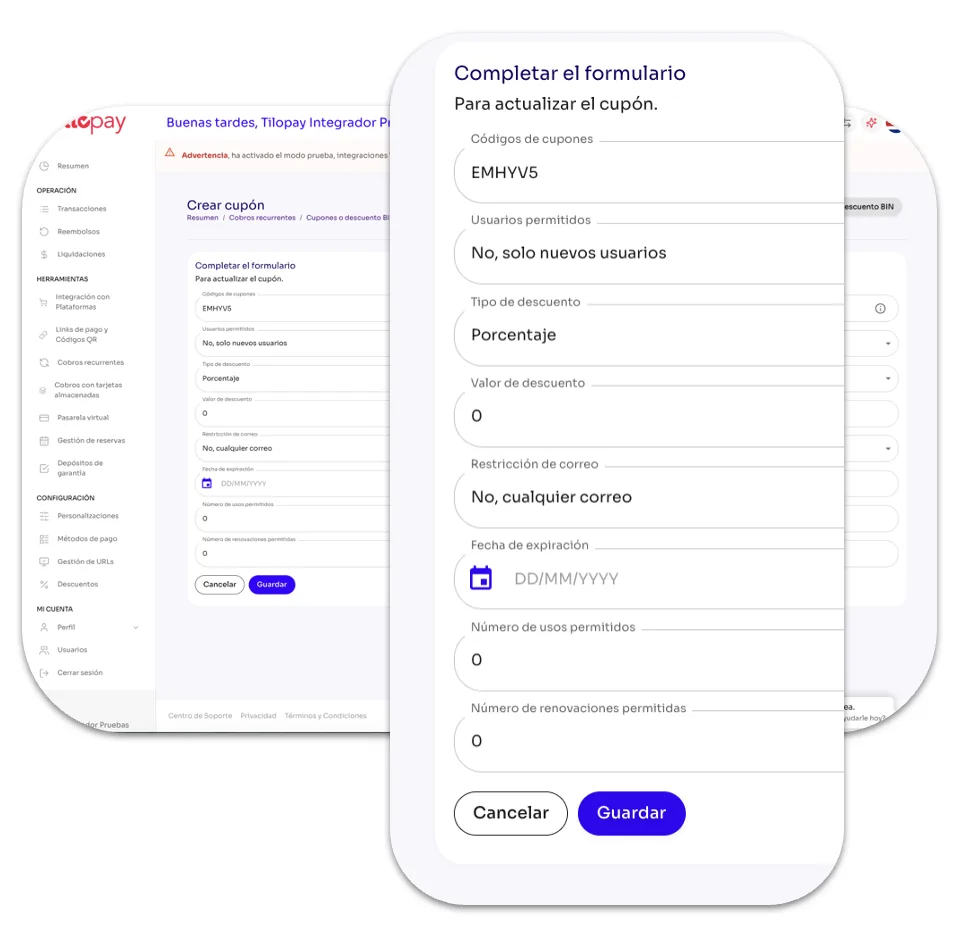
From the Recurring Payments section, you can edit a Plan's details by clicking the Edit icon under the Actions menu.
When you click the Edit button, the form for the Recurring Payment plan you need to update will open.
Remember to click the Save button so you don't lose your changes.