Subscription Billing

How do I create a plan under Subscription Payments?

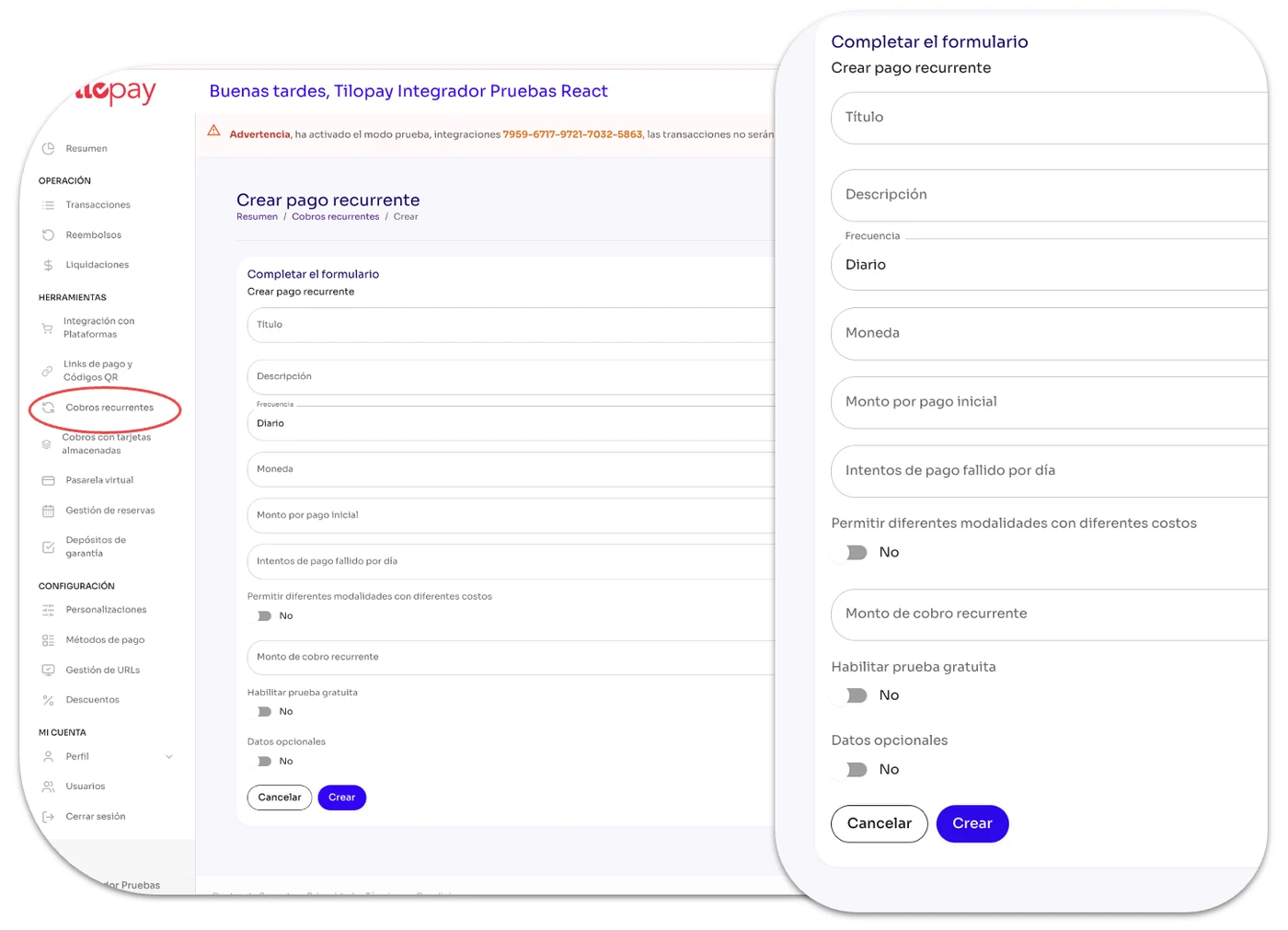
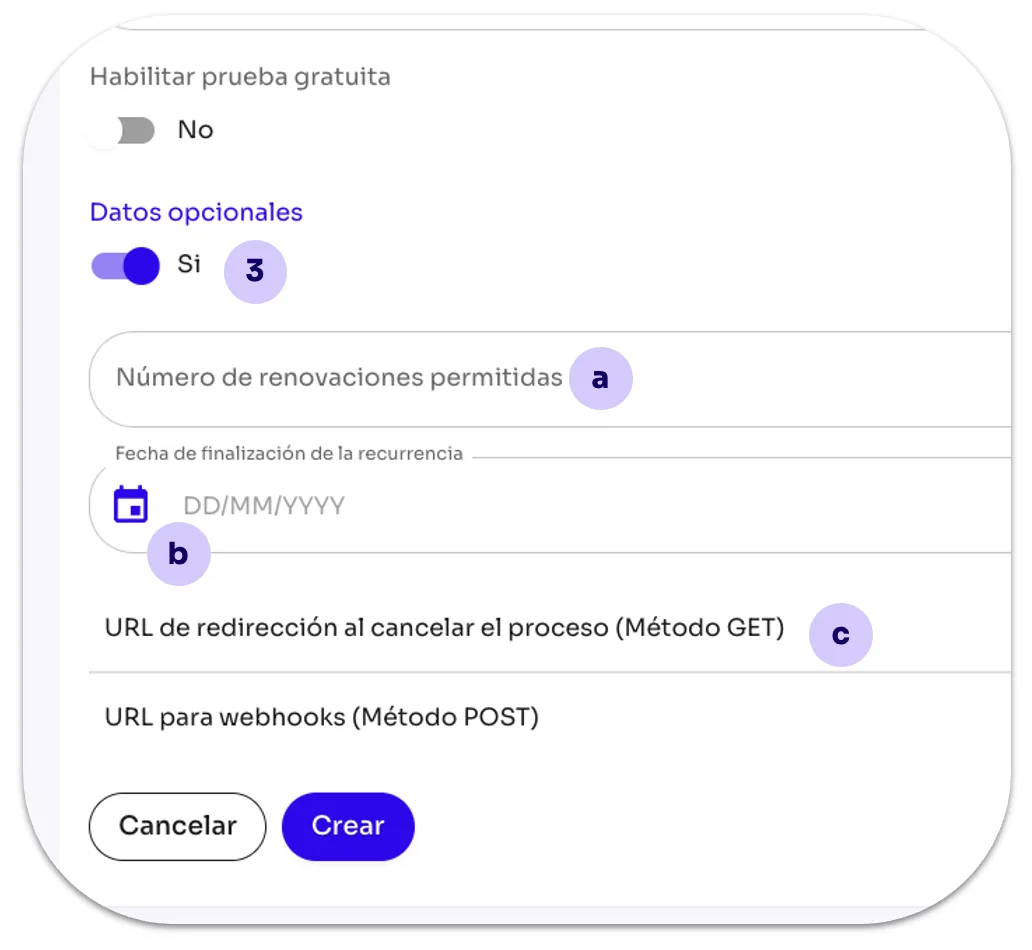
In the Subscription Payments section, you can click Create New to create a recurring payment or Upload Excel to upload a list of recurring payments.

In the Subscription Payments section of the Tilopay Admin Portal , you can click Create New to create a recurring payment or Upload Excel to upload a list of recurring payments.

If you add your subscribers' email addresses to the Excel file, the Tilopay Admin Portal will email them a subscription notification.
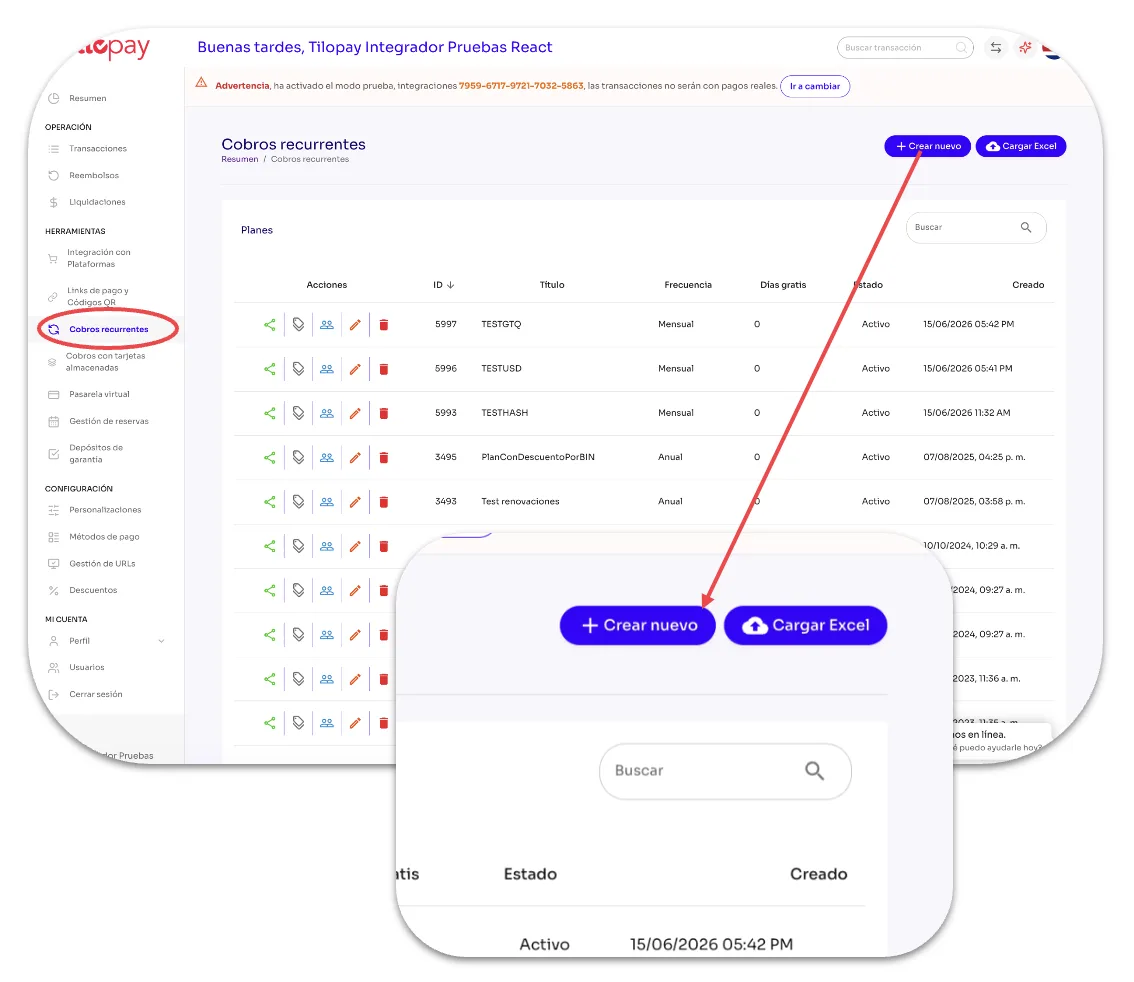
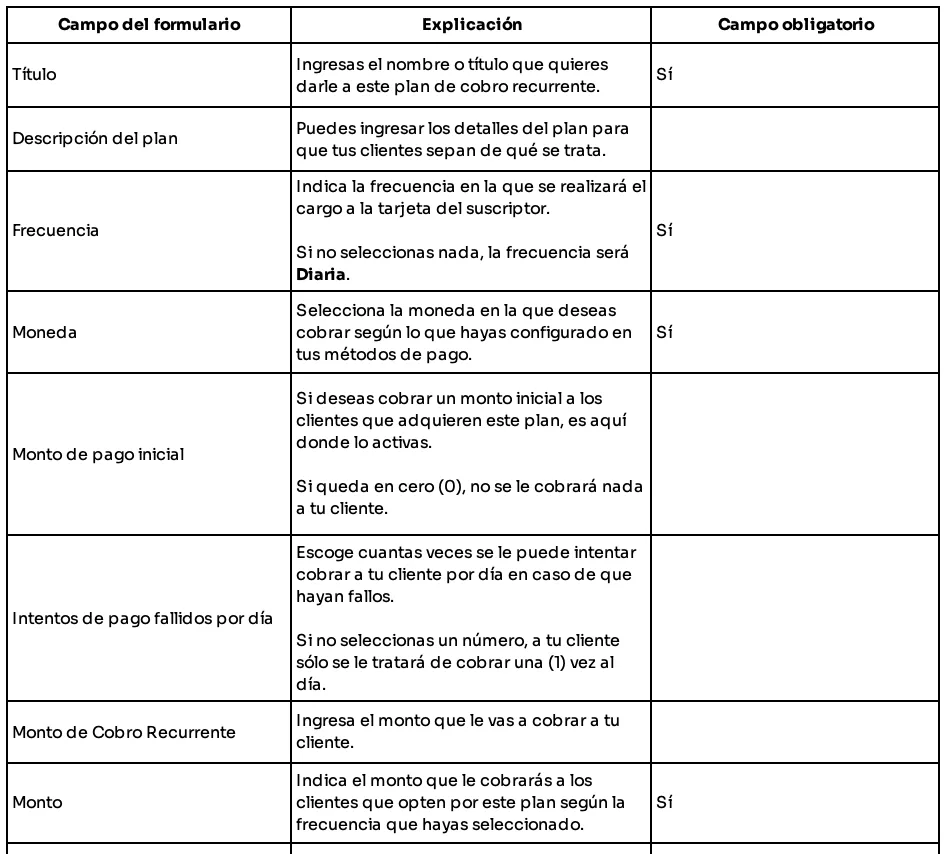
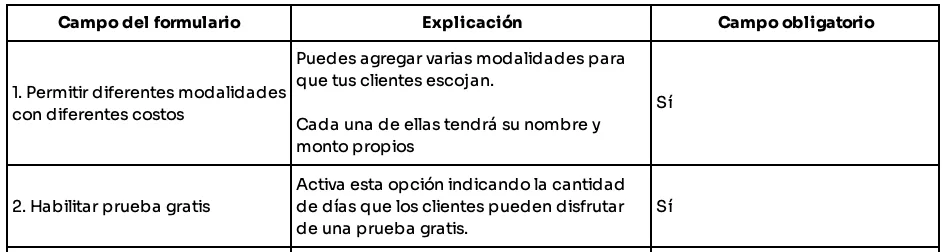
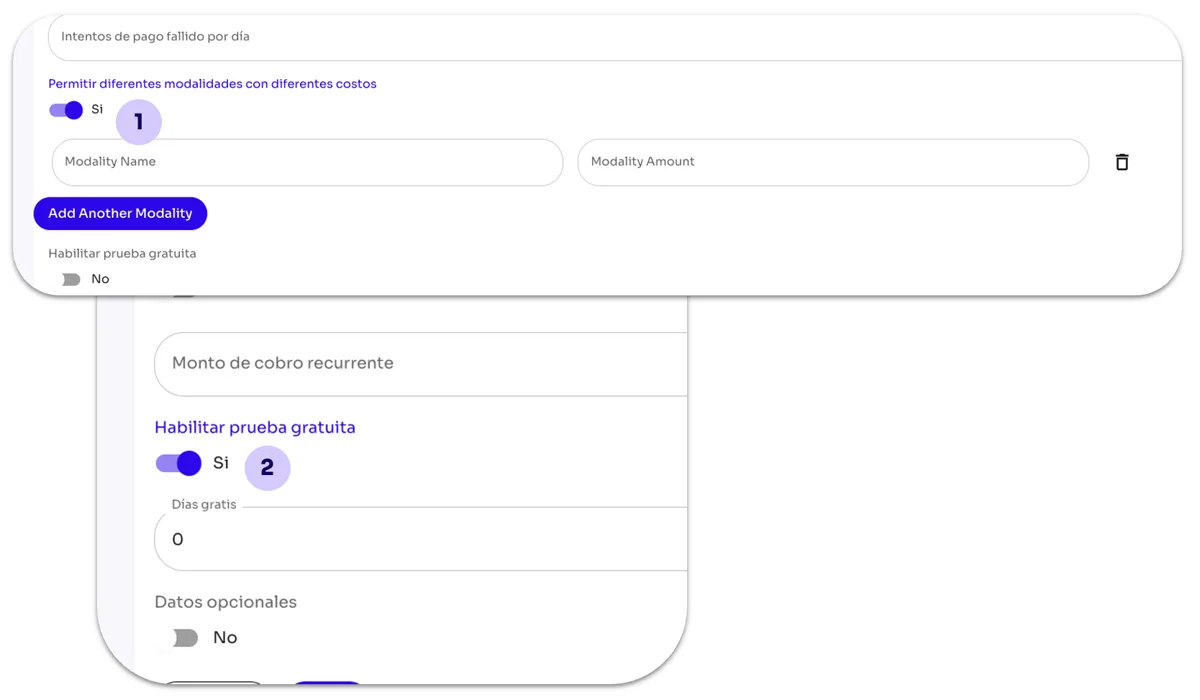
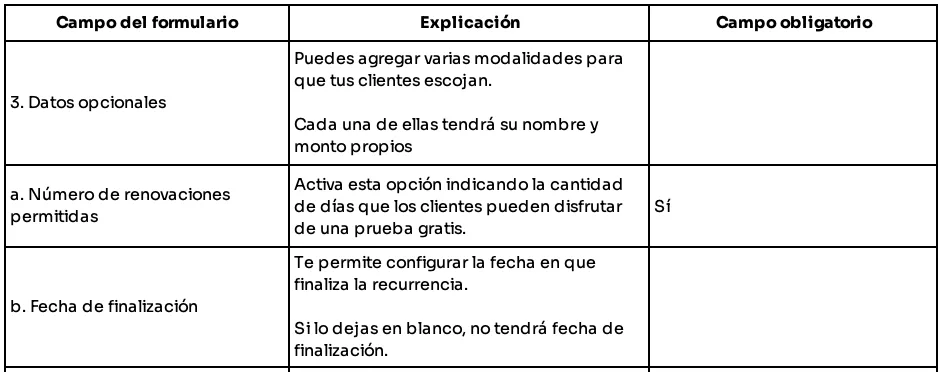
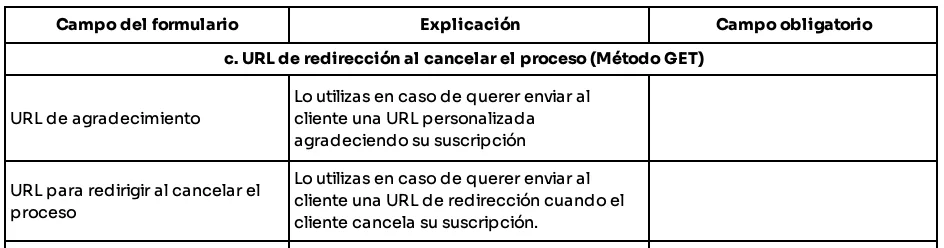
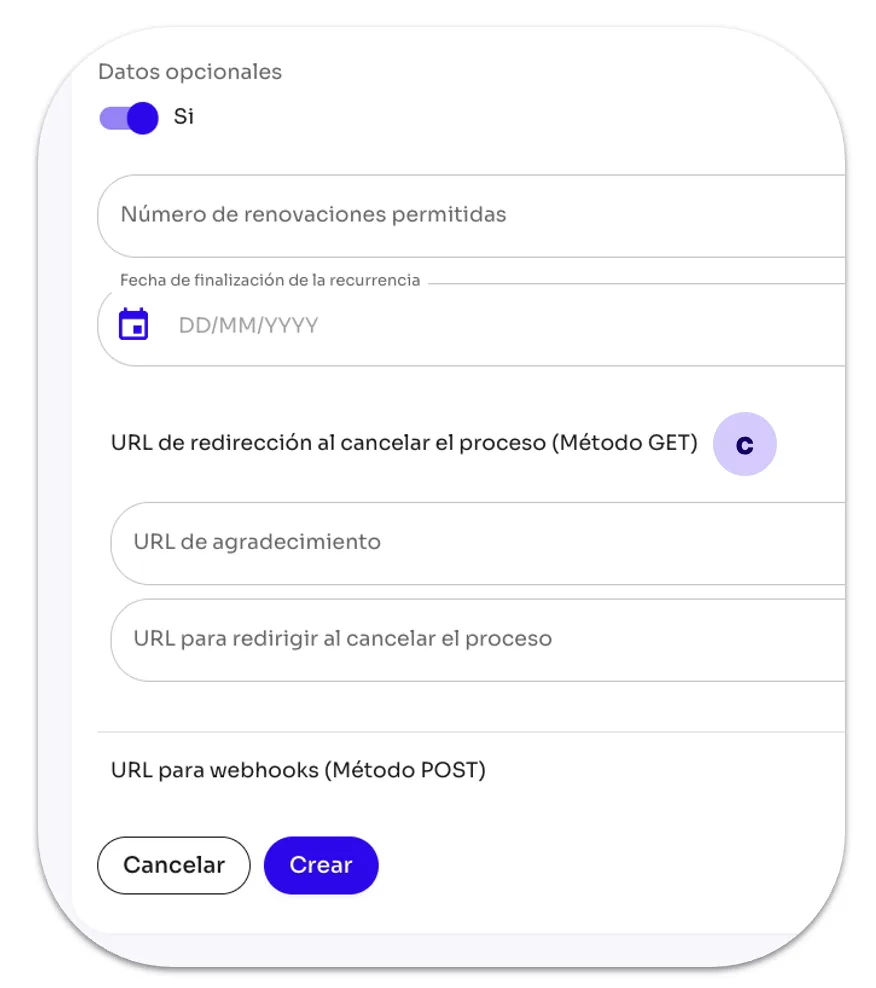
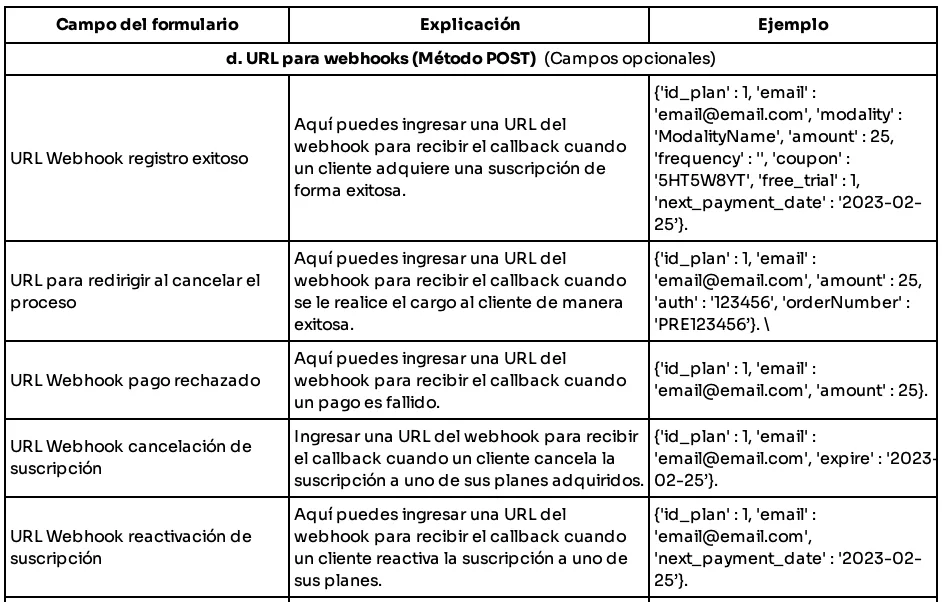
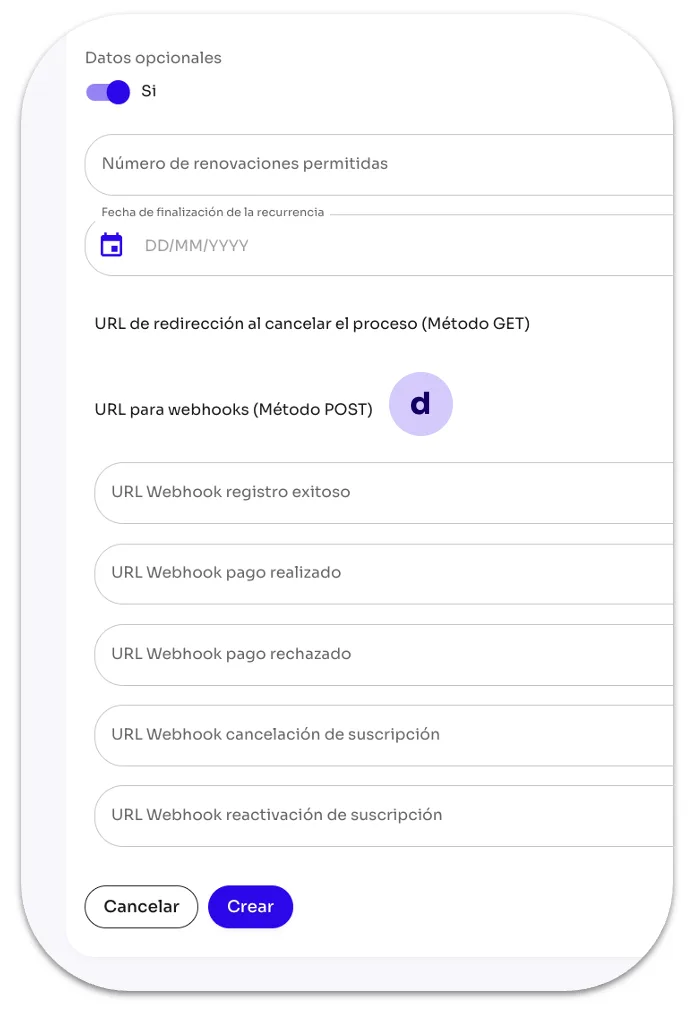
How do I create a plan under Subscription Payments? — screen 95How do I create a plan under Subscription Payments? — table 96How do I create a plan under Subscription Payments? — screen 97How do I create a plan under Subscription Payments? — table 98How do I create a plan under Subscription Payments? — screen 98How do I create a plan under Subscription Payments? — table 99How do I create a plan under Subscription Payments? — screen 99How do I create a plan under Subscription Payments? — table 100How do I create a plan under Subscription Payments? — screen 100How do I create a plan under Subscription Payments? — table 101How do I create a plan under Subscription Payments? — screen 101

Need help with this guide?

Our team can support you through the integration.

Technical Support