How do I share links with preloaded coupons for new or existing subscribers?
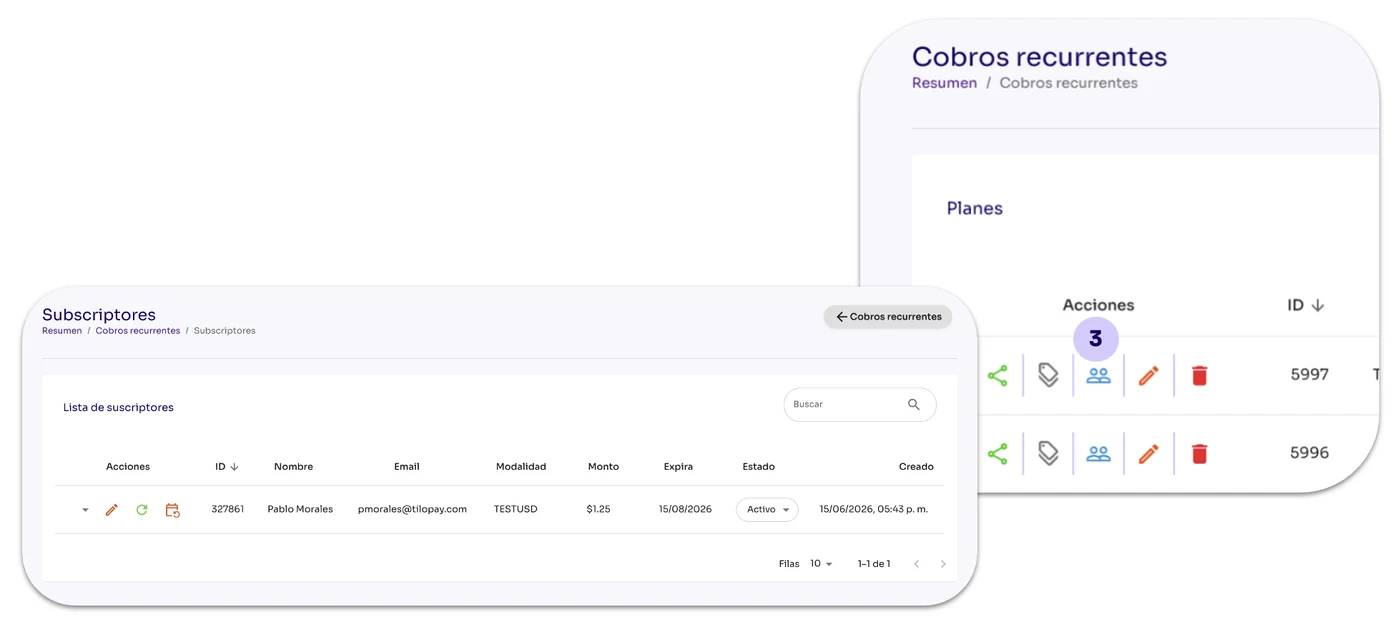
From the Recurring Payments section in the Tilopay Admin Dashboard, click the Subscribers icon under the Actions menu.
When you click the Coupons button, the available subscribers for the selected plan will appear.
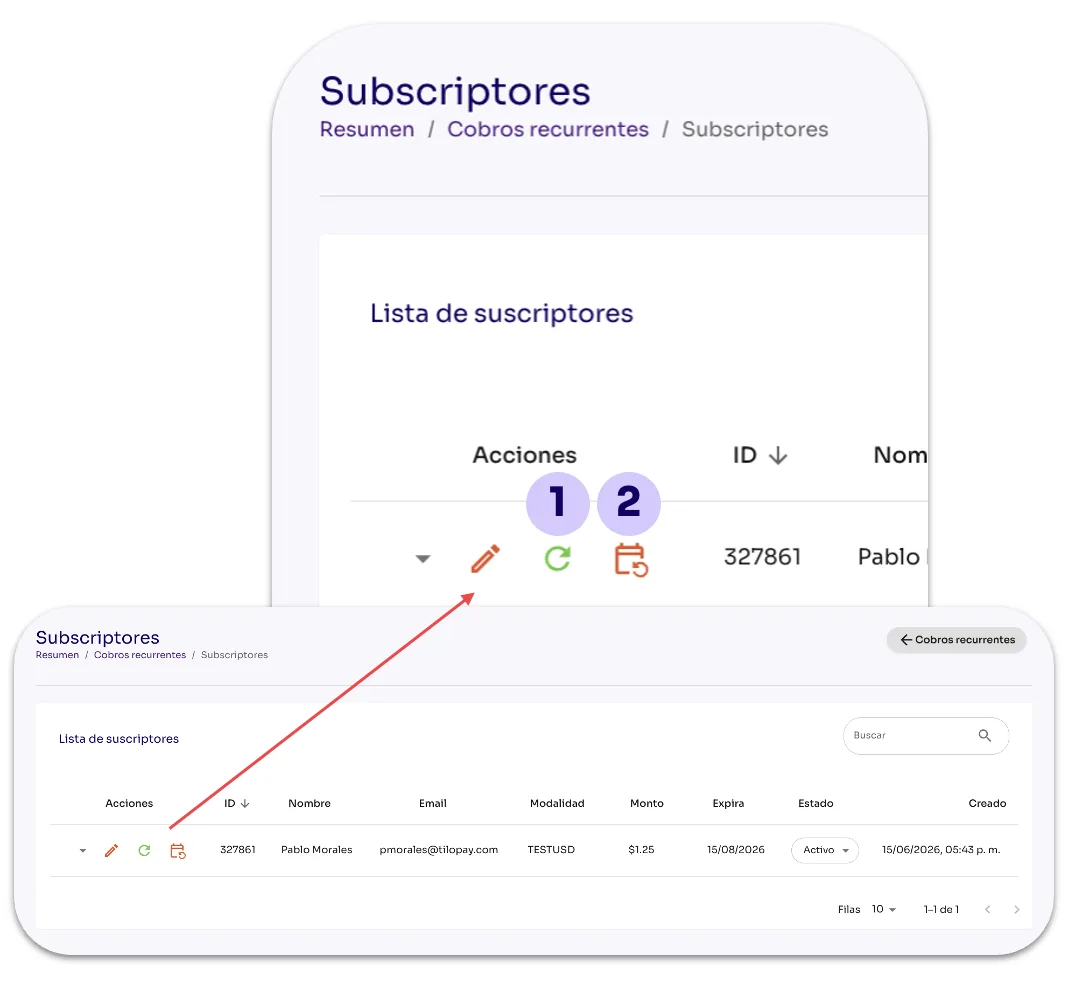
Action Buttons
Mark the next payment as paid: Use this button when the customer pays you using a payment method other than the card they selected when subscribing to the plan. For example, if they pay you in cash.
Process payment: Use this button when you need to charge your customer outside the scheduled billing period. When you click the corresponding icon, a pop-up window will ask you to enter the two-factor authentication (2FA) code to confirm the action. This action CANNOT be undone.