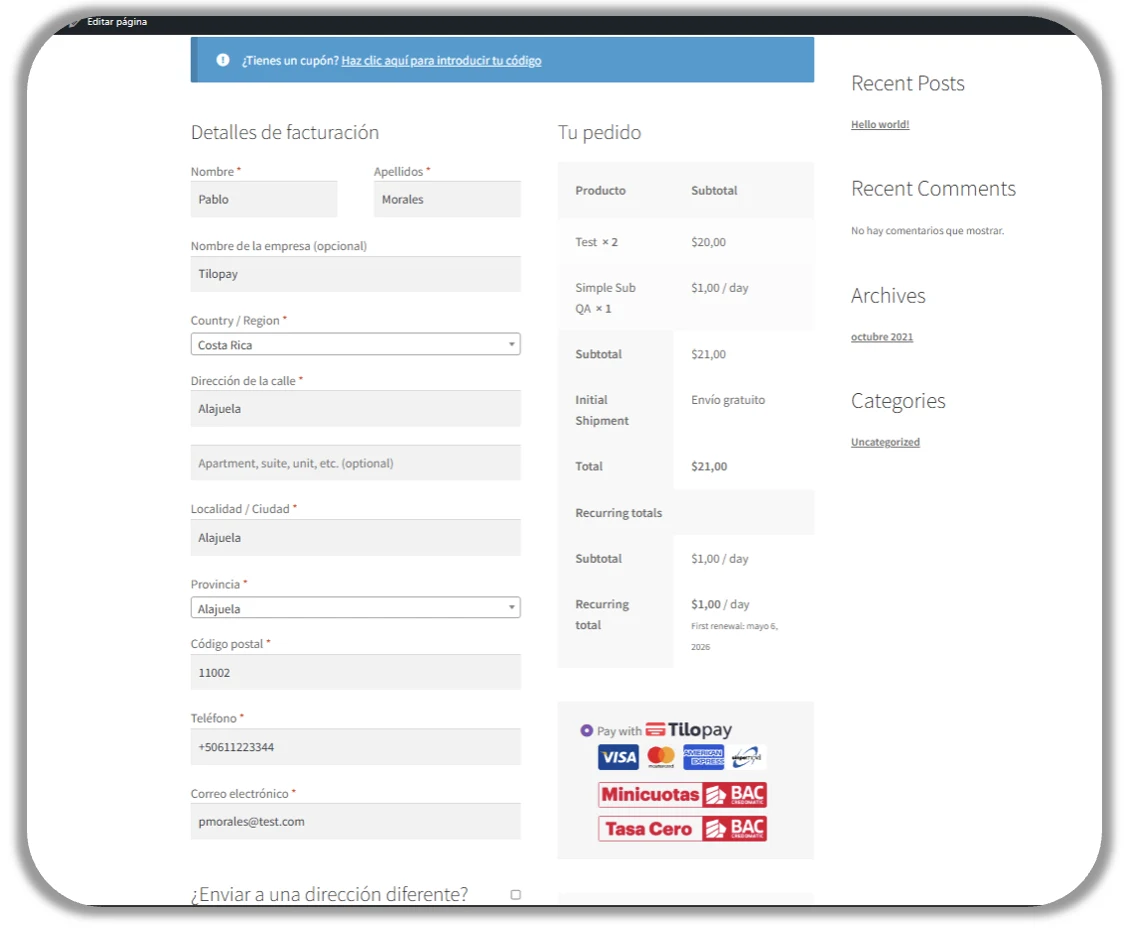
How do you set up Tilopay as a payment method for credit or debit card payments in WooCommerce?
WooComerce is the platform that lets your store accept credit and debit cards in Central America and the Caribbean.
To set up the Tilopay plugin for WooCommerce, go to WooCommerce -> Settings -> Payments. Find Tilopay, select Install Now, and then click Activate.
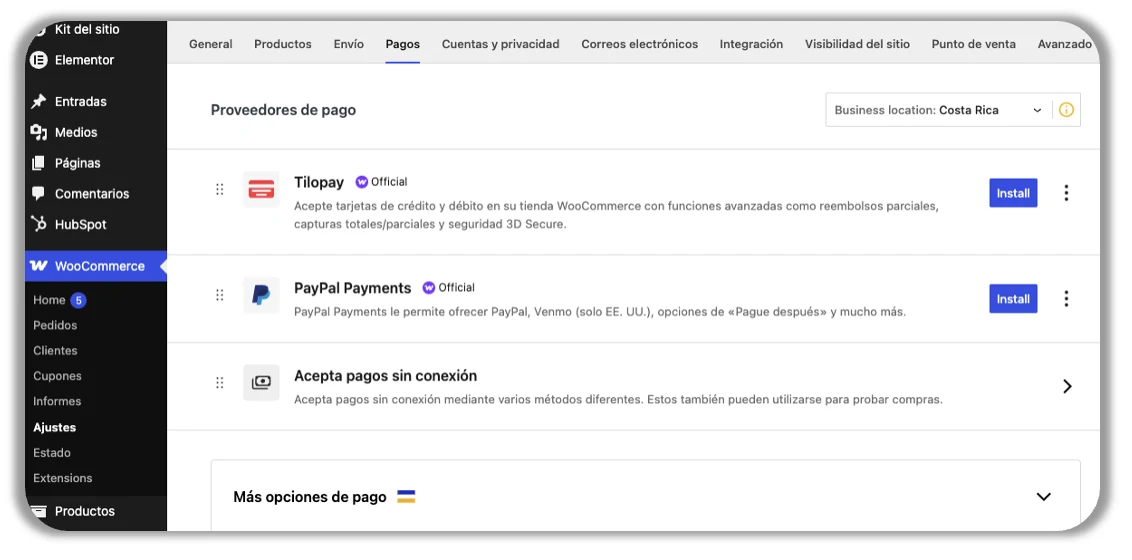
Set up card payments
To set up card payments in WooCommerce, click Complete Setup and fill out the form with the API information from the Tilopay Admin Dashboard.
You can find the Tilopay credentials you need to integrate with WooCommerce in the Tilopay Admin Dashboard. Click the Platform Integrations section and find WooCommerce in the drop-down list.
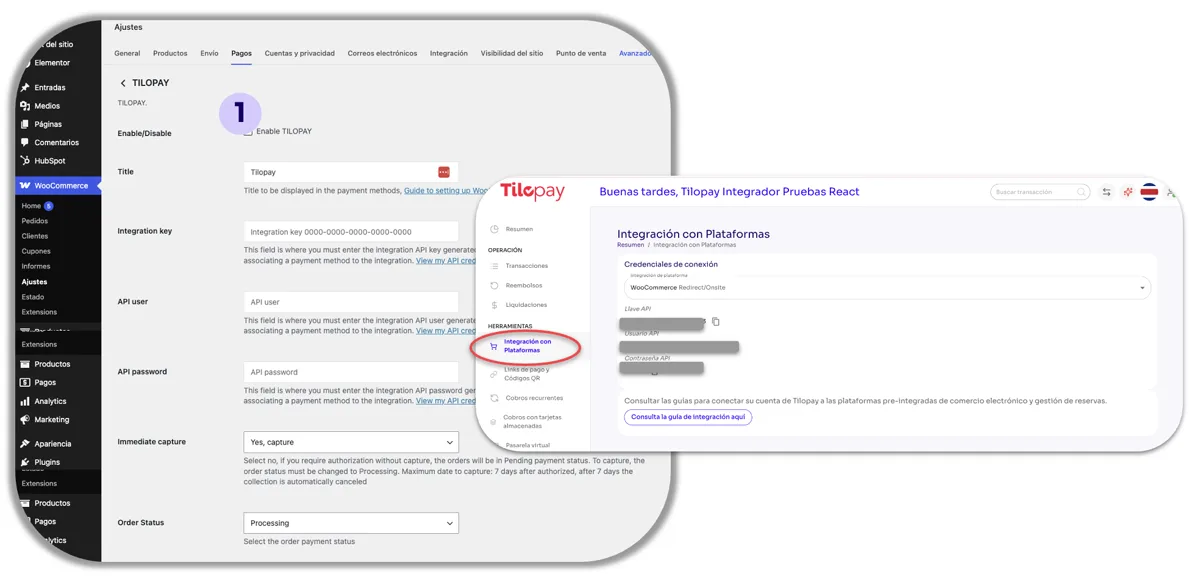
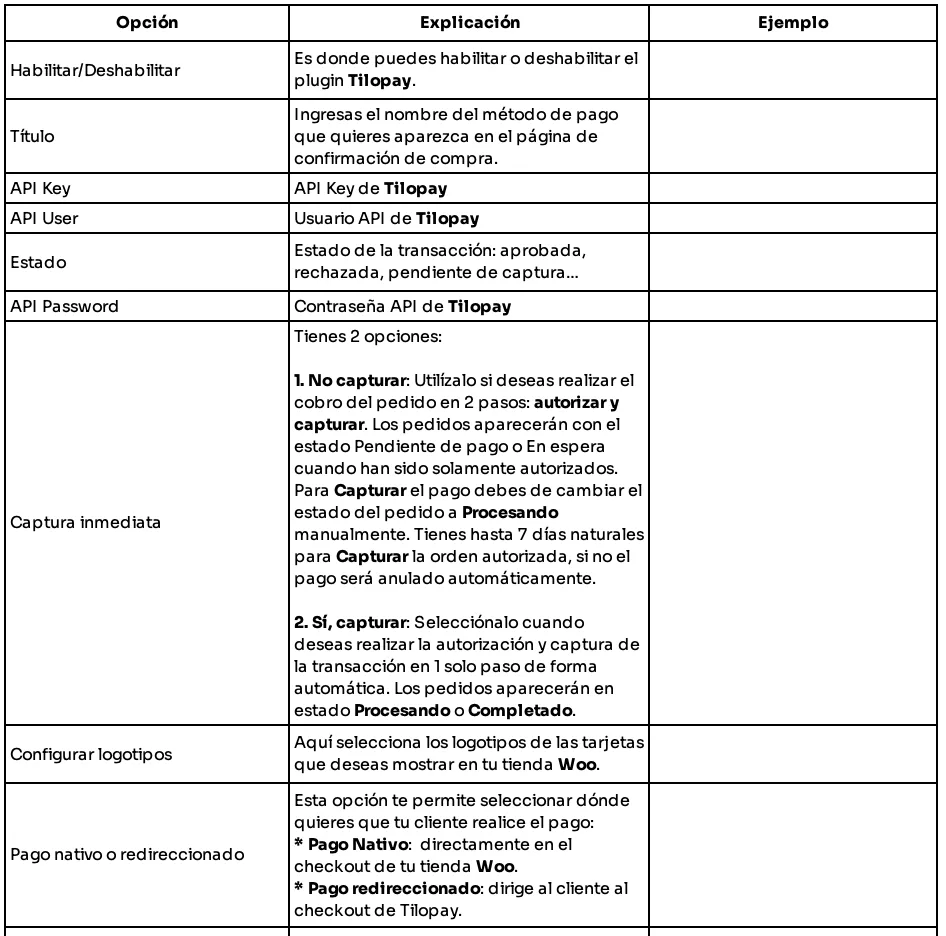
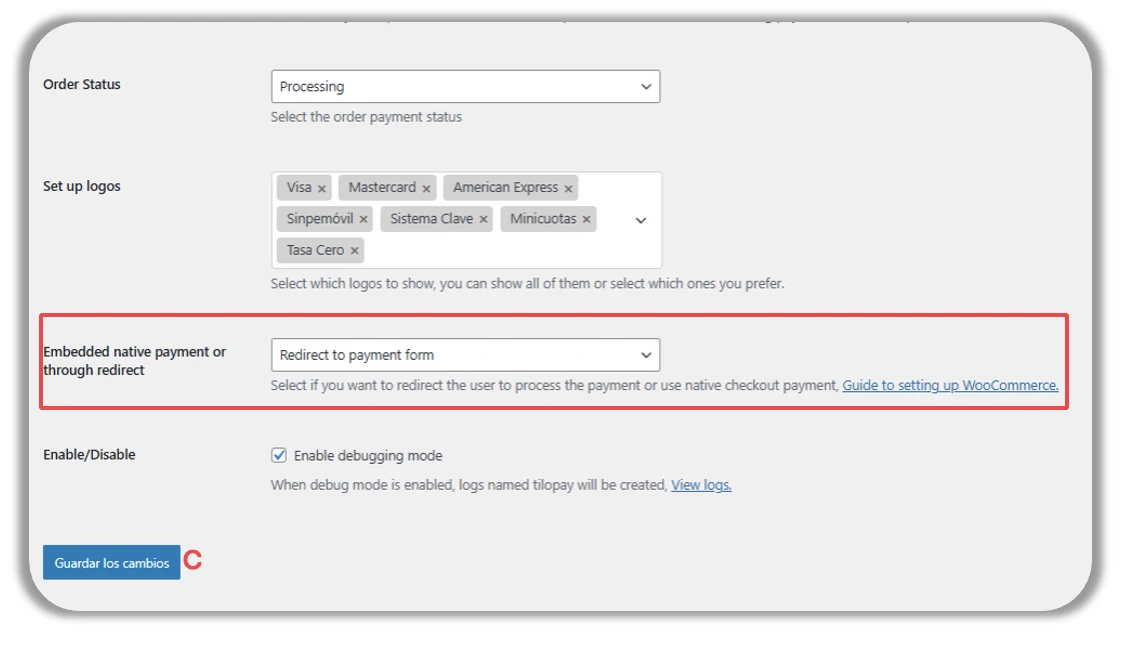
Near the end of the form, you can choose where your customer completes their payment:
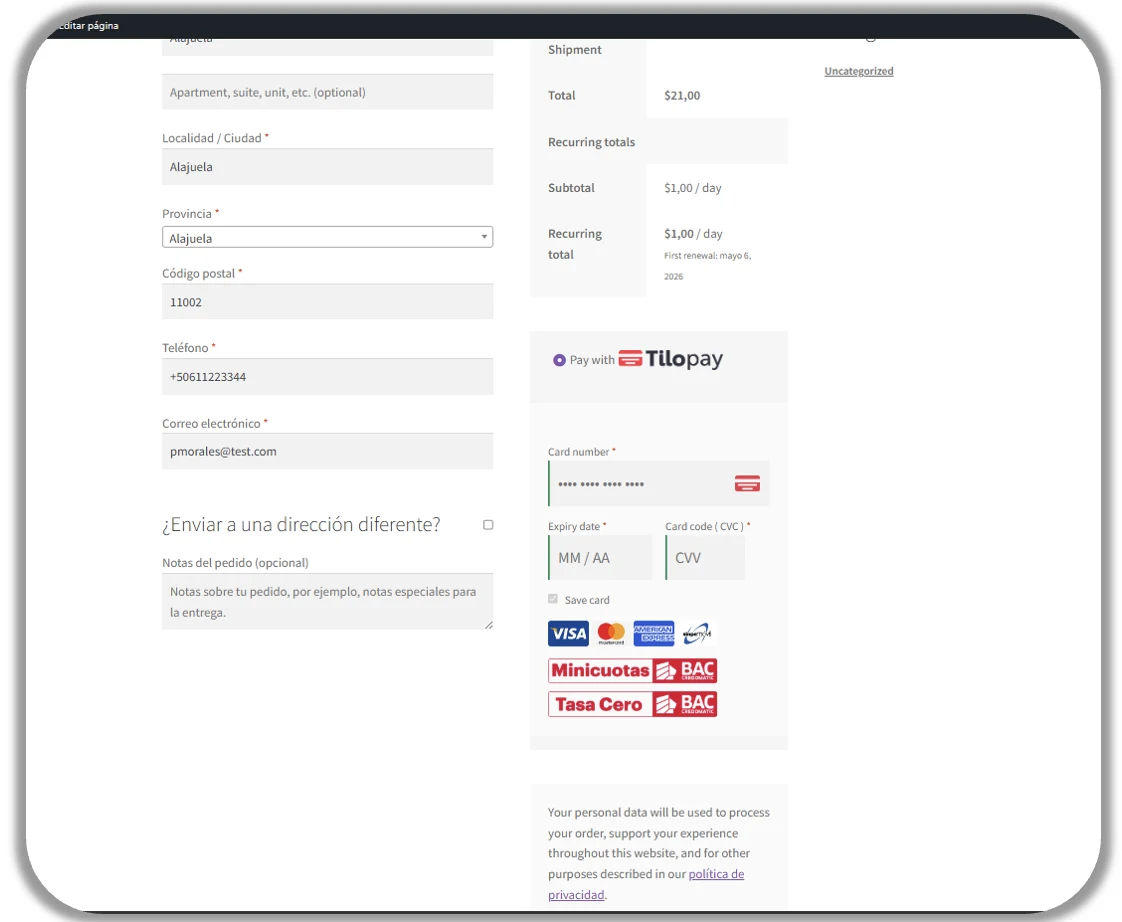
Directly from your WooCommerce store by selecting Native Payment.
Directly through Tilopay by selecting Redirected Payment.
Enable debugging mode: When you select this checkbox, Tilopay and WooCommerce can access transaction logs. This access is essential for answering your questions and assisting you if you experience an issue with a transaction.
This is how the checkout will appear to your customer when you select Native Payment for payments using alternative or local payment methods:
This is how the checkout will appear to your customer when you select Redirected Payment for payments using alternative or local payment methods: