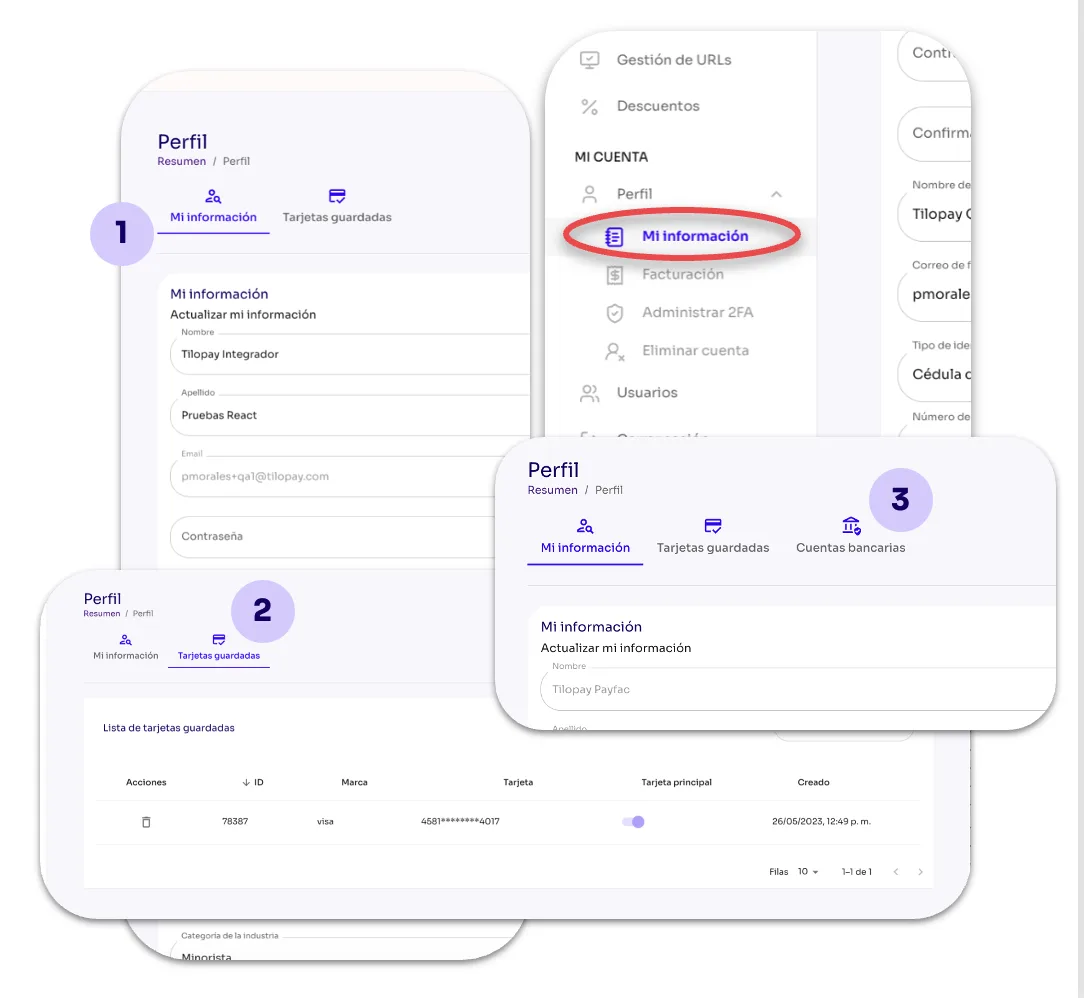
What Can I Do in My Information in the Tilopay Admin Dashboard?
In the Profile module of the Tilopay Admin Dashboard, you can access the information you provided when you signed up with Tilopay. You can view and edit your company and billing information, change your two-factor authentication methods, and delete your account if you wish.
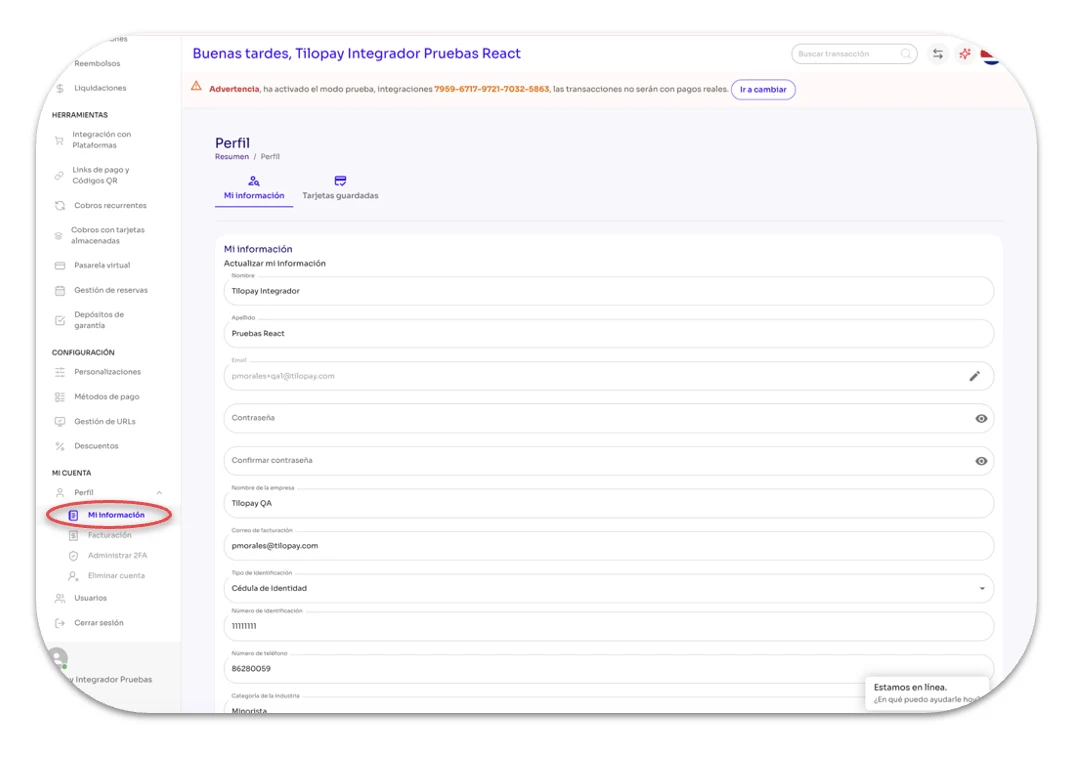
Under the Profile module, you can access 2 tabs:
My Information: Here, you can view the details used to onboard your company with Tilopay and edit them manually if needed.
To change the email address associated with your account, simply click the pencil icon in that field and follow the on-screen instructions.Saved Cards: In this tab, you can add or delete the card information you used when signing up. Remember that your card information will be tokenized once you enter it into the system.
Bank Account: This will only appear if you have Payfac payment methods. If you only have Aggregator payment methods, this section will not appear in your Tilopay profile.
If you have more than one card saved, you can select the one you want Tilopay to use as your primary card here.