How do I add cards to my profile in the Tilopay Admin Panel?
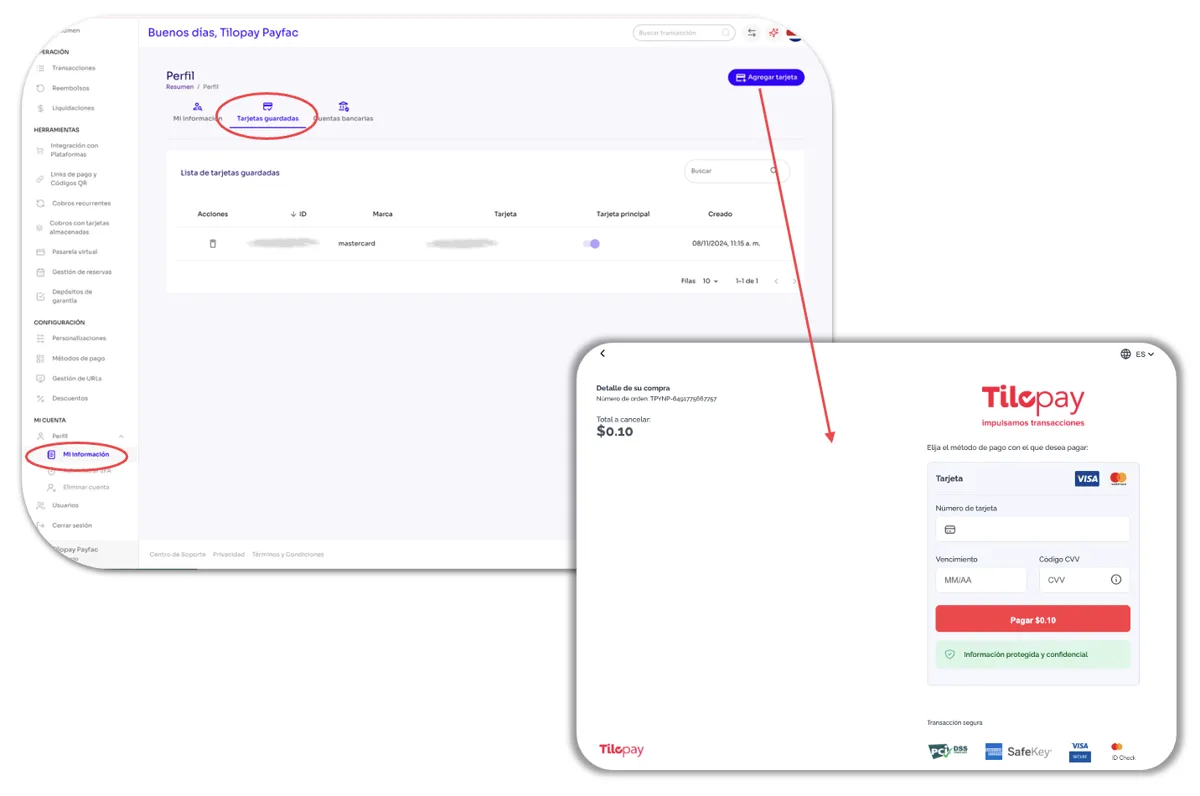
To add a new card, just click the Add Card button. You’ll be redirected to a new checkout-style window where you can enter your card details.
To add a new card, go to the Profile section in the Tilopay Admin Panel, click the Saved Cards tab, and then click the Add Card button. You’ll be redirected to a new checkout-style window where you can enter your card details.
Since the card will be tokenized, you’ll be charged $0.10 (ten US cents) when you click Pay $0.10.