¿Qué es el Catálogo?
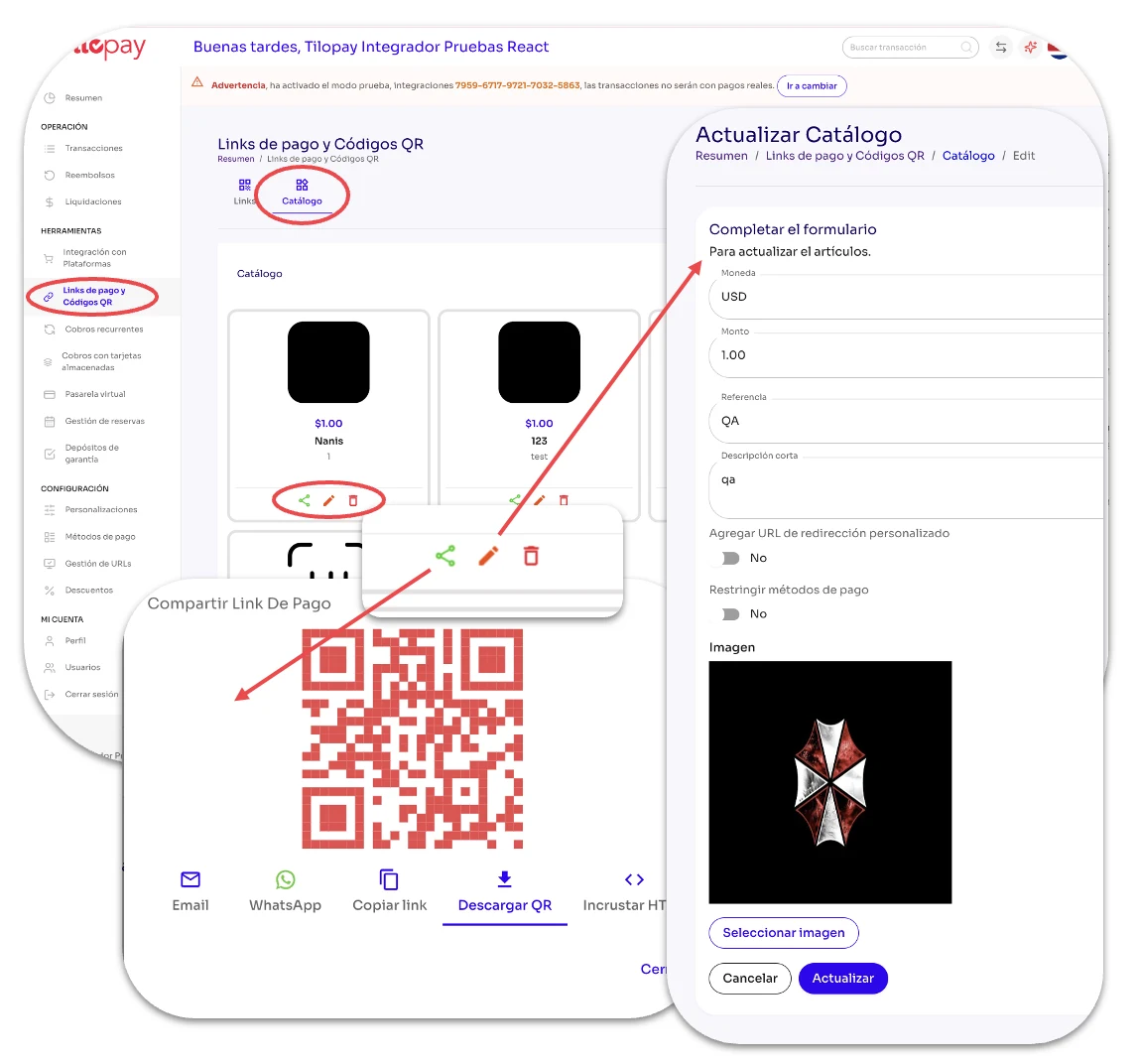
La sección de Catálogo dentro de la sección de Link de Pago y Código QR en el Panel Administrativo de Tilopay te permite agregar imágenes con el precio de los artículos que ofreces.
Tilopay pone a tu disposición las mismas opciones para compartir el artículo que tienes en el Link de Pago: Email, WhatsApp, Copiar link, Descargar QR e Incrustar HTML.
Tienes también la habilidad de editar cada artículo en cualquier momento.
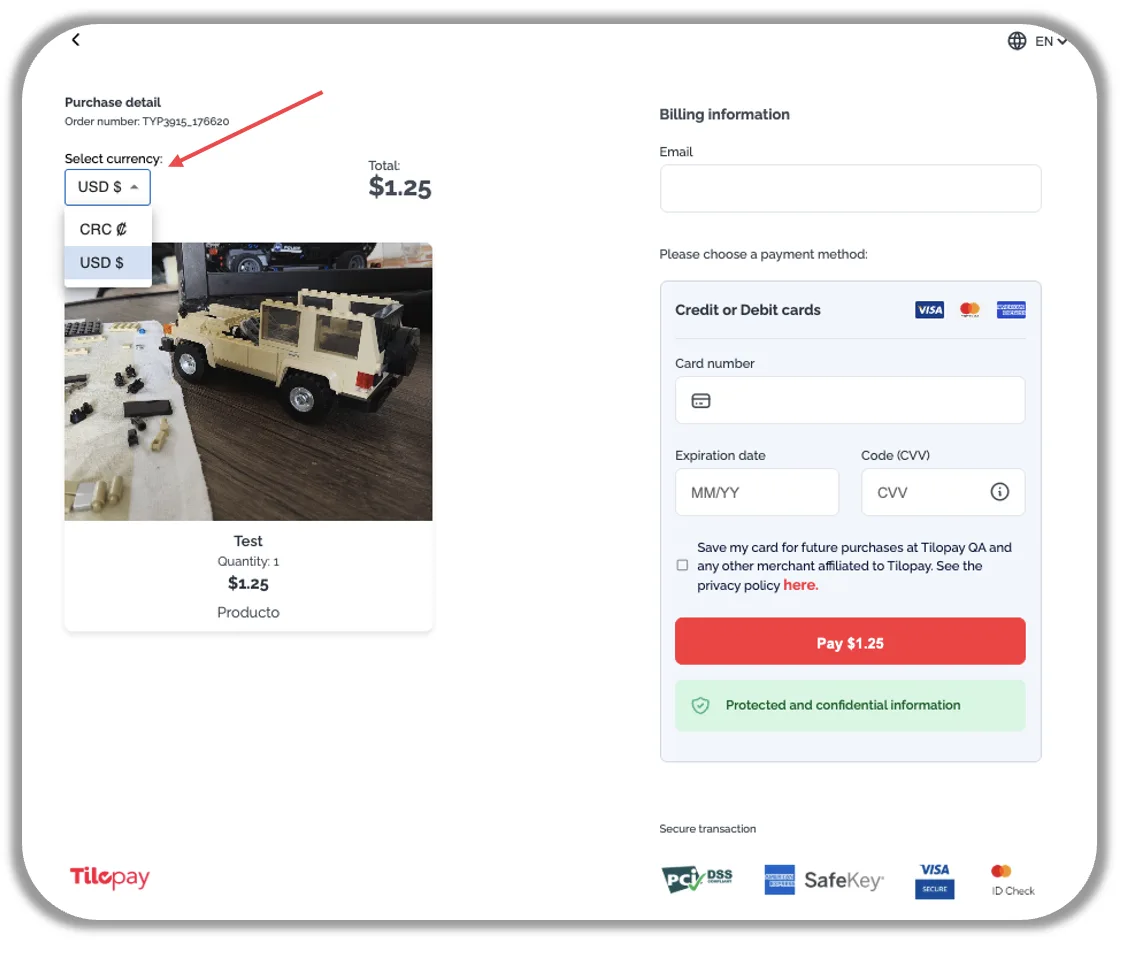
Cuando tu cliente abre el enlace al artículo del Catálogo que le compartiste, tendrá la opción de seleccionar el tipo de moneda en la que quiera pagar, siempre y cuando tú lo tengas activo en el Panel Administrativo de Tilopay.