¿Cómo genero un Link de Pago?
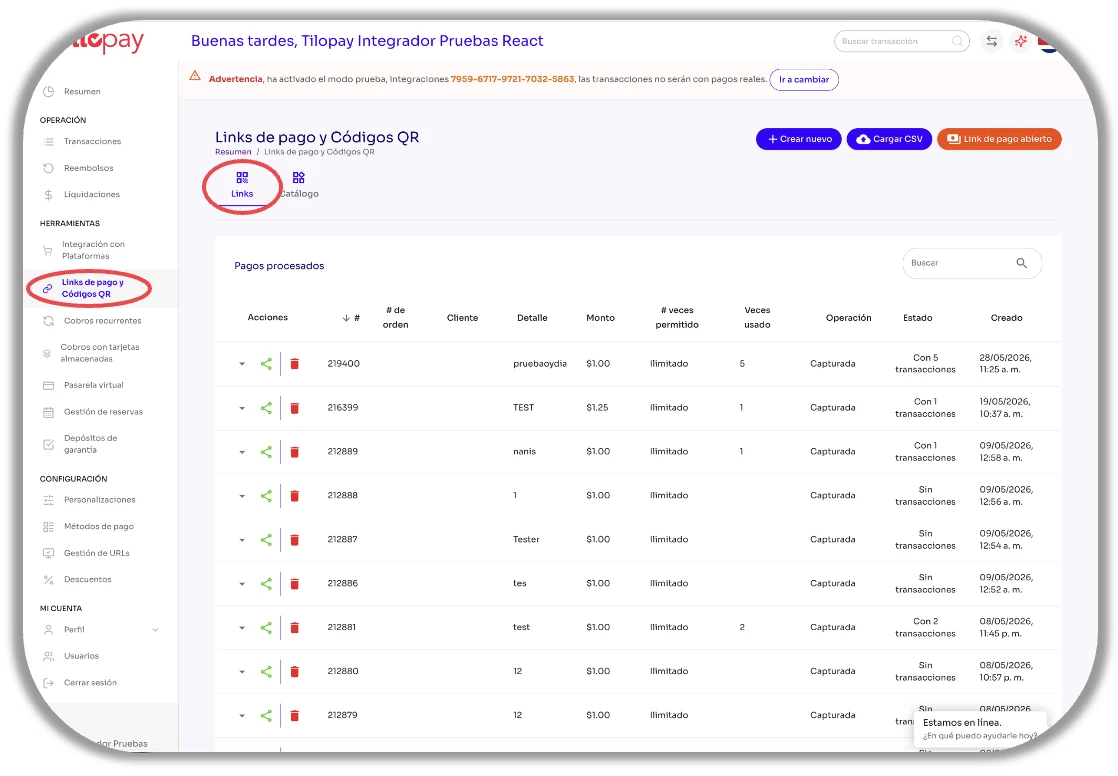
El módulo de Links de Pago y Código QR cuenta con las secciones de links y otra de Catálogo.
El módulo de Links de Pago y Código QR del Panel Administrativo de Tilopay cuenta con las secciones de Links y otra de Catálogo.
En la sección de Links tienes los botones para Crear un nuevo link de pago, Cargar CSV para generar múltiples links de pago simultáneamente y la opción de crear un Link de Pago Abierto para cuando le des chance a tu cliente de ingresar el monto que él o ella desee.
Los Links de Pago no se pueden editar. Puedes eliminar y generar uno nuevo con la información correcta.
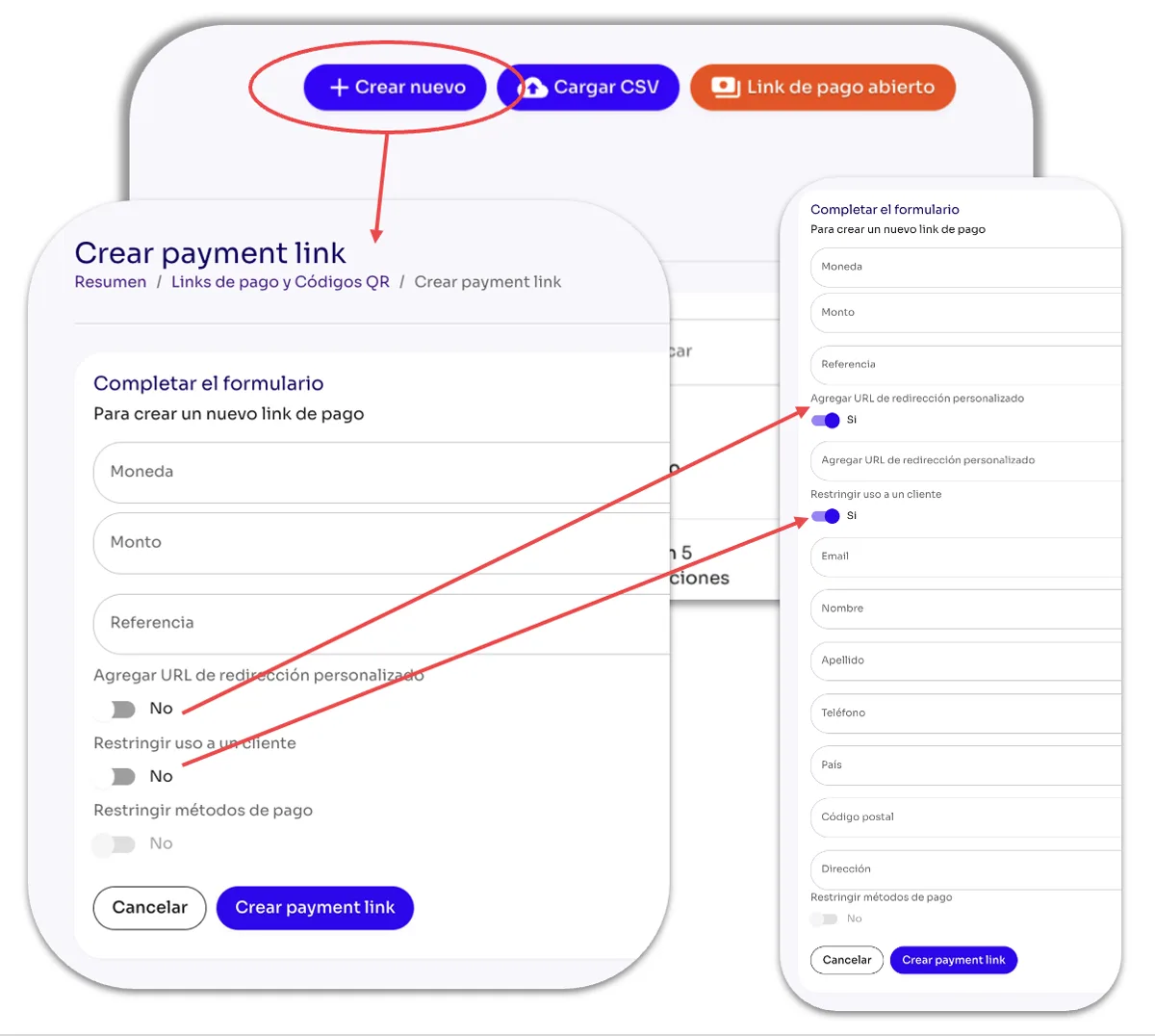
En la parte derecha de la pantalla, encontrarás el botón Crear nuevo, el cual despliega el formulario para que puedas generar un Link de Pago para que realices el cobro.
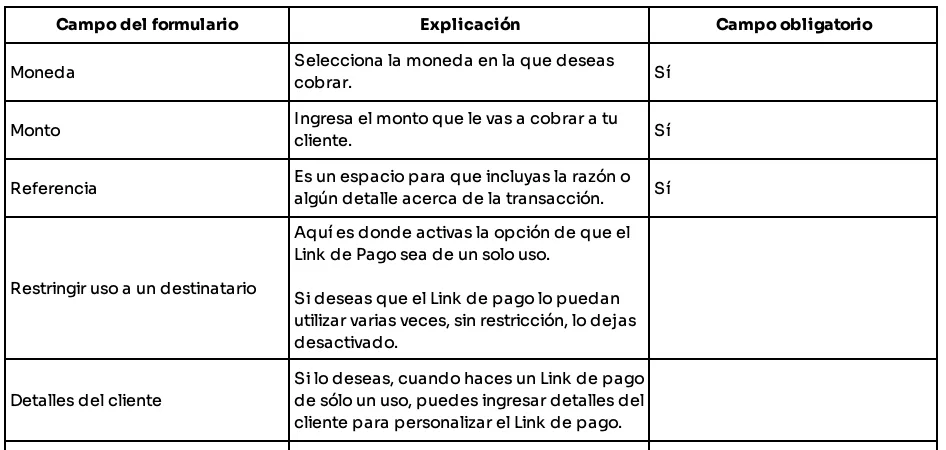
Debes completar los campos del formulario y hacer clic en el botón de Crear Payment Link al final del formulario para que este se genere.