¿Cómo comparto el Link de Pago Abierto?
El Link de Pago Abierto lo puedes compartir por:
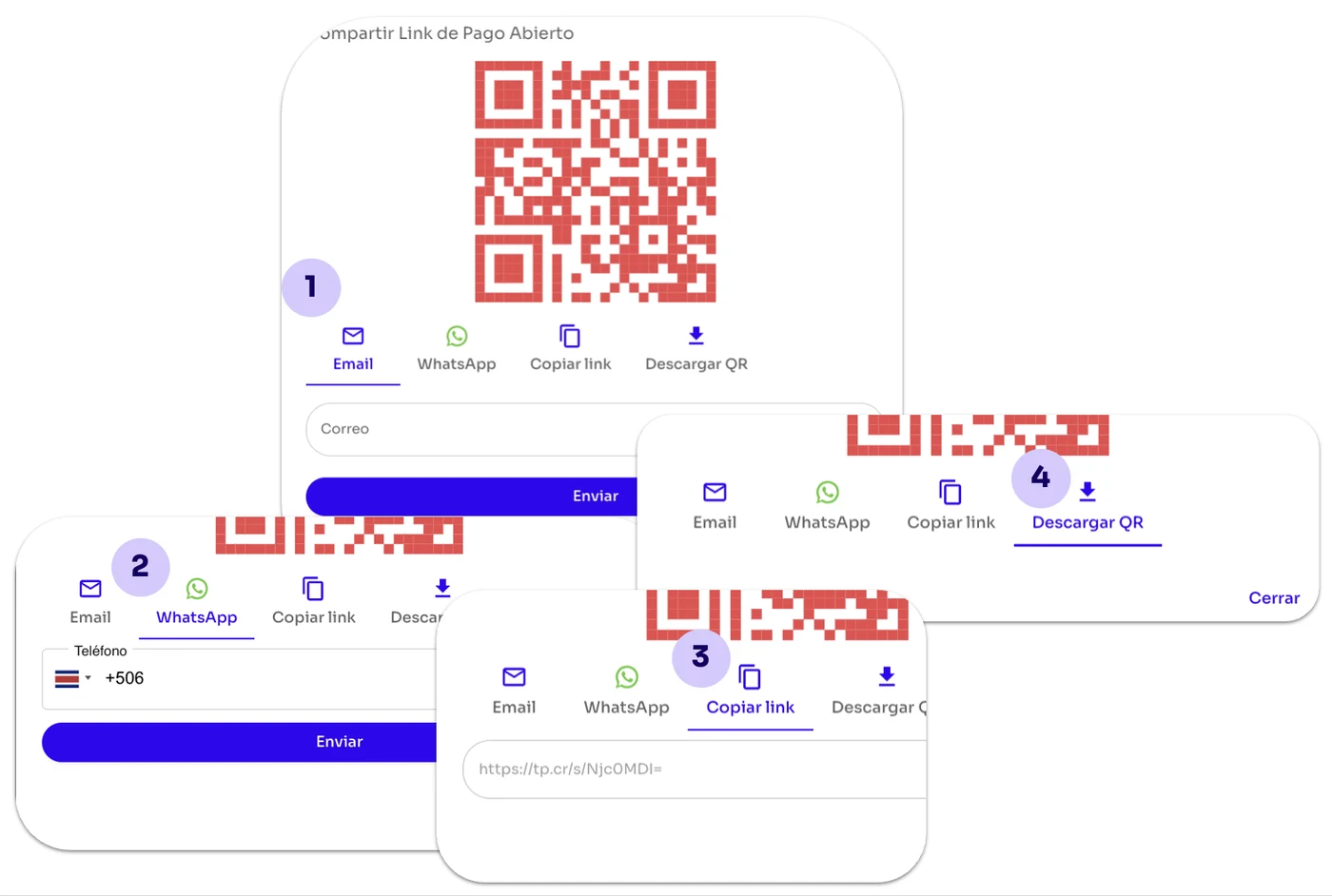
El Link de Pago Abierto lo puedes compartir desde el módulo de Herramientas, la sección Link de Pago del Panel Administrativo de Tilopay por medio de:
Email: Ingresas el correo electrónico de tu cliente o clientes separados por una coma (,).
WhatsApp: Ingresa el código del país y el número de teléfono de tu cliente.
Copiar link: Tal como lo dice su nombre, con esta opción copias el link para enviarlo.
Descargar QR: Esta opción te permite descargar el Código QR para que tus clientes puedan escanearlo y abrir el Link de Pago Abierto.
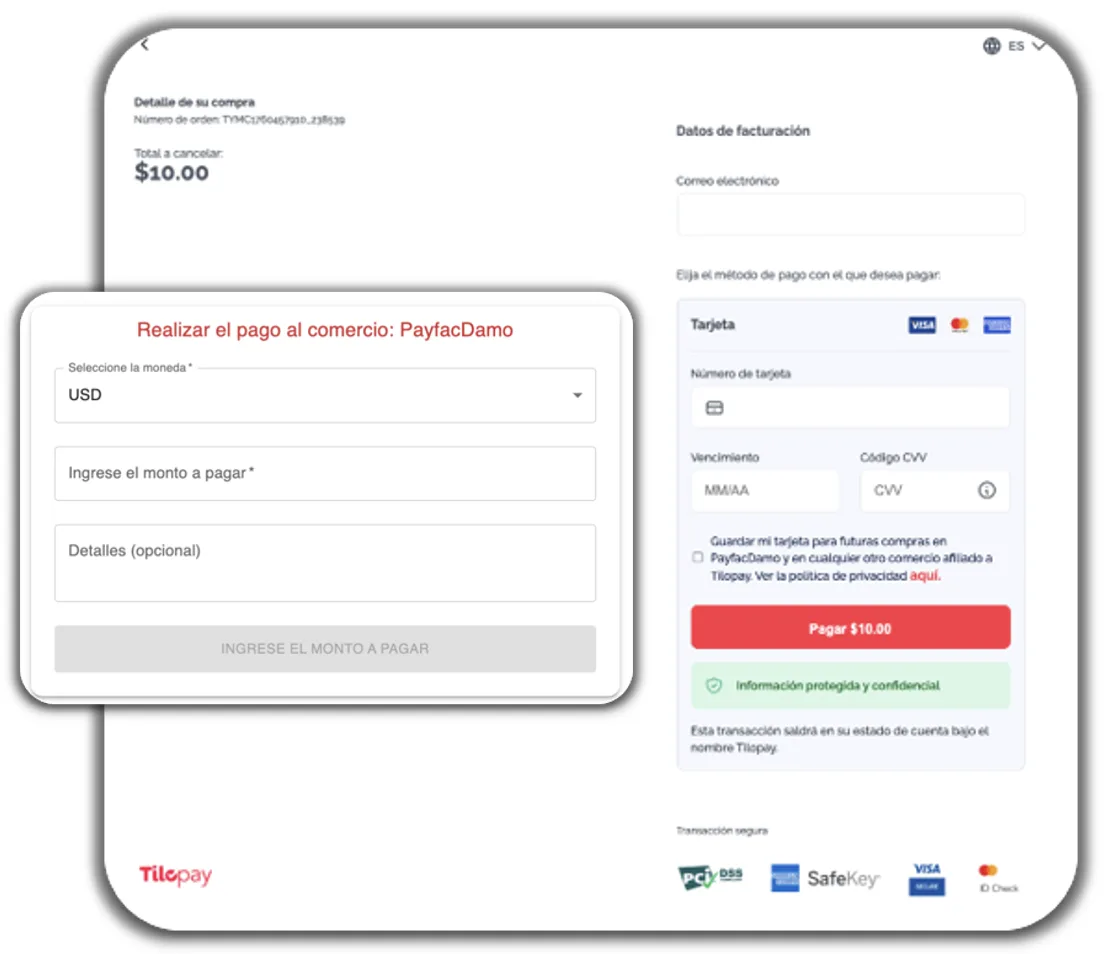
Cuando tu cliente abre el enlace al Link de Pago Abierto, tendrá la opción de seleccionar el tipo de moneda, escoger el monto deseado e ingresar el detalle o la descripción que desee.
La posibilidad de que el cliente sea quien ingrese estos detalles ofrece flexibilidad en el proceso de pago.
Una vez completos los espacios, se habilitará el botón que dirige al checkout integrado, que es la pantalla en la que tu cliente ingresará los datos de la tarjeta con la que realizará el pago.