¿Cuáles son los requisitos para integrar Tilopay con Cloudbeds?
Requisitos de Cloudbeds
Antes de comenzar con la integración, es necesario que cumplas con los requisitos de Cloudbeds:
Tienes que tener cuenta en Cloudbeds
Debes completar el formulario. Envía el contenido de su guía de marketing y activación aquí.
Y tener instalado el motor de reserva (booking engine) en tu cuenta de Cloudbeds.
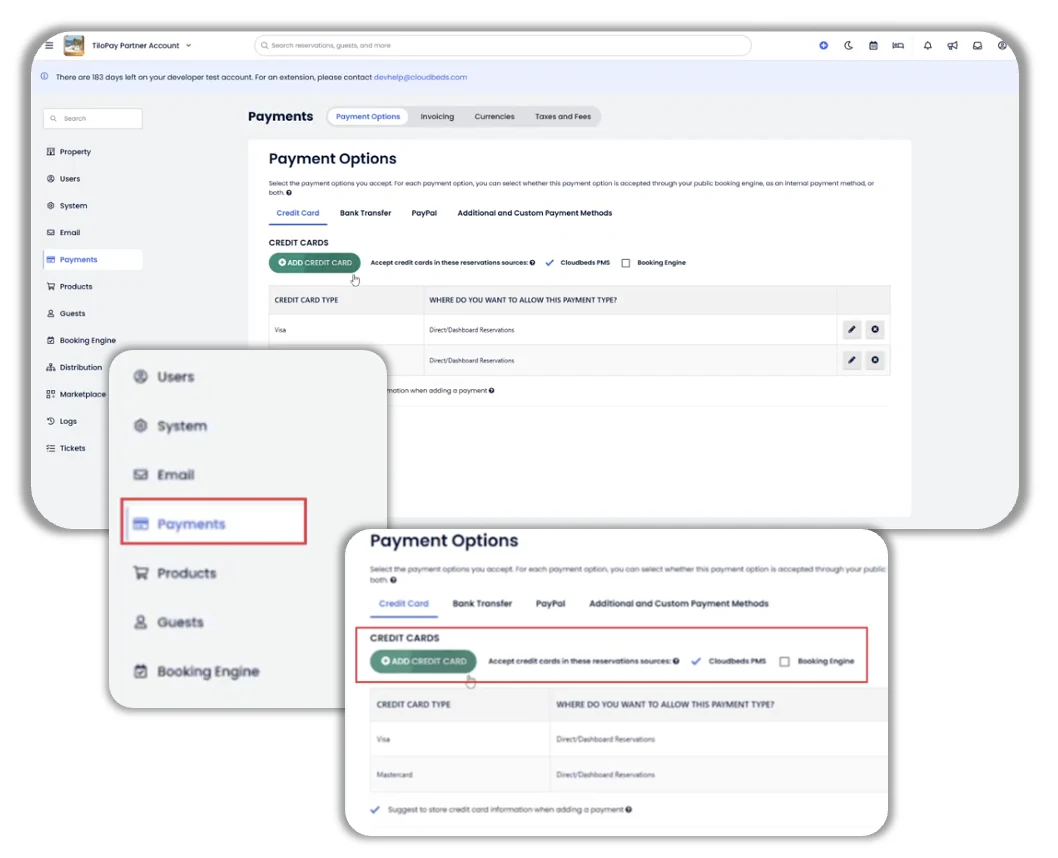
Por último debes activar las tarjetas de crédito como medio de pago en Cloudbeds:
Dirígete a: Pagos > Opción de pago.
Selecciona: Tarjeta de crédito.
Ingresa las marcas que deseas soportar (Visa, MasterCard y Amex).
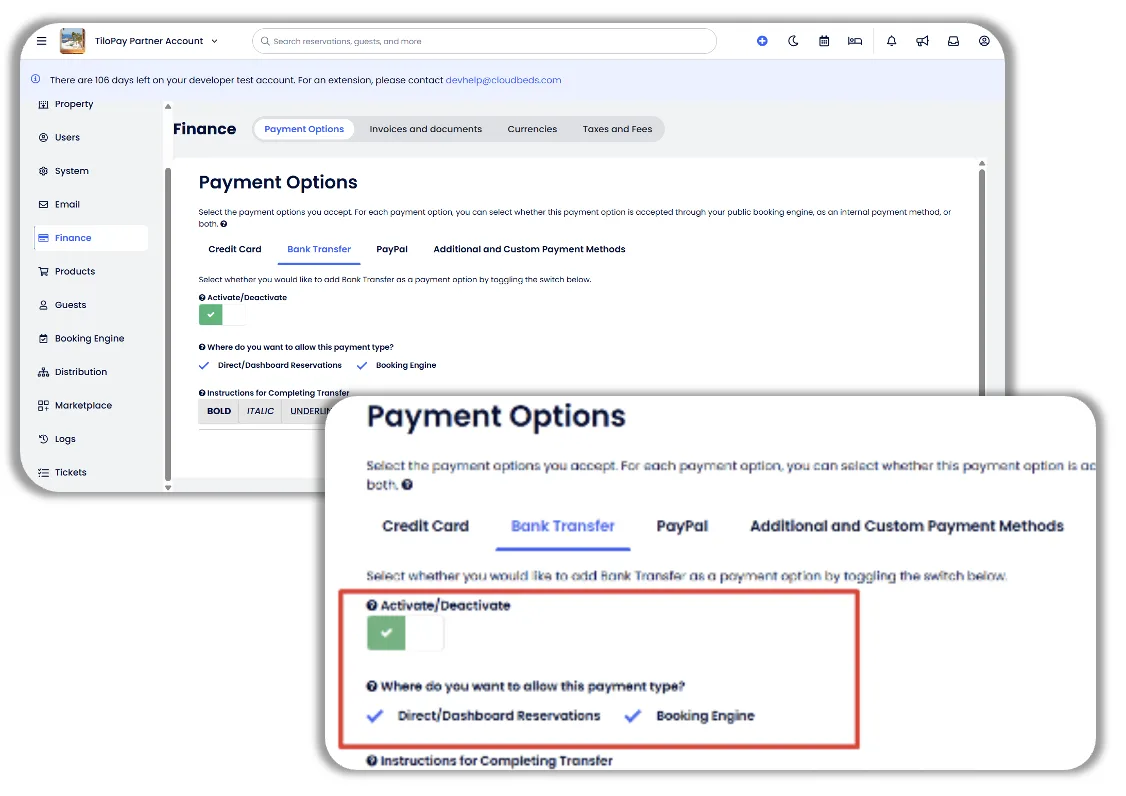
Selecciona: Transferencia Bancaria
Haz clic en el botón de Activate/Deactivate para activar (poner en verde con un check)
Selecciona las opciones de pago que quiera permitir entre Direct/Dashboard Reservations y Booking Engine.