What are the requirements for integrating Tilopay with Cloudbeds?
Cloudbeds Requirements
Before starting the integration, you need to meet the Cloudbeds requirements:
You must have a Cloudbeds account
You must complete the form. Submit your marketing and activation guide content here.
You must also have the booking engine installed in your Cloudbeds account.
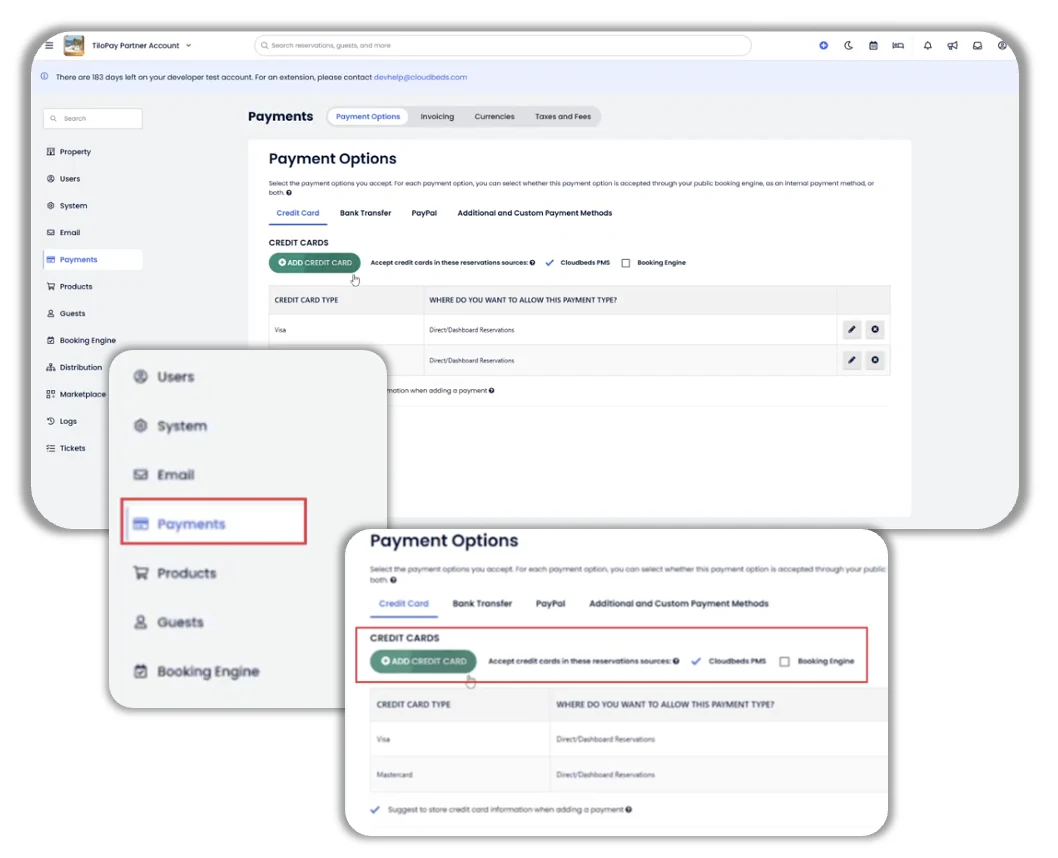
Finally, you must enable credit cards as a payment method in Cloudbeds:
Go to: Payments > Payment Options.
Select: Credit Card.
Enter the card brands you want to support (Visa, MasterCard, and Amex).
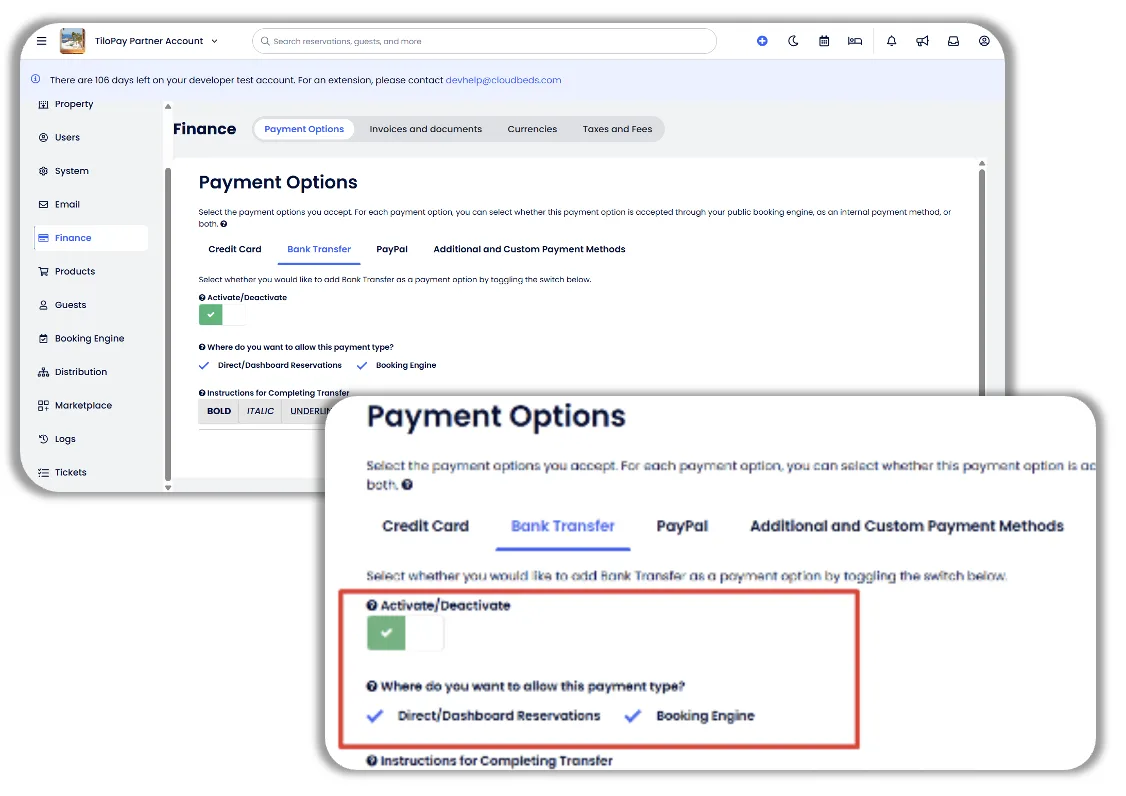
Select: Bank Transfer
Click the Activate/Deactivate button to enable it (it should turn green with a checkmark)
Select the payment options you want to allow from Direct/Dashboard Reservations and Booking Engine.