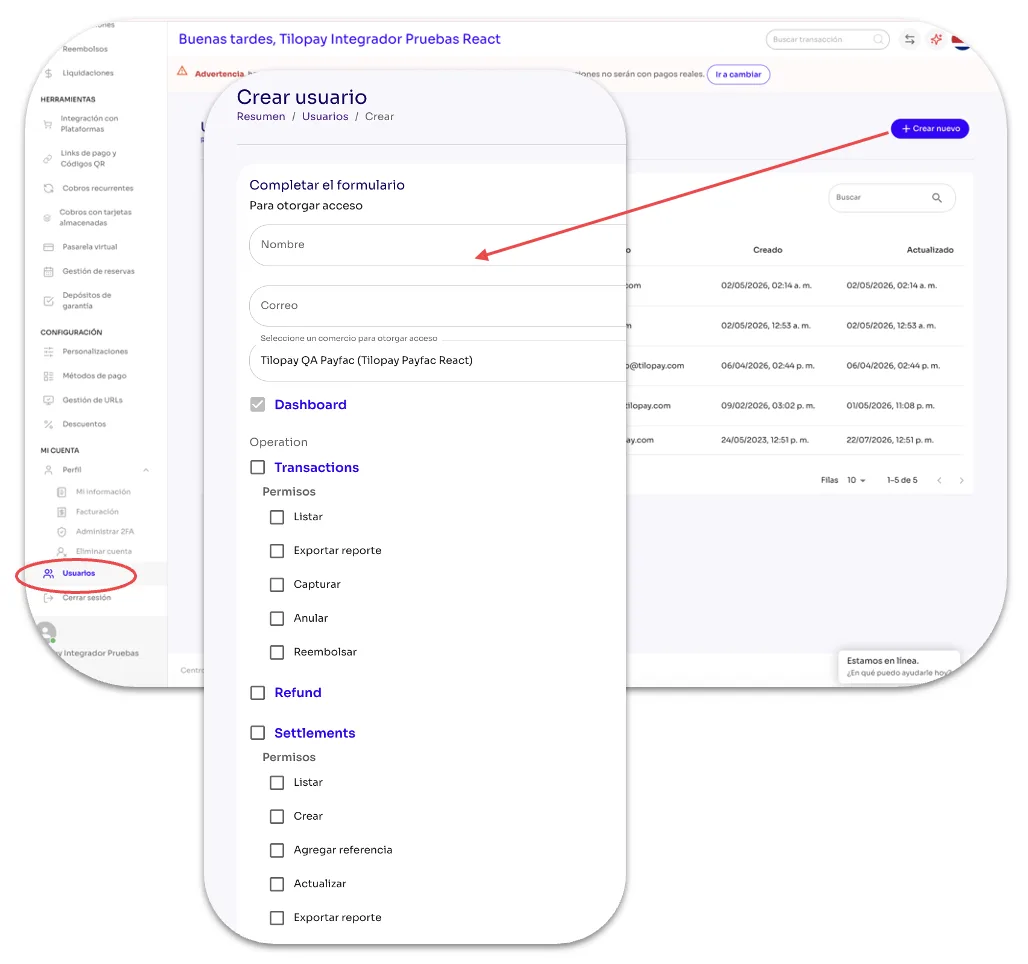
Users Section in the Tilopay Admin Panel
The Users module gives you access to the list of people you've approved to access your company's profile in the Tilopay Admin Panel using their own credentials and based on the access level and permissions you've assigned to them.
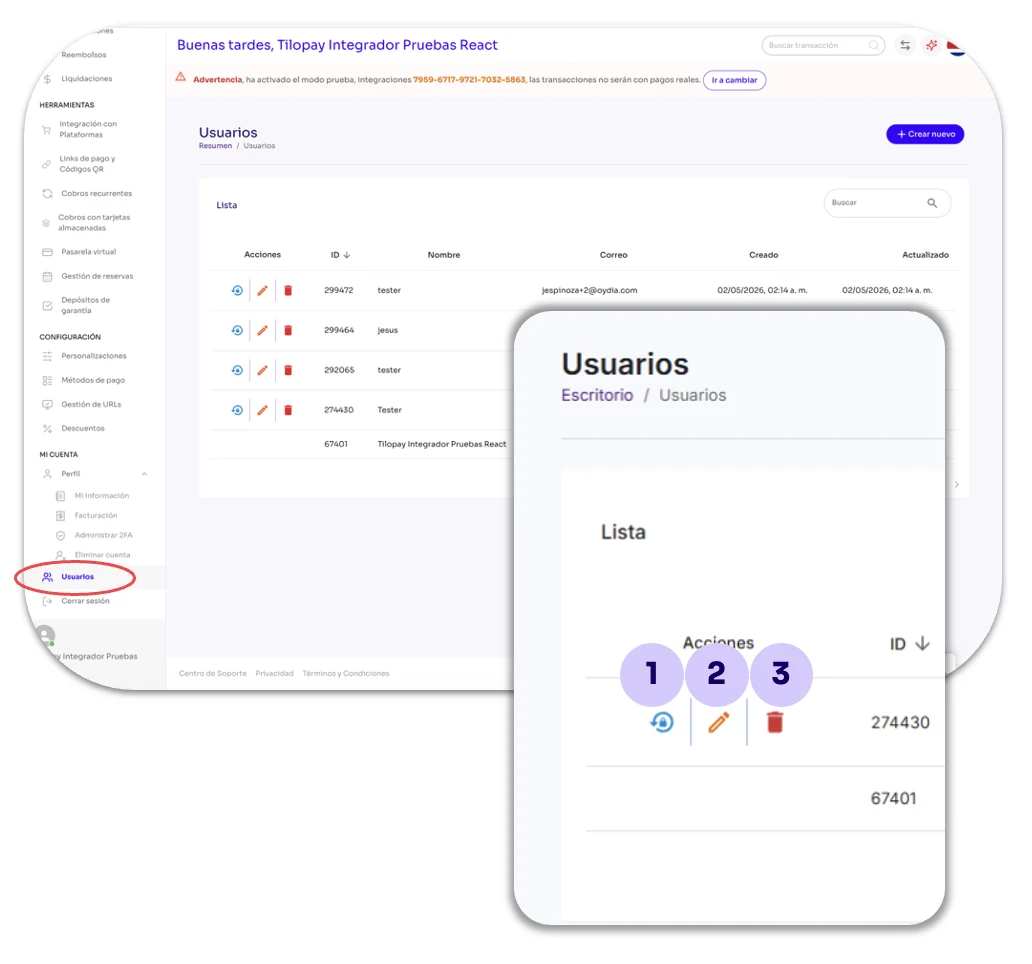
From the Actions buttons, you can help your users:
Reset their 2FA if they get locked out of the Admin Panel.
Edit the selected user's profile and access permissions.
Delete the user's account when necessary.
The Create User button gives you access to a form where you can enter the information of the person you're granting access to your account and select the access permissions you want them to have.
To grant permissions, click the checkboxes for the tasks you need the user to be able to perform. Ask yourself: Do I want this person to be able to...?
For example: Do I want this person to be able to List, Export Reports, Capture, Void, or Refund Transactions?
Once you've selected the checkboxes, remember to click Save to create this user's account.