What information can I find in the Settlements section of the Tilopay Admin Panel?
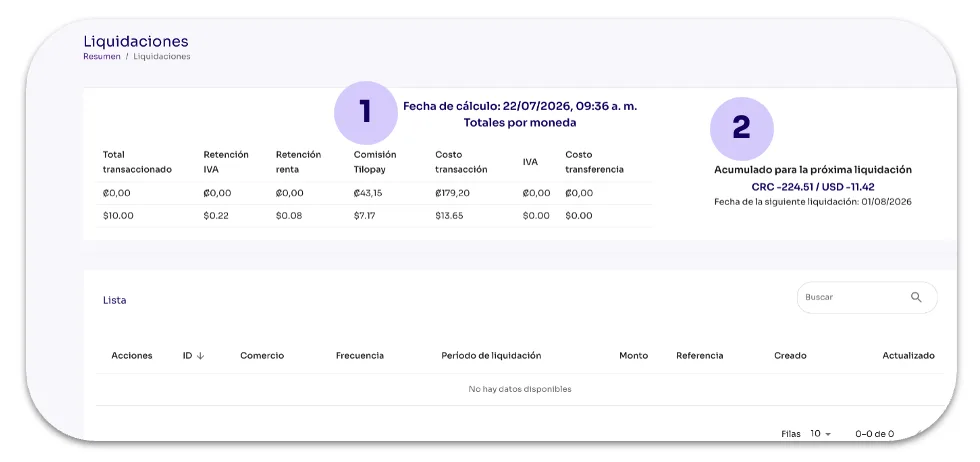
The Settlements module in the Tilopay Admin Panel shows you the amount accrued in each currency as of the time you access it. On the right, you'll see the totals by currency that will be settled on the next settlement date based on your selected schedule: daily, weekly, biweekly, or monthly.
Simplified currency display: The currency now appears directly next to the amount, making it easier to scan the values.
Advanced search filters: This search tool lets you apply different parameters to find settlements quickly and efficiently.
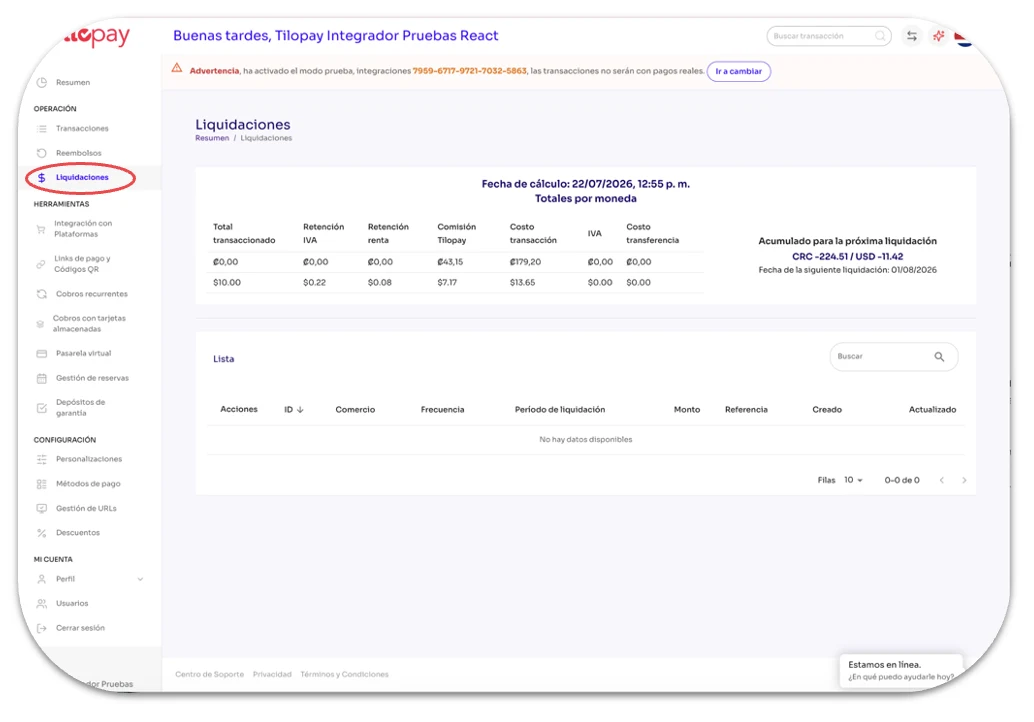
Calculation date: This shows the settlement data accrued as of the date indicated in this section.
The table provides a breakdown of revenue and each deduction that applies under your signed agreement.
Accrued for the next settlement: This section shows the total amounts accrued in each currency as of your visit. These amounts will be deposited in the next settlement, whose date is also shown here.