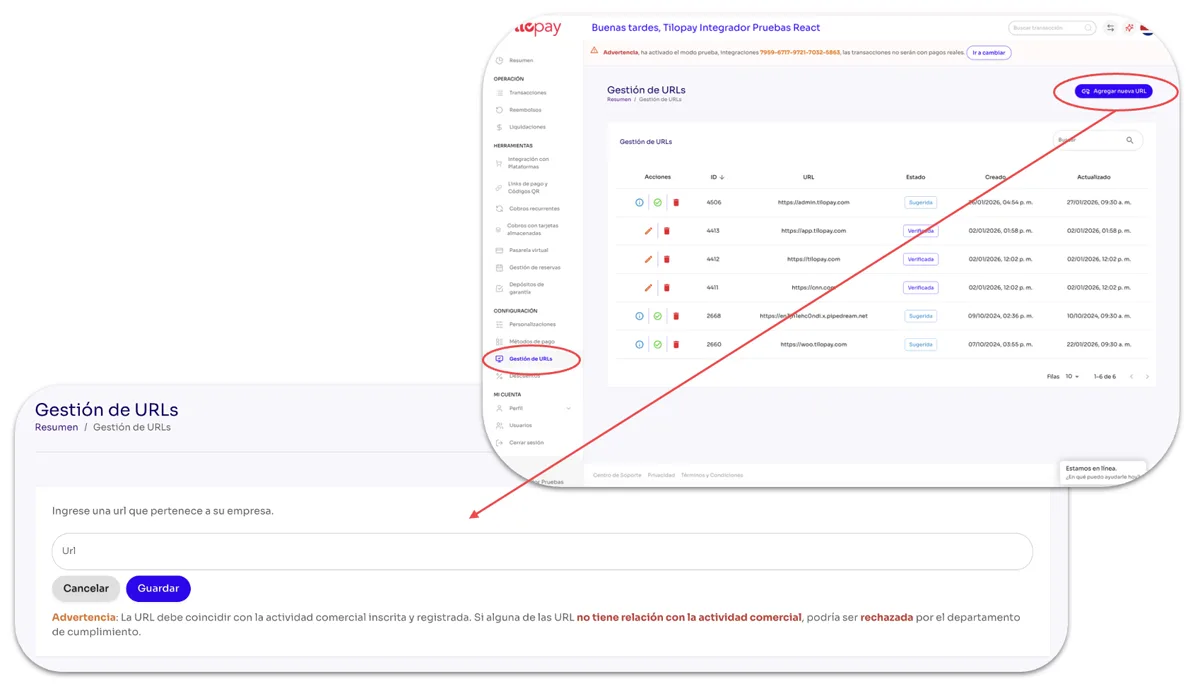
What can I do in the URL Management section of the Tilopay Admin Panel?
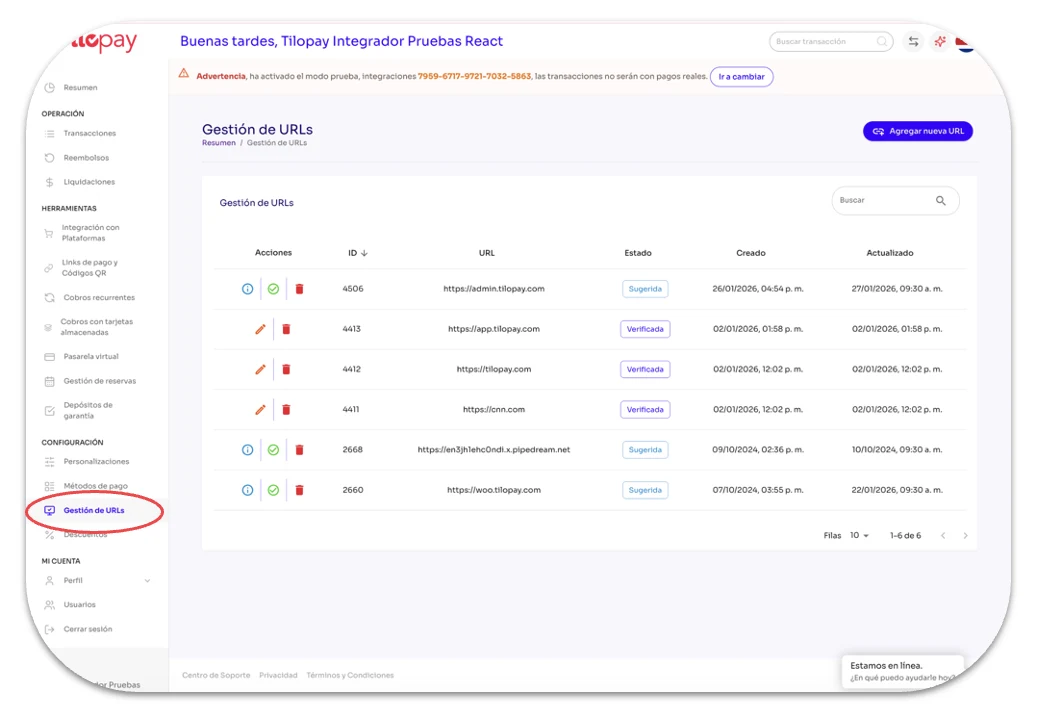
The URL Management module in the Tilopay Admin Panel displays a single table with URLs the system has detected that may belong to your business, so you can verify or delete them.
Verified URLs and URLs you add manually must match your registered business activity to avoid rejection by our Compliance Department.
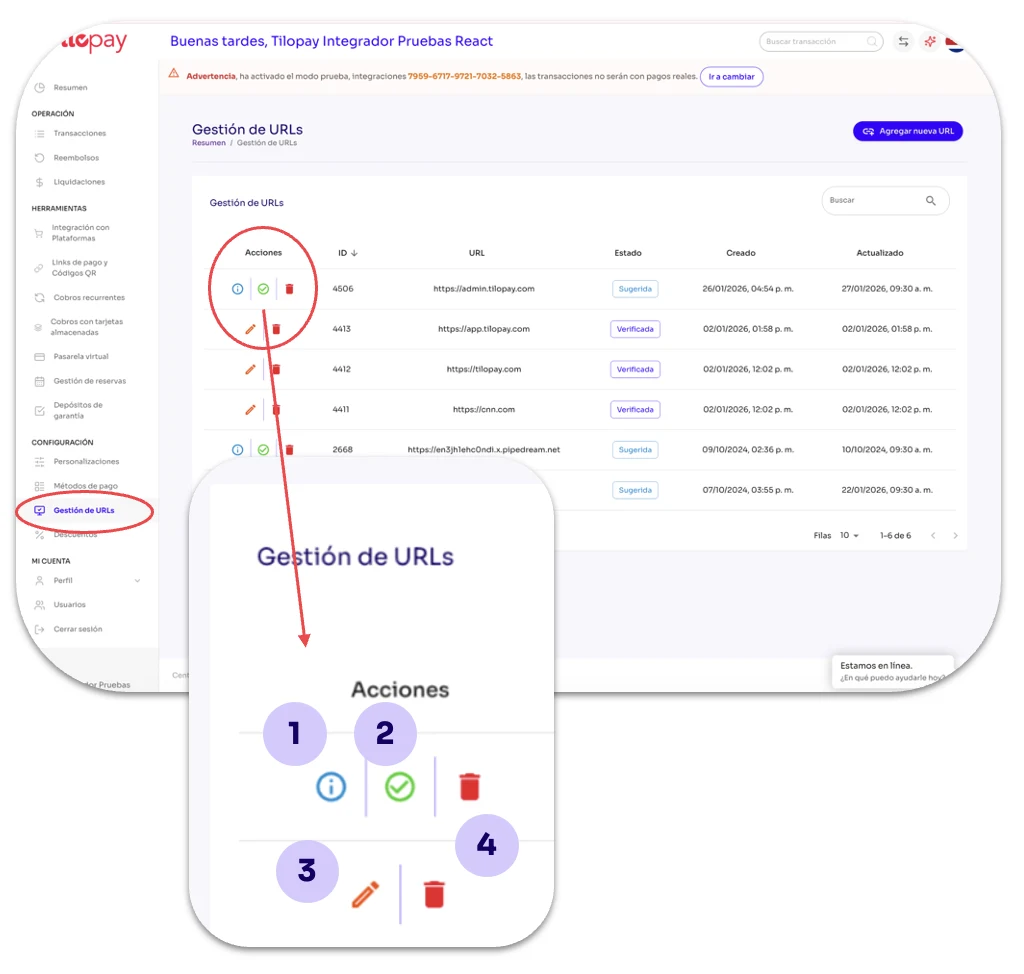
Details: Displays the link used in your most recent transactions so you can verify whether it is a recognized link for your business.
Set URL as verified: Use this button to verify a URL the system has suggested as a possible link for your business.
Edit: Use this option when you need to edit a verified URL.
This button is only available after the URL has been verified.
Trash: Use this option to delete the selected URL record. This action CANNOT be undone.
Use the Add New URL button to manually add your business URL.
Remember that verified URLs and URLs you add manually must match your registered business activity to avoid rejection by our Compliance Department.