How Do I Create a Security Deposit?
A Security Deposit lets you generate a link for an amount without capturing it for a defined period. The amount is released if it is not needed.
A Security Deposit is a financial guarantee you request from your customer as a commitment to comply with the terms of their reservation.
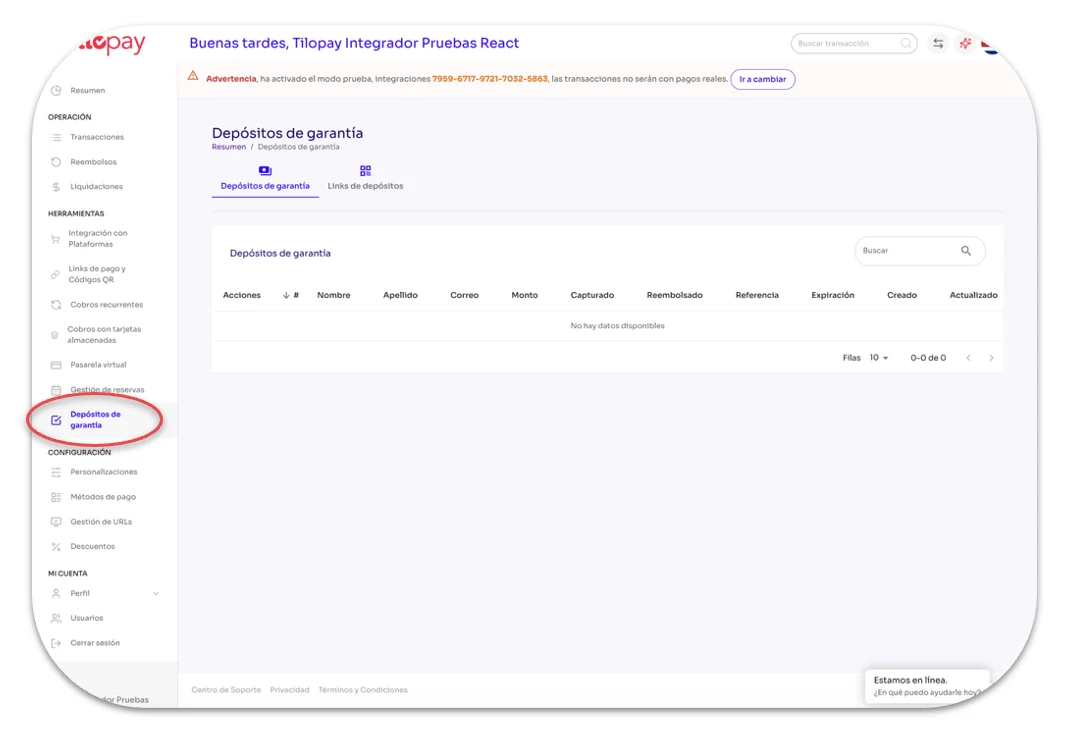
It works like a "security fund": you ask your customer for an amount of money to cover potential issues and cancellations during the term of the agreement. Tilopay's Security Deposit does not capture the amount during the period you set, allowing you to release it if it is not needed. You can find this section in the Tools module in the Tilopay Admin Portal.
To create a new Security Deposit
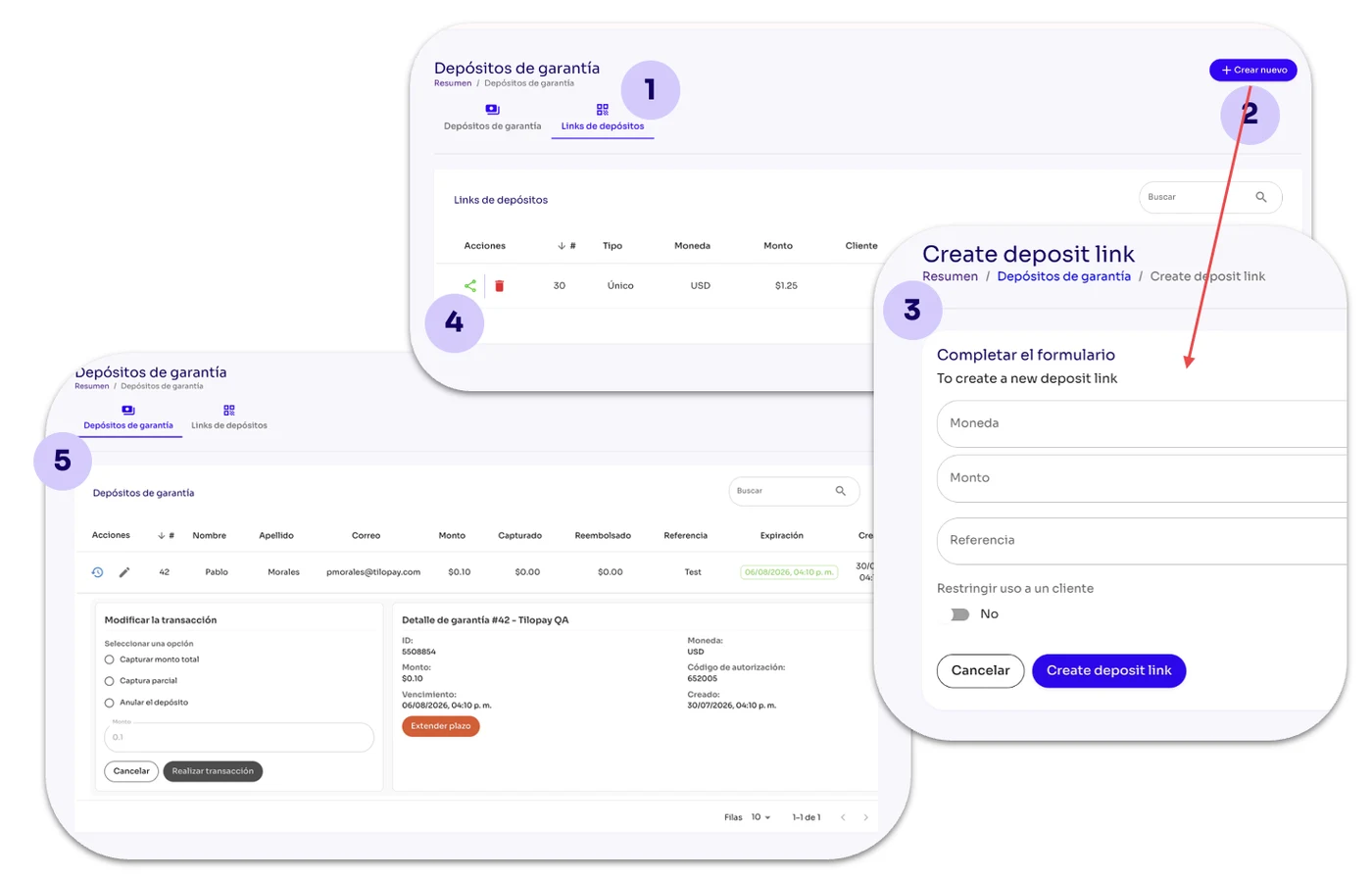
Click Deposit Link
Click + Create New
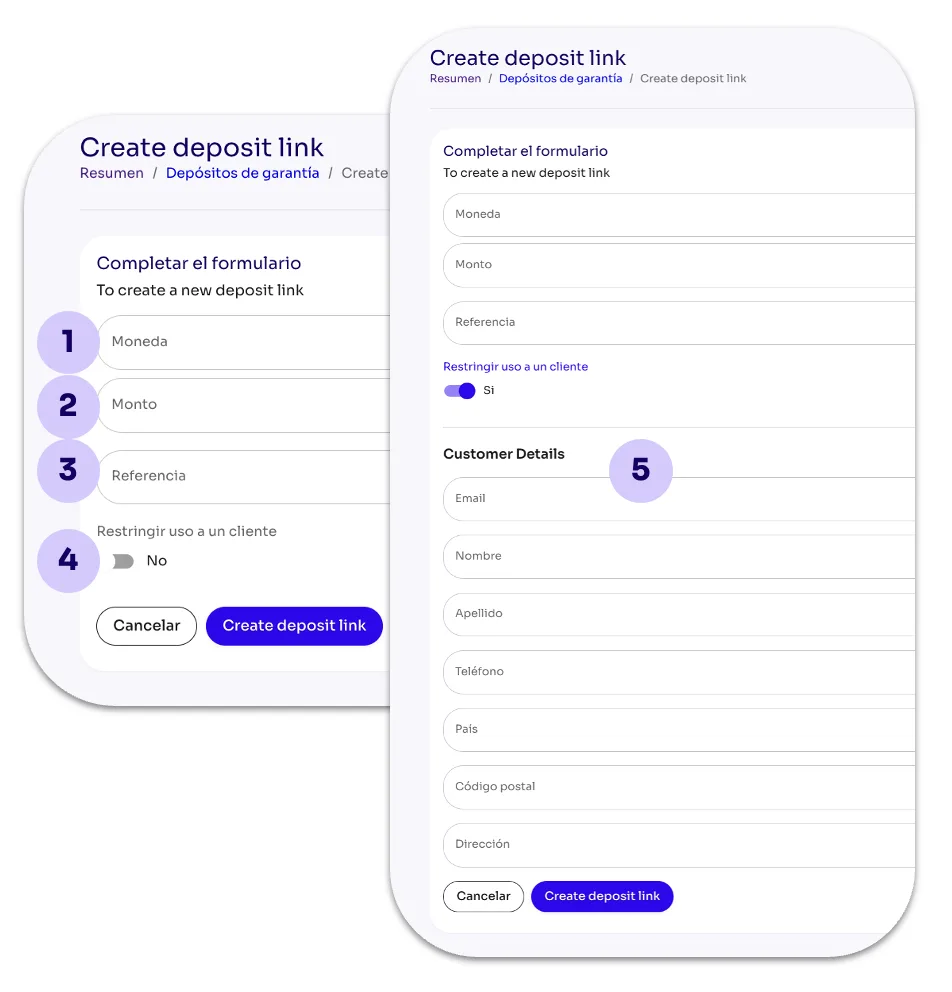
Complete the form
Share the link with the customer
Once the customer enters their card details, the Security Deposit will appear on the Security Deposits screen until you release it or capture the amount due to noncompliance.
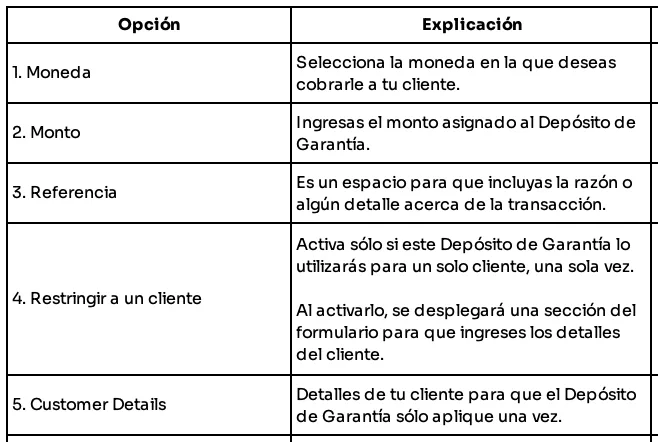
When you click +Create New, the form you need to complete to set up the Security Deposit appears: