How Do I Set Up the Tilopay Payment Method for Credit or Debit Card Payments in WIX?
WIX is the platform that lets your store accept credit and debit cards in Central America and the Caribbean.
To enable the Tilopay payment method on your WIX site:
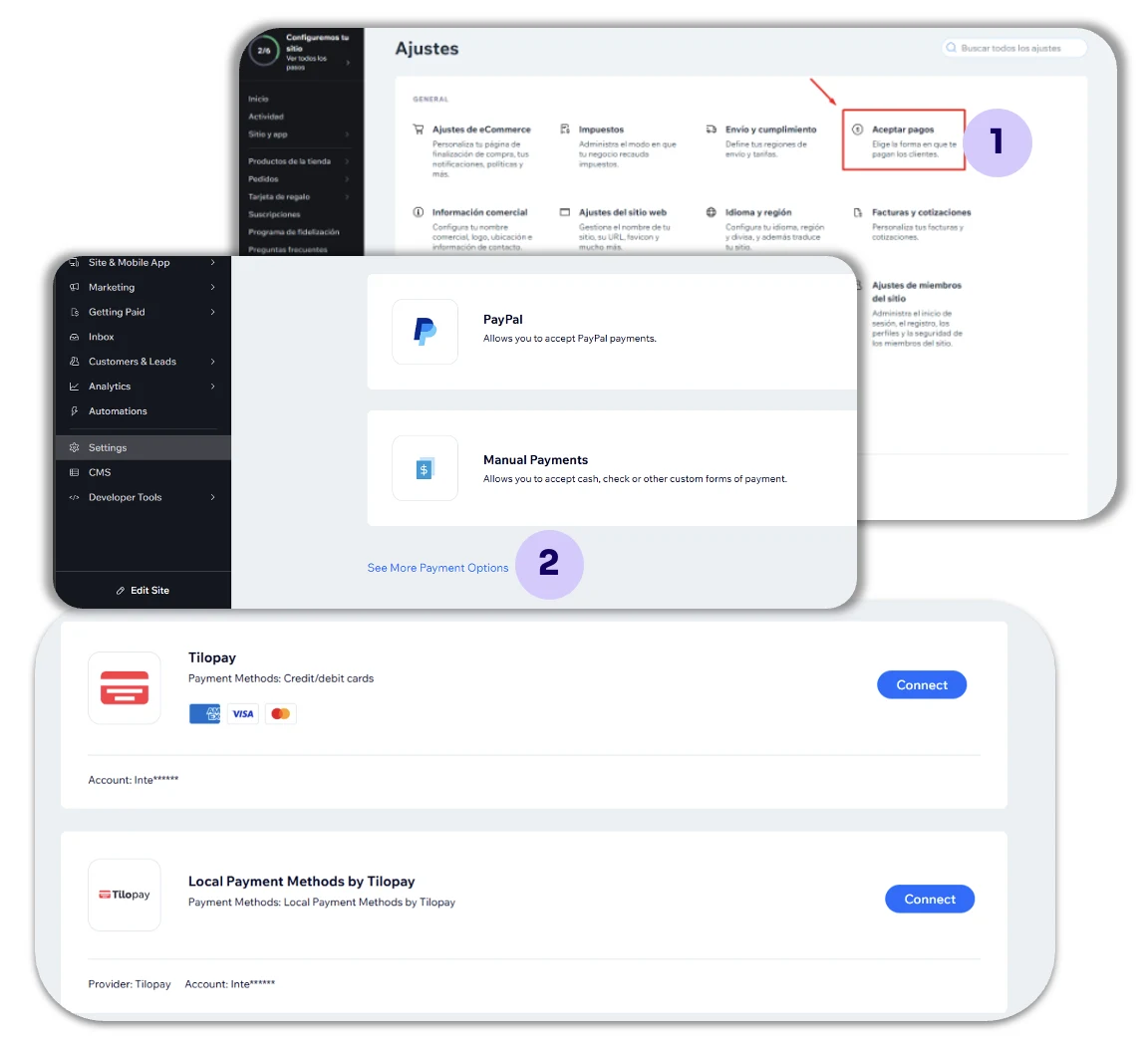
Go to the Settings tab and click Accept Payments.
Then click See More Payment Options and search for Tilopay.
Tilopay offers two payment methods for your Wix store:Credit/debit cards: When you set up this method, your customers will be redirected to the Tilopay checkout when they pay.
Local payment methods: When you set up this method, your customers will remain on the Wix platform until they complete their payment.
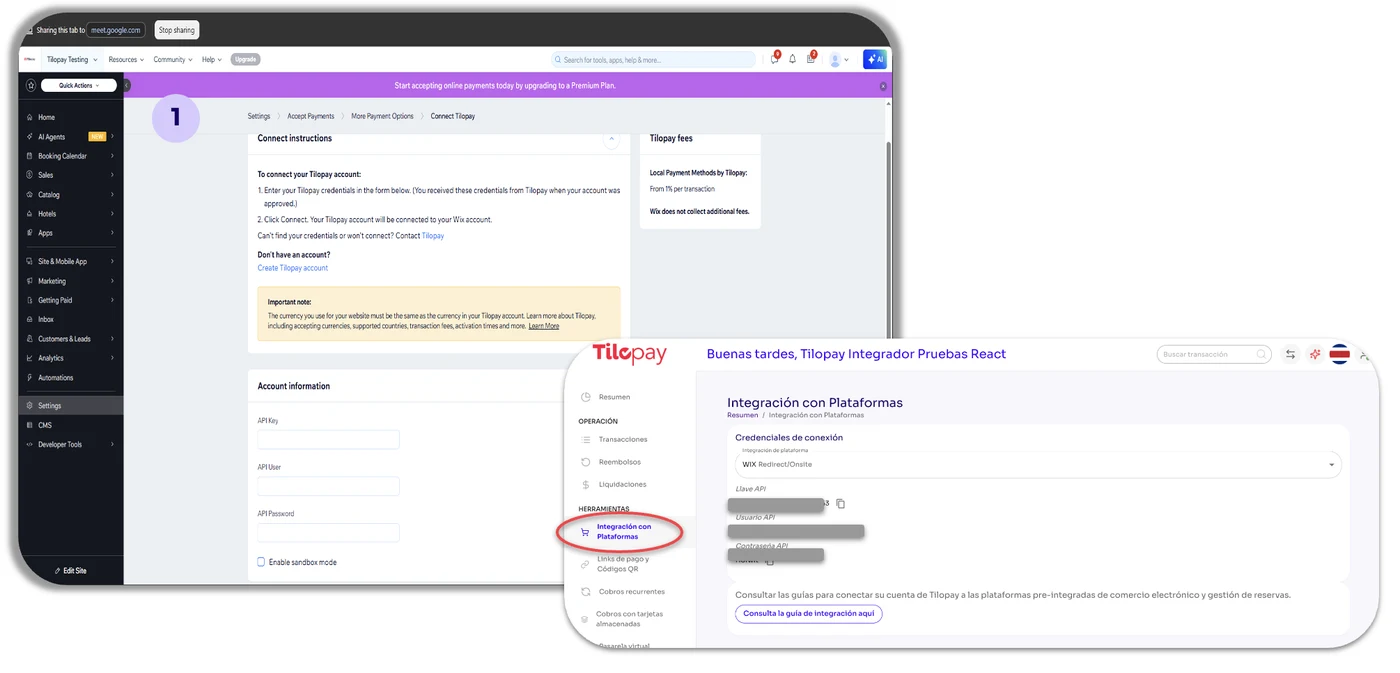
When you click the button to open the option to Connect Tilopay to your Wix account, you'll see a form that you need to complete with the information from the Tilopay Admin Portal.
You can find the Tilopay credentials for integrating with WIX in the Tilopay Admin Portal. Click the Platform Integration section and find Wix in the drop-down list.
Finally, click Connect at the bottom of your Wix store window.
Once you connect Tilopay to WIX, you'll receive a message confirming the connection, and the payment methods available through Tilopay will appear.
You can now enable credit/debit card payments.
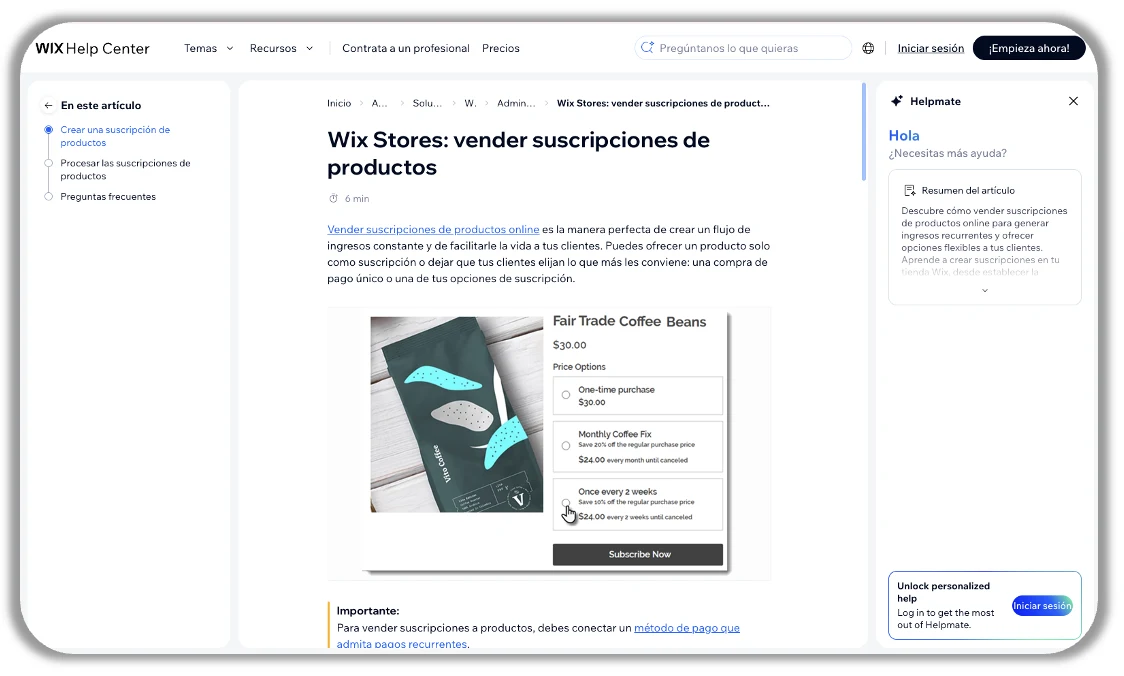
Once you've connected Tilopay to your Wix platform, go to the following link and follow the instructions provided: https://support.wix.com/es/article/wix-stores-vender-suscripciones-de-productos
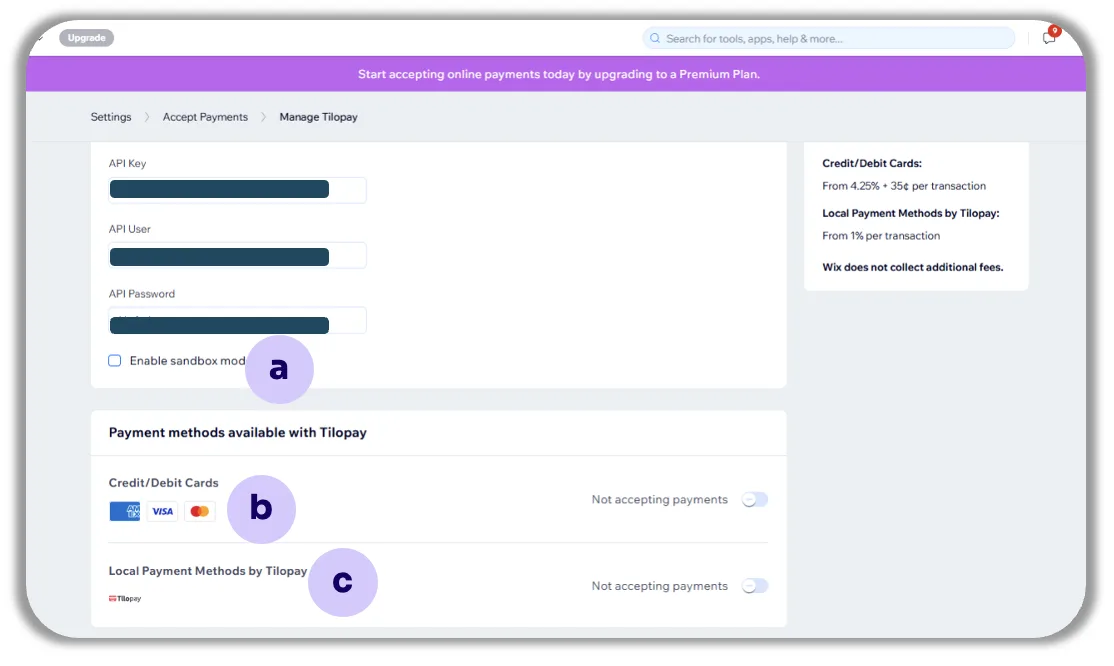
Once you've entered the Tilopay API information for your preferred payment method, Wix will show you the following options:
a. The option to enable or disable Test Mode for this payment method using the Sandbox checkbox.
Remember that you need to enable or disable Test Mode on both platforms for it to work properly.
b. The card brands you want to accept in your store.
c. The option to enable the different alternative payment methods available in your country.