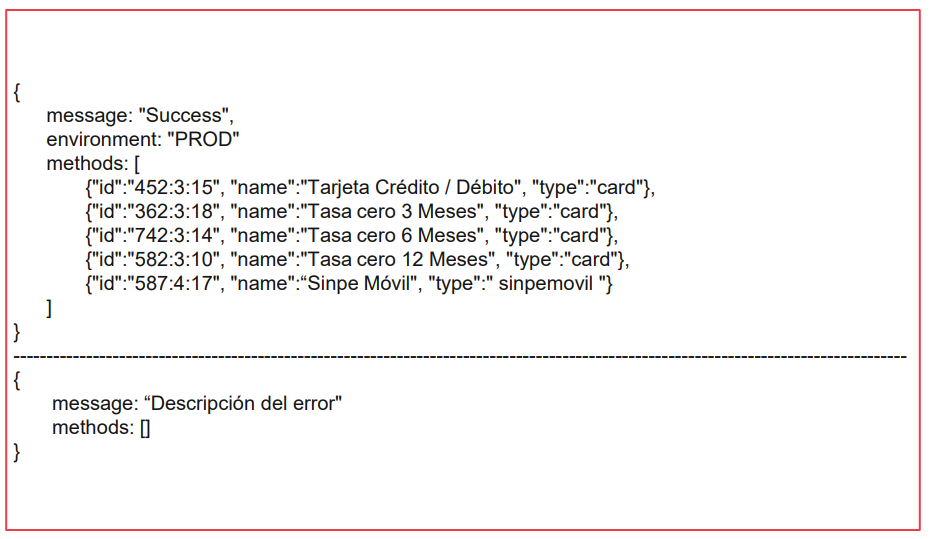
How do you integrate the Tilopay SDK V2 to tokenize cards?
Use our SDK to securely tokenize and save cards so you can charge them later as needed.
Step 1: Import the required library:
Here you can set the layout, colors, and styles you want to match your platform. The jQuery library and Tilopay SDK are required:
https://app.tilopay.com/sdk/v2/sdk_tpay.min.js
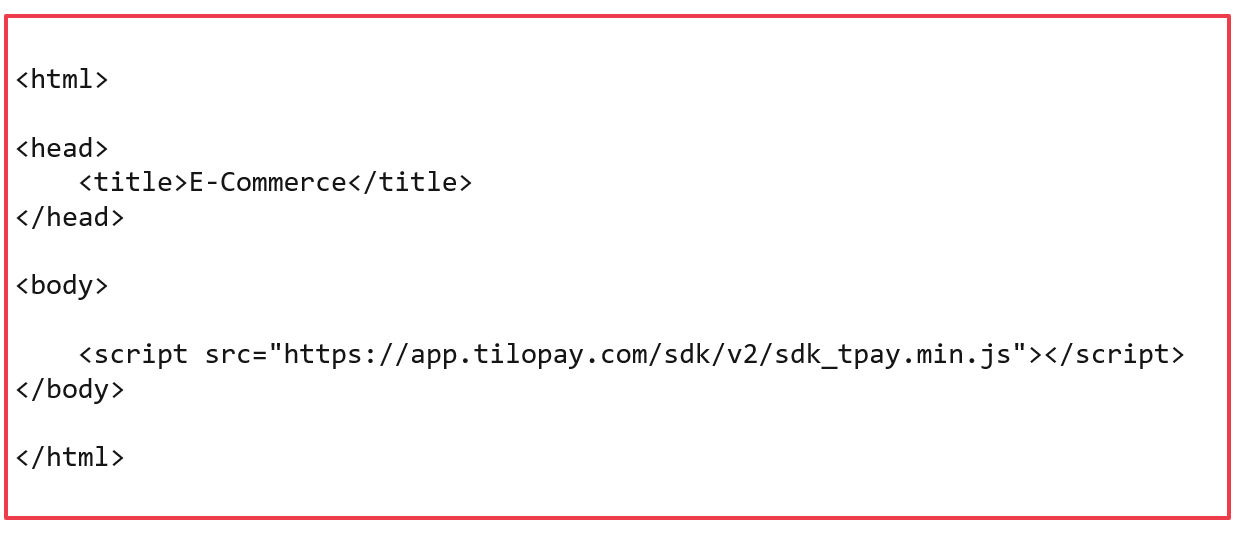
Step 2: Call await Tilopay.InitTokenize()
Call the await Tilopay.InitTokenize() function. This starts the tokenization process with Tilopay, which handles authentication and returns the available payment methods for saving the card in Tilopay. It accepts the following parameters:
token: Required field, string type. Token obtained from the Tilopay API GetTokenSdk method.
currency: Required field, string type, 3 characters long. ISO 4217 currency code, such as CRC or USD. Purchase currency.
language: Required field, string type, 2 characters long. ISO 639-1 code, such as en or es. Purchase currency.
billToEmail: Required field, string type. Customer email address.
orderNumber: Required field, string type. It can be alphanumeric and must be a unique value that cannot be reused by the merchant. Order number, for example: 1001, TPY-1001, xbkshHwqrKjs98.
billToFirstName: Required field, string type. Customer first name.
billToLastName: Required field, string type. Customer last name.
billToAddress: Required field, string type. Customer address line 1.
billToAddress2: Optional field, string type. Customer address line 2.
billToCity: Recommended field, string type. Customer city.
billToState: Recommended field, string type. Customer state.
billToZipPostCode: Recommended field, string type. Customer ZIP/postal code.
billToCountry: Recommended field, string type. Customer country using a two-character ISO 3166-1 code, such as CR, FR, or PA.
billToTelephone: Recommended field, string type. Customer phone number.
token_version: Required field, string type. Send "v2" as the value.
redirect: Required field, string type. URL (callback) where the final purchase response will be sent.
The await Tilopay.InitTokenize() function will charge the cardholder $1 or its equivalent in the processing currency to validate and save the card. This amount will be reversed immediately and returned to the customer within a few minutes.
To enable card saving, replace the Init method with InitTokenize, then complete the process the same way using the startPayment method. When you receive the response, store the returned token and associate it with the user's email address for future use.
Example call to the await Tilopay.InitTokenize() function
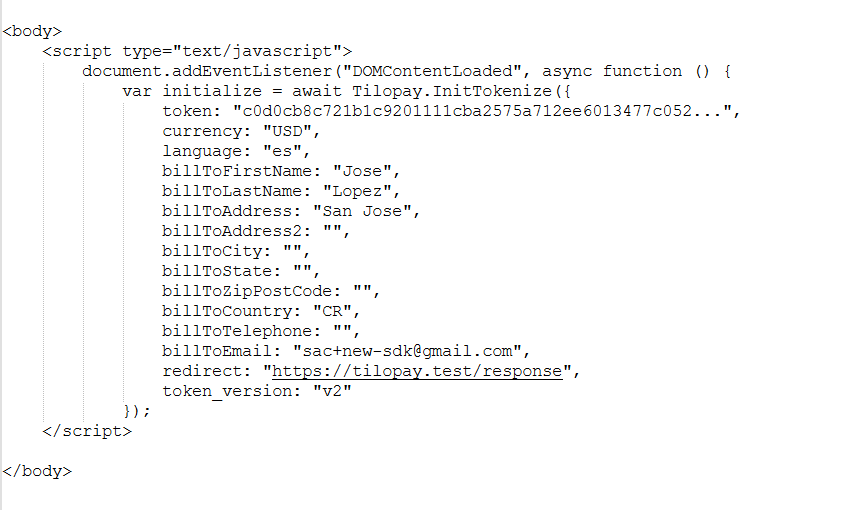
Example response from the await Tilopay.InitTokenize() function