¿Cómo hago el reembolso de una transacción?
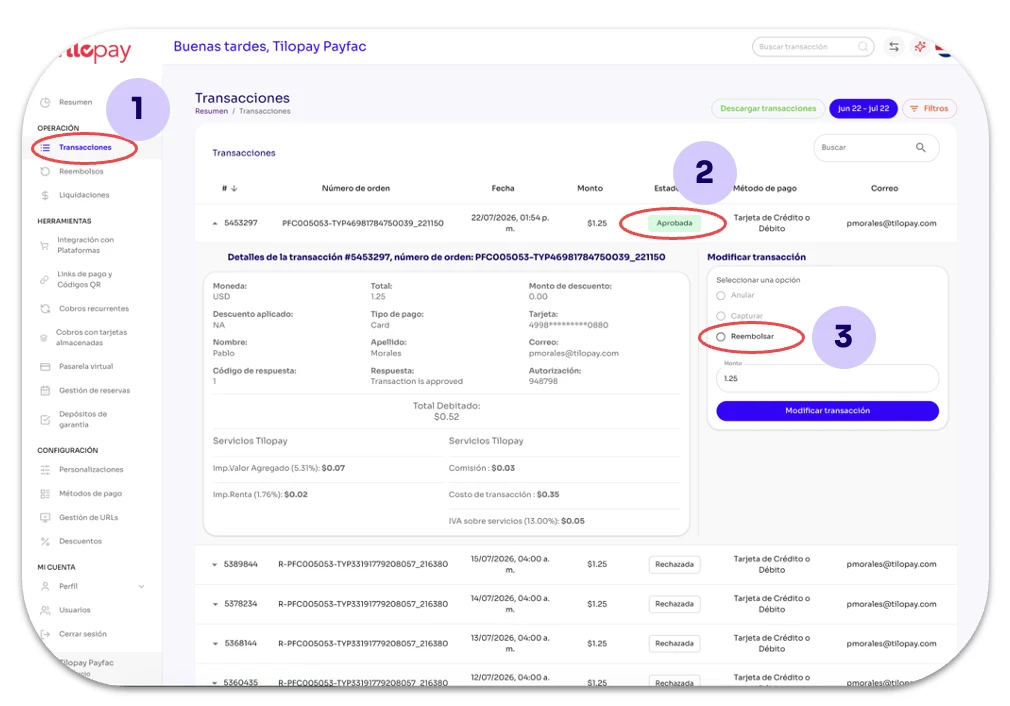
Para realizar un Reembolso desde el Panel Administrativo de Tilopay, busca la transacción que debes reembolsar con alguno de los detalles de la transacción.
Utiliza el botón de búsqueda en la parte superior izquierda o en el módulo Transacciones (1).
La transacción debe estar en estado Aprobada (2) para poder ser reembolsada.
Haz clic en dicha transacción y selecciona la opción de Reembolsar (3) en la sección Modificar Transacción.
Esta selección te da la opción de modificar el monto a reembolsar en caso de que sea necesario hacer un Reembolso Parcial.
Luego haz clic en el botón Modificar Transacción para cambiar el estado de la misma.
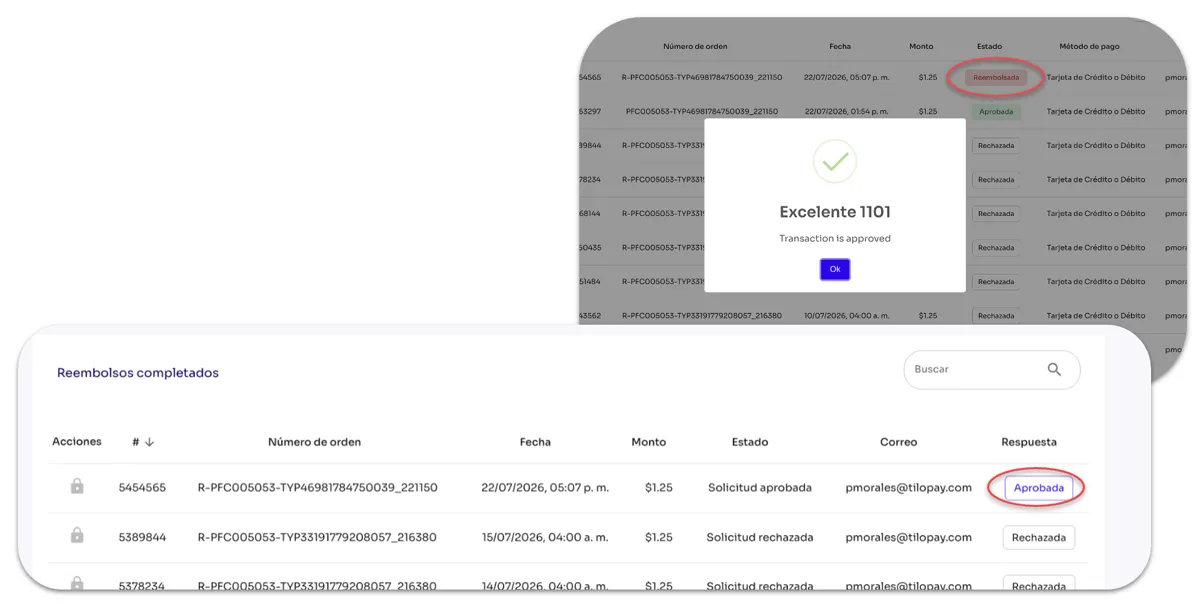
Al completar el Reembolso, te aparecerá un mensaje de éxito.
Puedes confirmar el Reembolso en esa misma tabla, pues el estado de dicha transacción será actualizado inmediatamente.
También puedes buscar la transacción en la sección de Reembolsos ya sea por número de orden, monto reembolsado o #ID de transacción.