¿Cómo configuro SINPE MÓVIL en VTEX?
VTEX es la plataforma disponible para que tu tienda acepte tarjetas de crédito y débito en Centroamérica y el Caribe.
Debes instalar la aplicación que interactúa con el conector y el flujo de pago de VTEX que encontrarás en el siguiente enlace: https://{VTEXACCOUNT}.myvtex.com/admin/apps/tilopaypartnercr.tiloappcreditcard@1.0.0/install
Debes sustituir {VTEXACCOUNT} por tu cuenta de VTEX para instalar la aplicación.
Para instalar dicho conector:
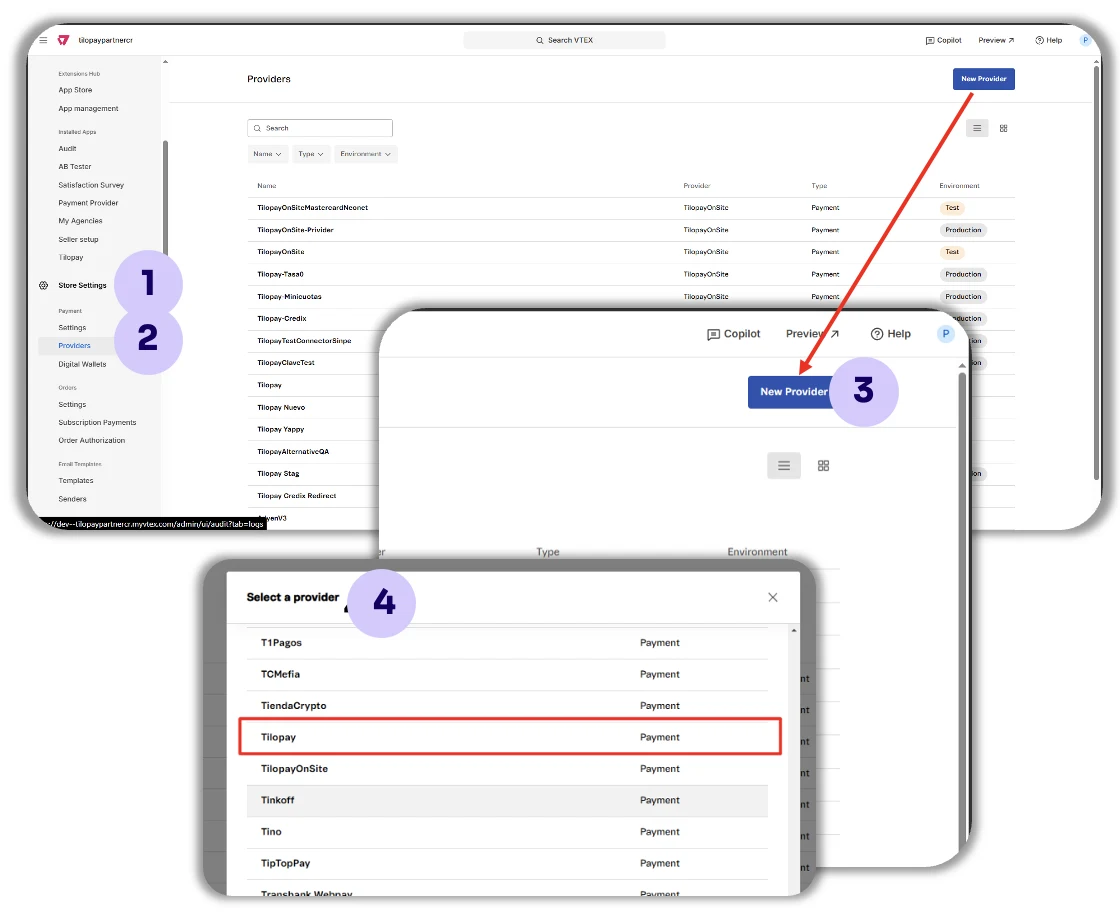
Haz clic en Configuración
Luego en Proveedores
Y en Nuevo Proveedor
Busca TilopayOnSite.
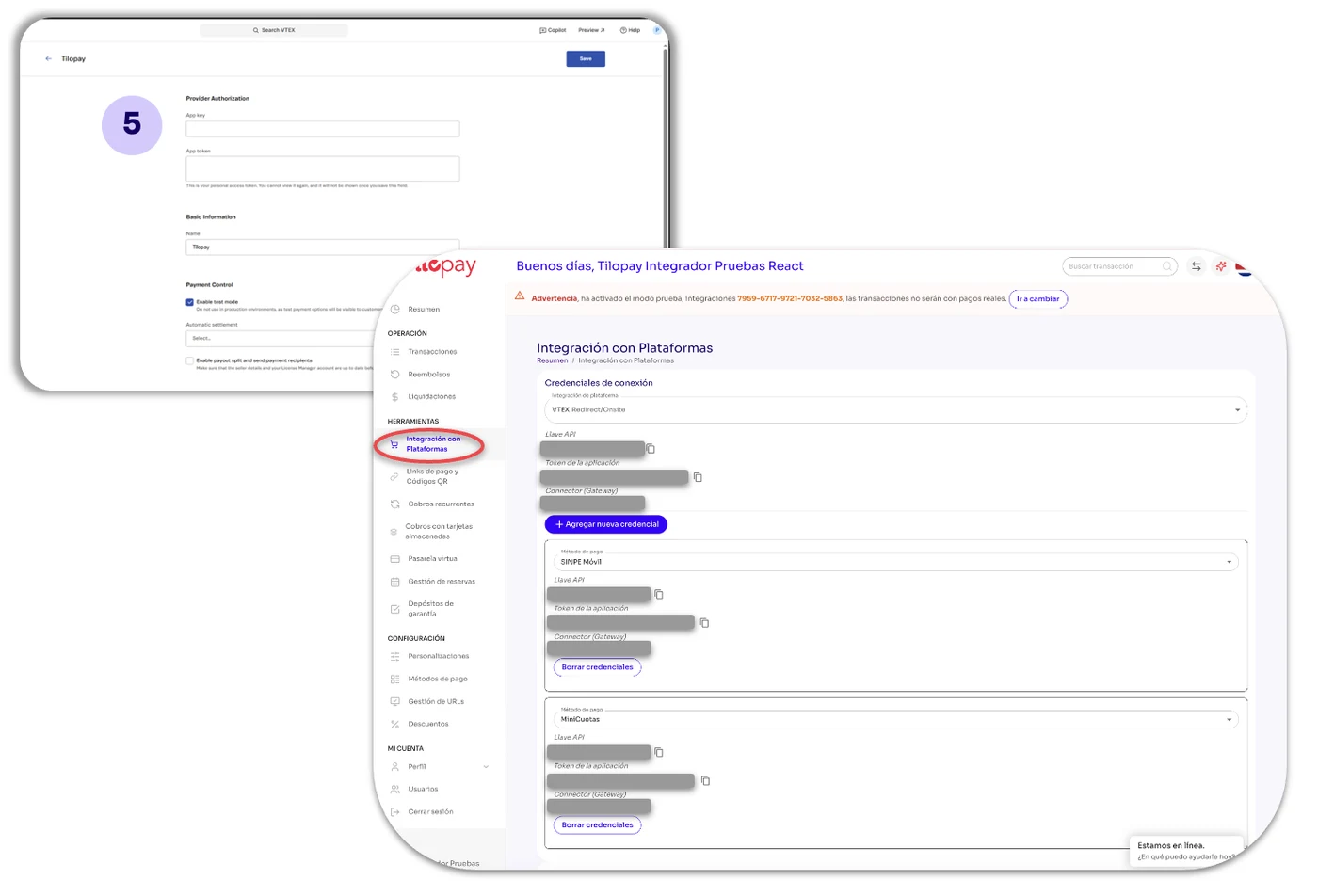
Llena el formulario con la información de la API del Panel Administrativo de Tilopay.
Desde el Panel Administrativo de Tilopay.
Dirígete al módulo de Herramientas, haz clic en Integración con Plataformas y selecciona VTEX de la lista desplegable.
Copia las credenciales de la API en el formulario de tu tienda VTEX en el punto 5.
Para crear diferentes condiciones de pago Tilopay en VTEX:
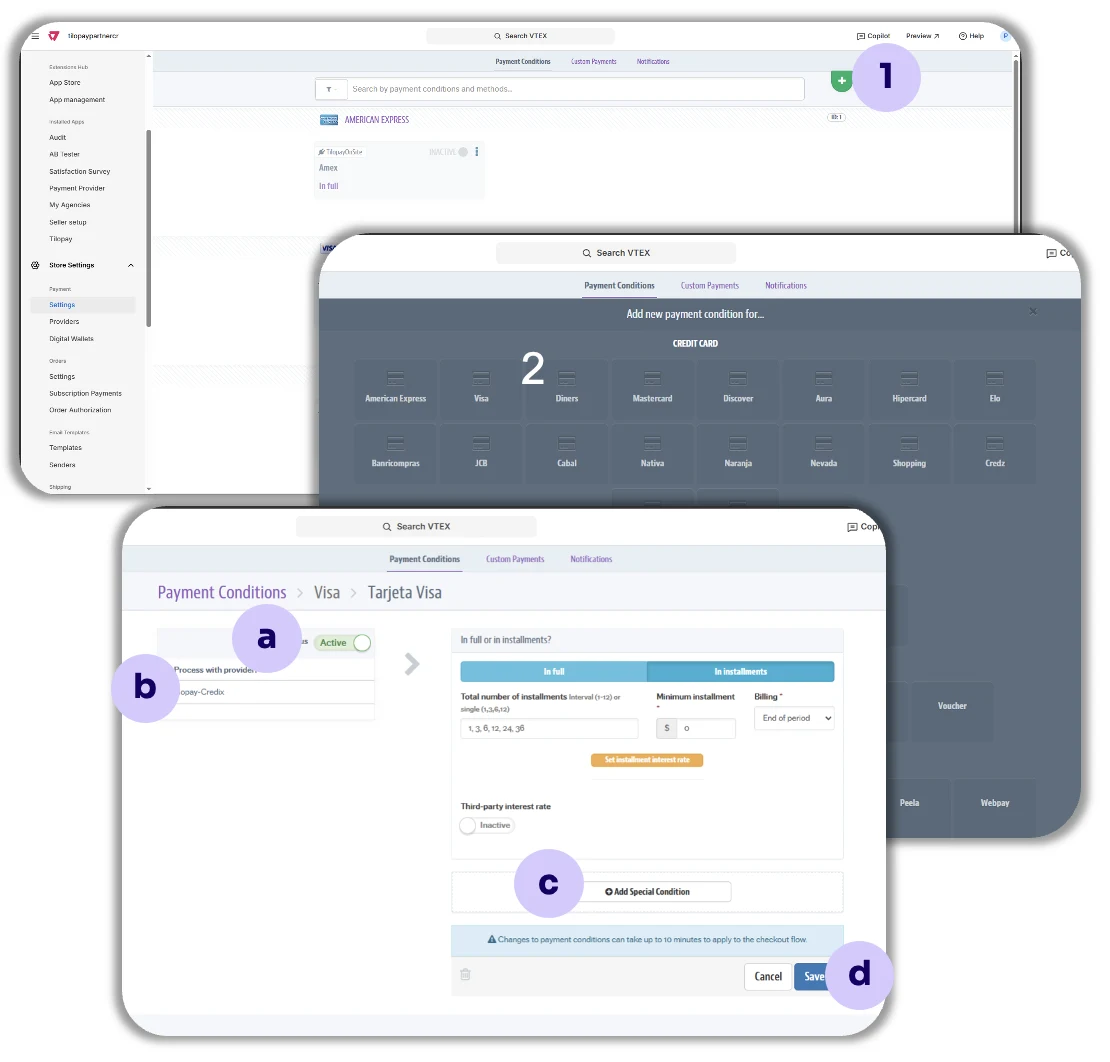
Ingresa a la pestaña Condiciones de pago y haz clic en el símbolo positivo ( + ).
Luego selecciona las marcas de las tarjetas que vas a procesar en tu tienda VTEX: Visa, MasterCard y Amex.
Luego configura la Condición de pago de la siguiente manera:
a. Status: Activa el estado de la condición de pago haciendo clic en el toggle correspondiente.
b. Procesar con afiliación: Selecciona el conector TilopayOnSite de la lista desplegable.
c. Agregar condición especial: Si lo deseas, puedes agregar condiciones especiales para cada condición de pago.
d. Guardar: Siempre recuerda guardar tus selecciones.
Para crear diferentes condiciones de pago Tilopay en VTEX
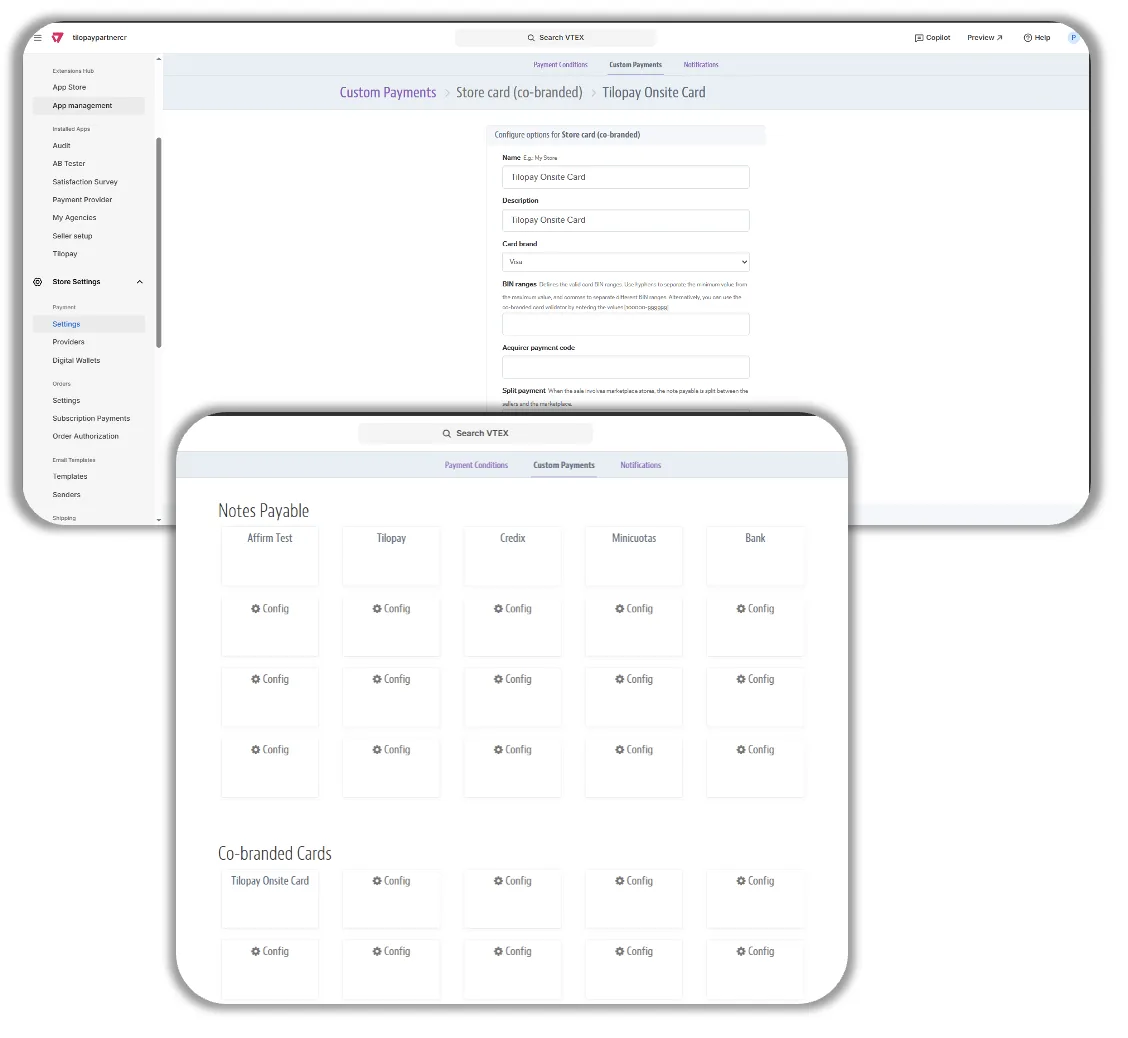
Ingresa a la pestaña Pagos personalizados y completa los espacios con los datos que te solicitan.
Luego crea la Condición de Pago tal como lo hiciste durante la Configuración del conector TilopayOnSite en VTEX.
Esto debe hacerse para cada tipo de pago que quieras agregar: pagos con tarjetas, cobros recurrentes SINPE Móvil.