¿Cómo genero un Depósito de Garantía?
El Depósito de Garantía te permite generar un link un monto sin capturarlo durante un período definido. El monto se libera si no se requiere.
Un Depósito de Garantía es un respaldo económico que le solicitas a tu cliente como compromiso de que va a cumplir con las condiciones de su reserva.
Es como un "fondo de seguridad": le pides a tu cliente una cantidad de dinero para cubrir posibles problemas y cancelaciones durante el tiempo que dure el acuerdo. El Depósito de Garantía de Tilopay no captura el monto durante el período que dispongas, dándote la habilidad de liberarlo si no se llega a necesitar. Esta sección la encuentras en el módulo de Herramientas en el Panel Administrativo de Tilopay.
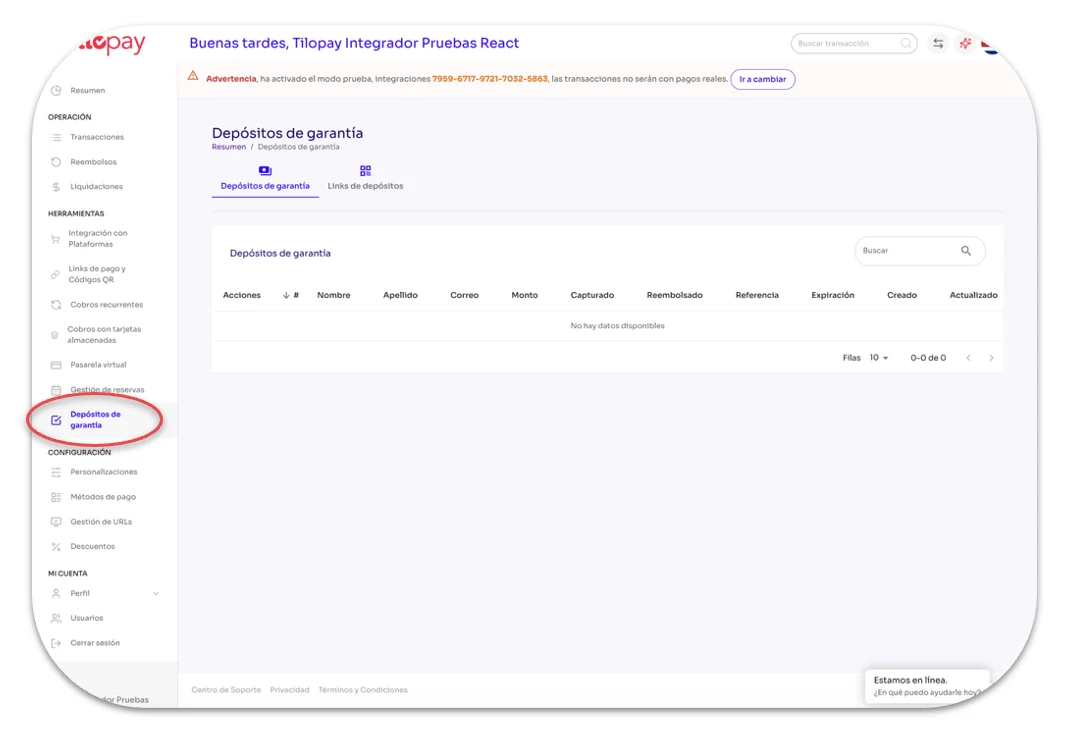
Para crear un nuevo Depósito de Garantía
Haz clic en Link de Depósitos
Haz clic en + Crear Nuevo
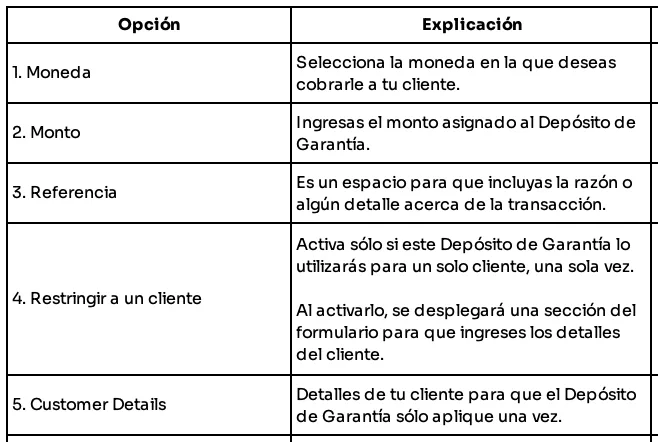
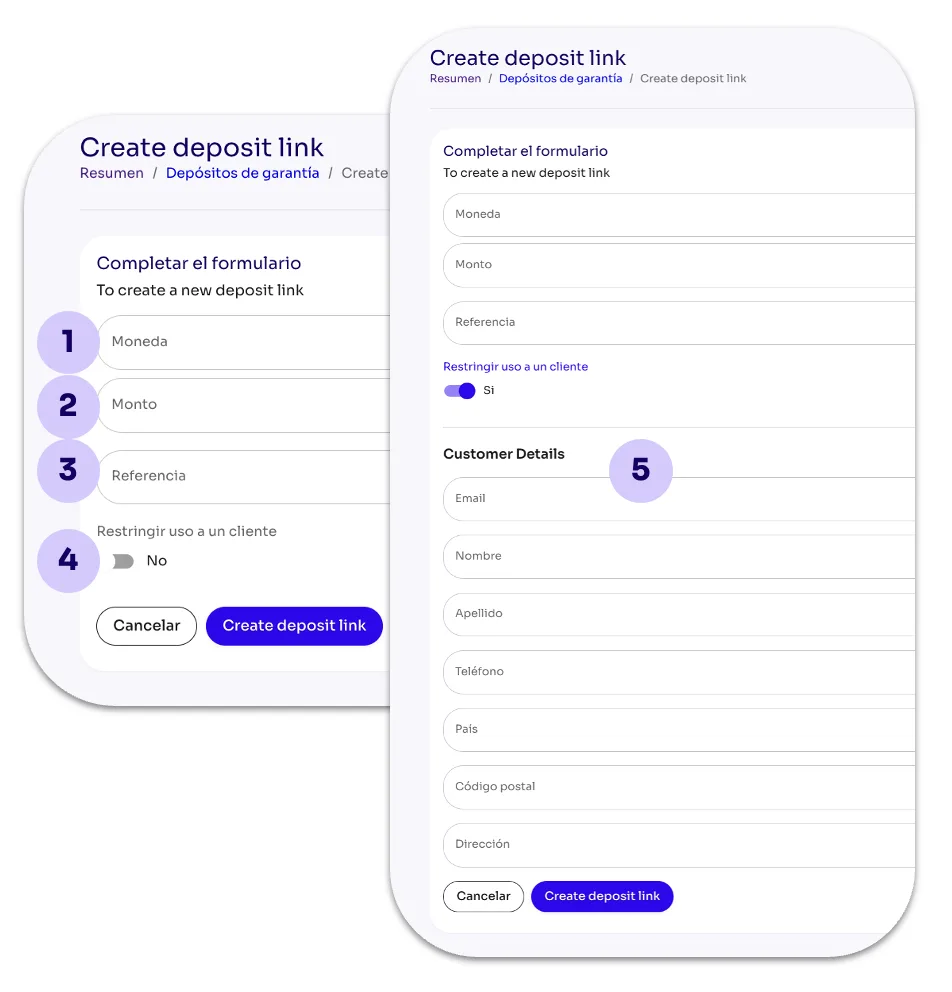
Completa el formulario
Comparte el enlace si el cliente
Una vez que el cliente ingrese los datos de su tarjeta, el Depósito de Garantía aparecerá en la pantalla Depósitos de Garantía hasta que lo liberes o se capture el monto al cliente por incumplimiento.
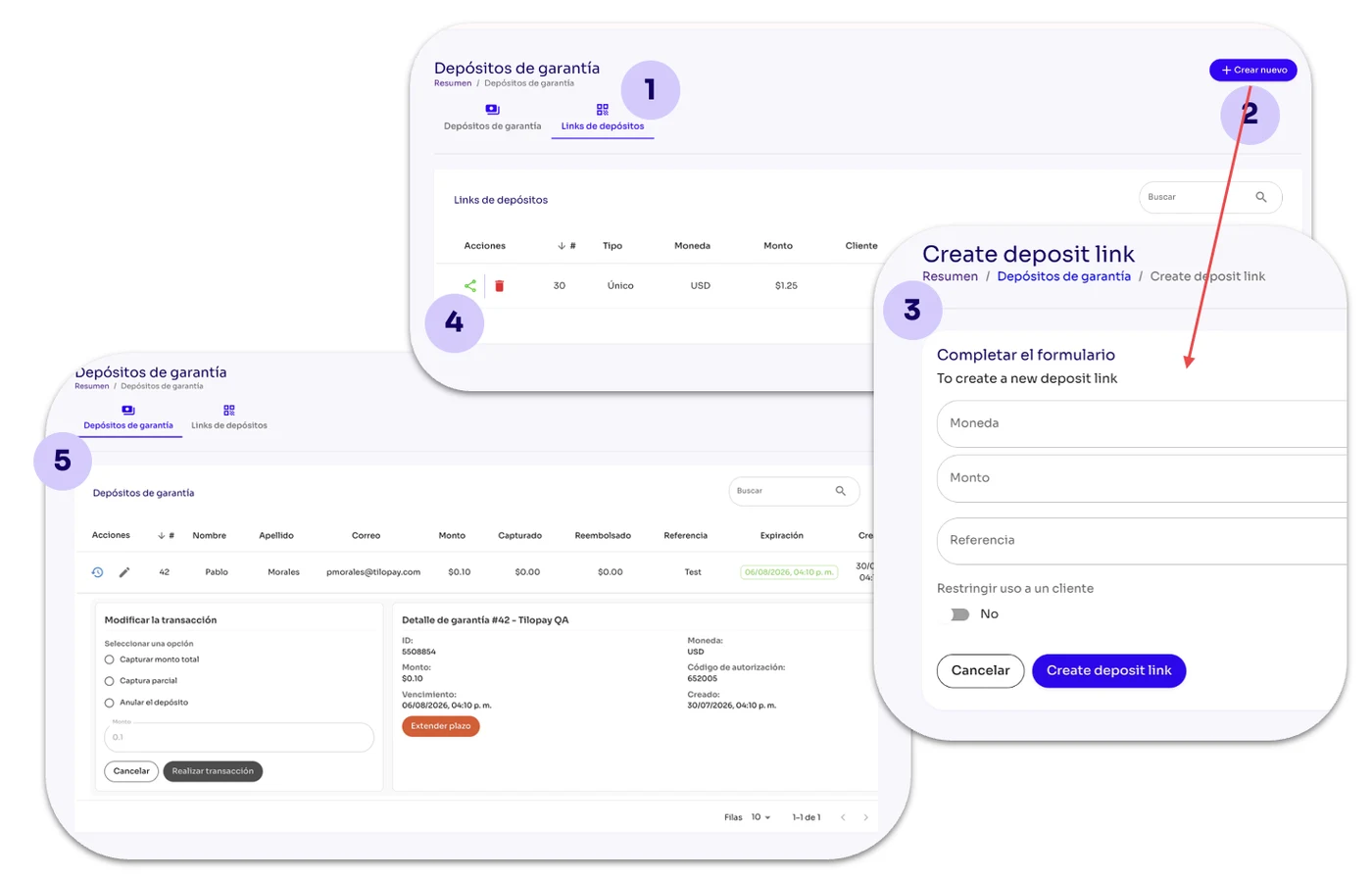
Cuando haces clic en +Crear Nuevo despliega el formulario que has de llenar para establecer el Depósito de Garantía: