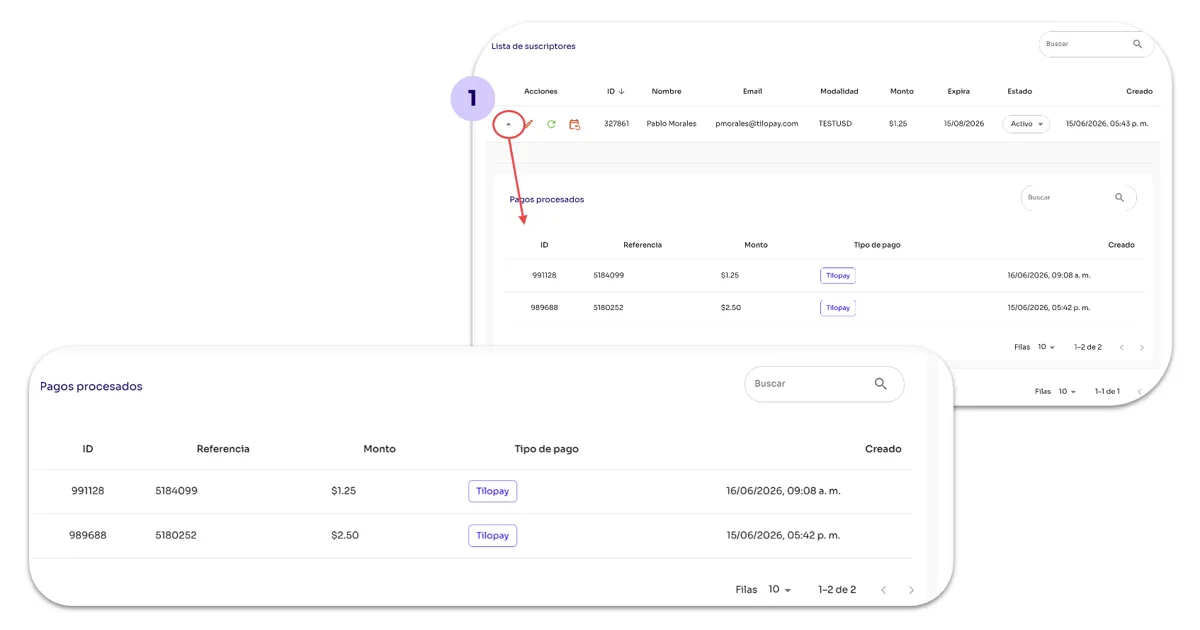
¿Cómo veo los pagos de un suscriptor por cada plan en Cobros de Suscripciones?
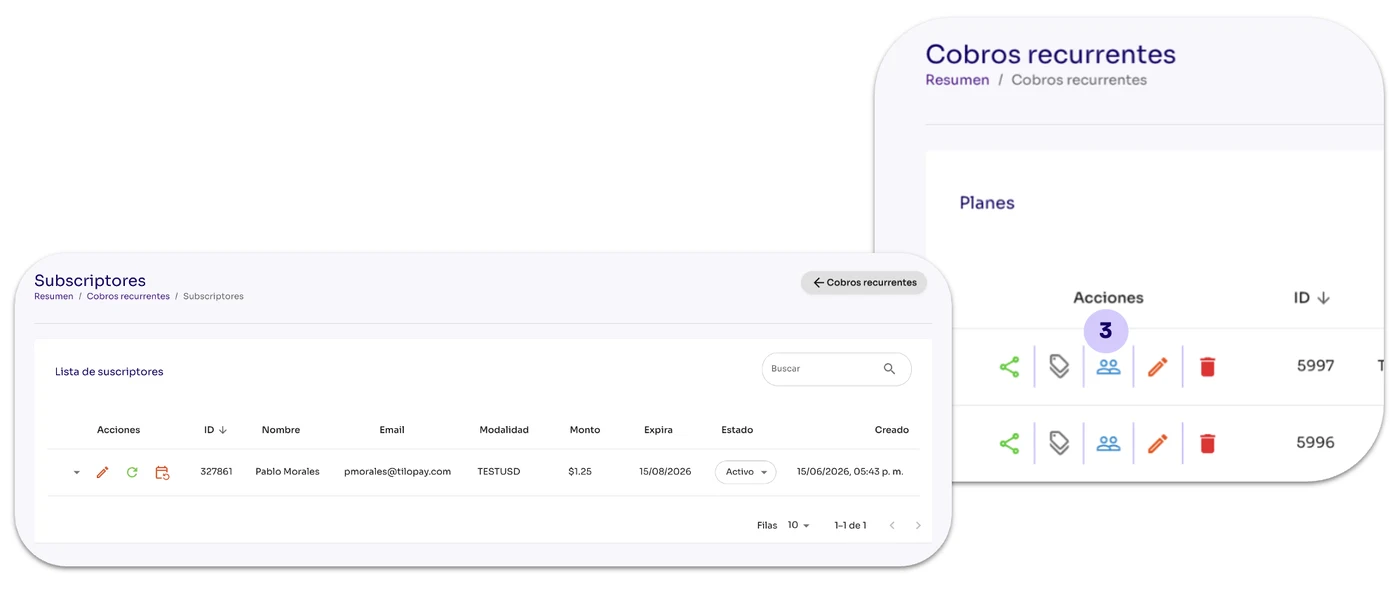
Desde la sección de Cobros Recurrentes del módulo Herramientas en el Panel Administrativo de Tilopay, puedes hacer clic en el ícono de Suscriptores bajo el menú de Acciones.
Al hacer clic en el botón de Cupones, se despliegan los suscriptores disponibles del plan seleccionado.
Detalles de pago: Para visualizar los pagos realizados por un suscriptor, haz clic en la flecha al lado izquierdo de los íconos de Acciones. La lista se desplegará en la misma pantalla.