How do I view a plan's subscribers in Subscription Payments?
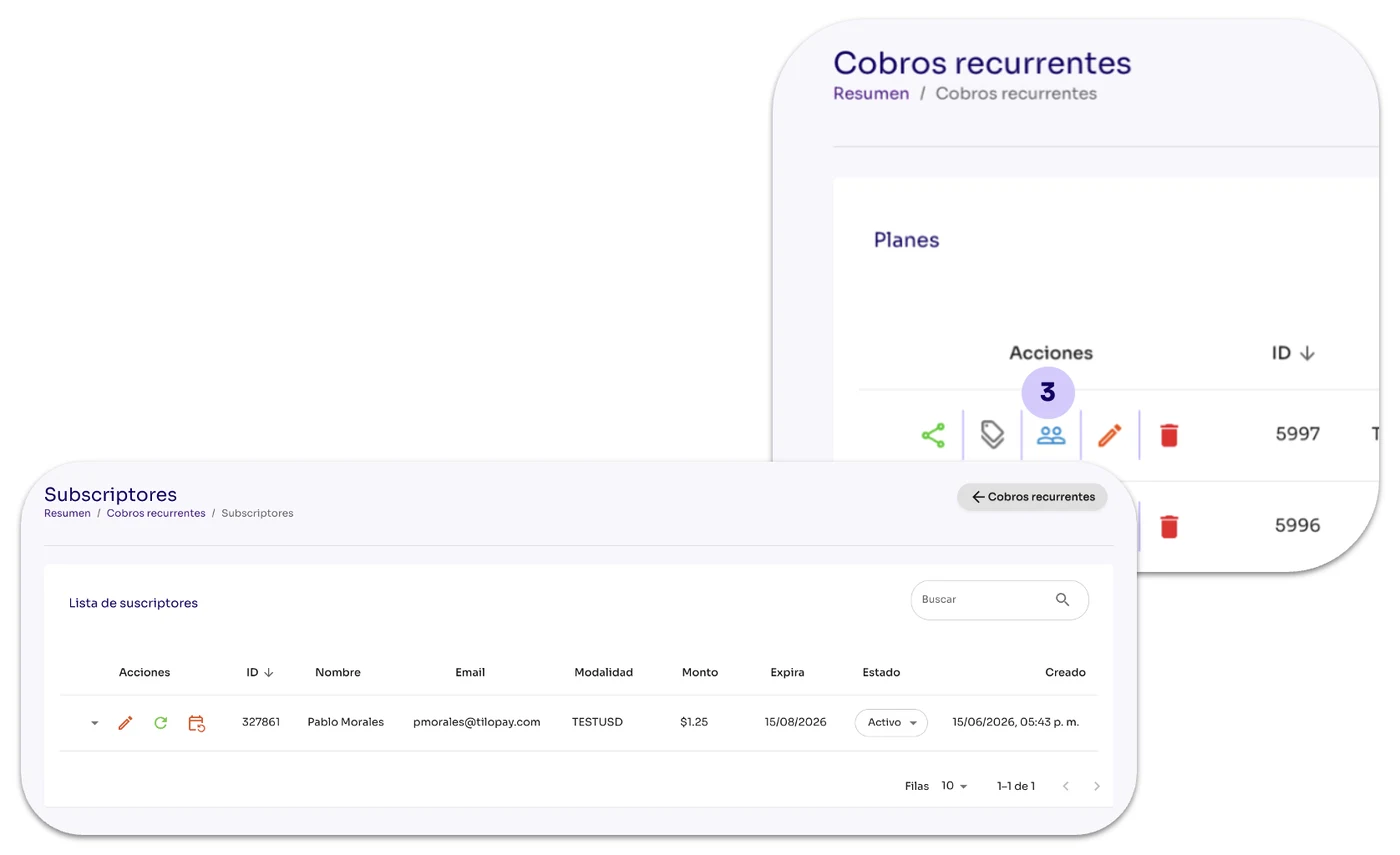
From the Recurring Payments section, click the Subscribers icon under the Actions menu.

From the Recurring Payments section, click the Subscribers icon under the Actions menu.
When you click the coupons button, you'll see the available subscribers for the selected plan.

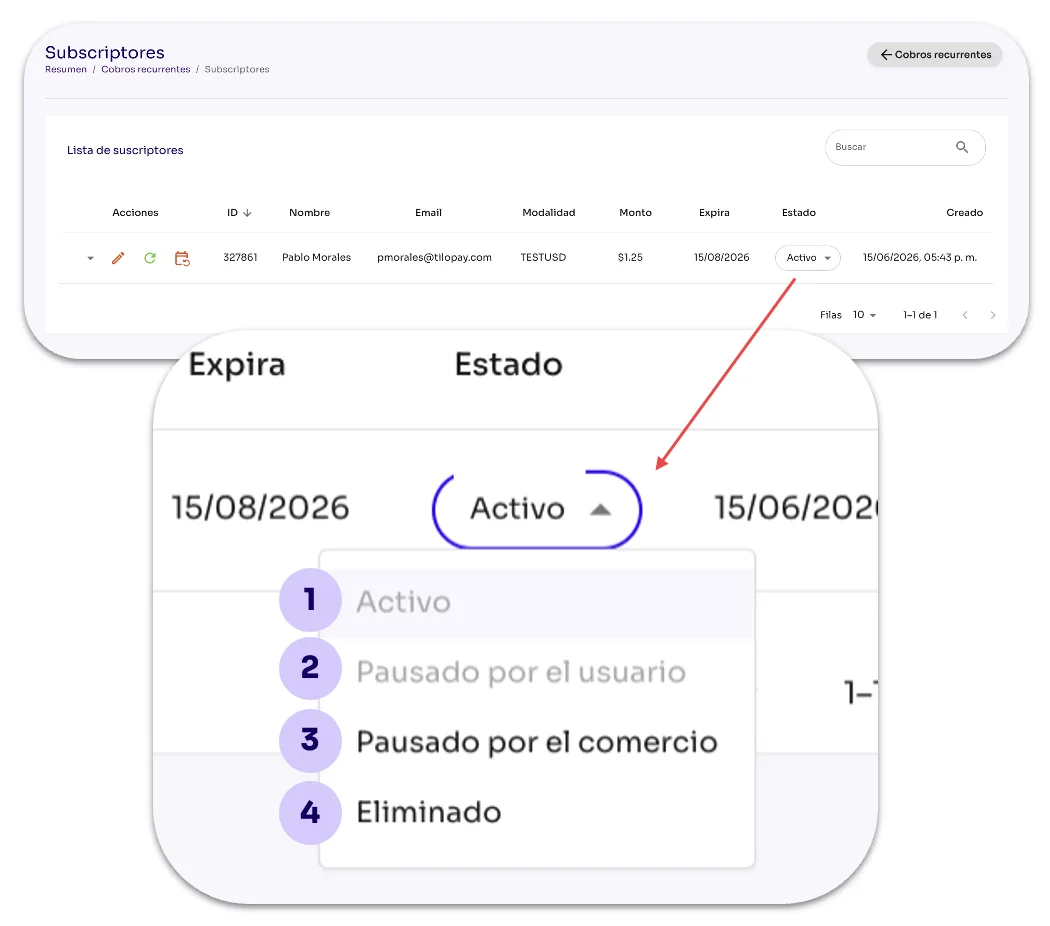
You can manually change the account status of any of your subscribers from the Status drop-down menu.
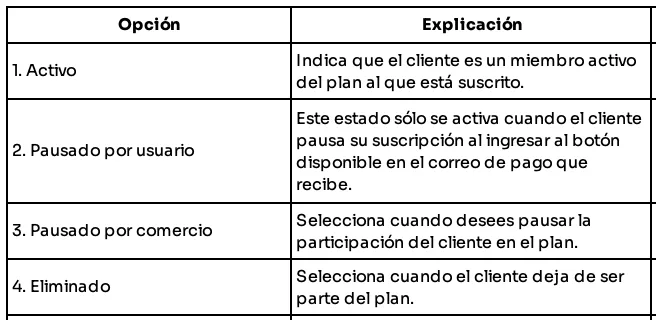
| Option | Explanation |
|---|---|
| 1. Active | Indicates that the customer is an active member of the plan they subscribed to. |
| 2. Paused by user | This status is only activated when the customer pauses their subscription using the button in the payment email they receive. |
| 3. Paused by merchant | Select this option when you want to pause the customer's participation in the plan. |
| 4. Deleted | Select this option when the customer is no longer part of the plan. |