¿Cómo edito un plan en Cobros de Suscripciones?
Compartir: Despliega los distintos medios disponibles para compartir el enlace de pago del Cobro Recurrente seleccionado con el cliente.
Para editar un Plan de Suscripción desde el Panel Administrativo de Tilopay, haz clic en el botón de Acciones: Editar
Ingresa al Panel Administrativo de Tilopay, dirígete a la sección Herramientas en el menú de la izquierda, luego haz clic en el módulo Cobros Recurrentes.
Selecciona el Plan de Suscripción ya generado y que quieres compartir y haz clic en el botón de Acciones:
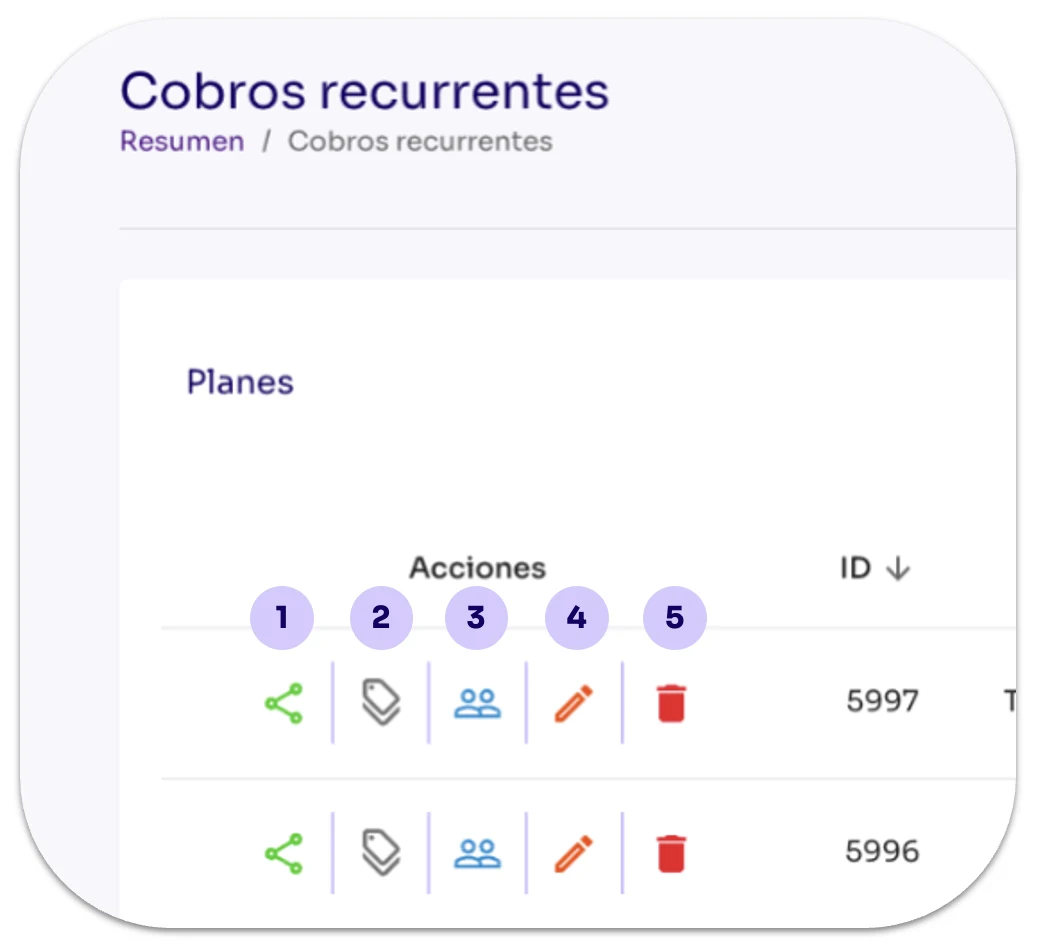
Los otros botones de Acciones son:
Compartir: Despliega los distintos medios disponibles para compartir el enlace de pago del Cobro Recurrente seleccionado con el cliente.
Cupones o descuento BIN: Despliega las opciones disponibles para que generes cupones para el plan seleccionado.
Suscriptores: Despliega los datos de los Suscriptores de ese plan.
Editar pago recurrente: Utilízalo cuando requieras Editar los detalles del plan.
Basurero: Utilízalo cuando desees eliminar registros de Cobros Recurrentes. Esta acción NO puede deshacerse.