¿Cuál es la diferencia entre Checkout Nativo y Checkout Redireccionado en WooCommerce?
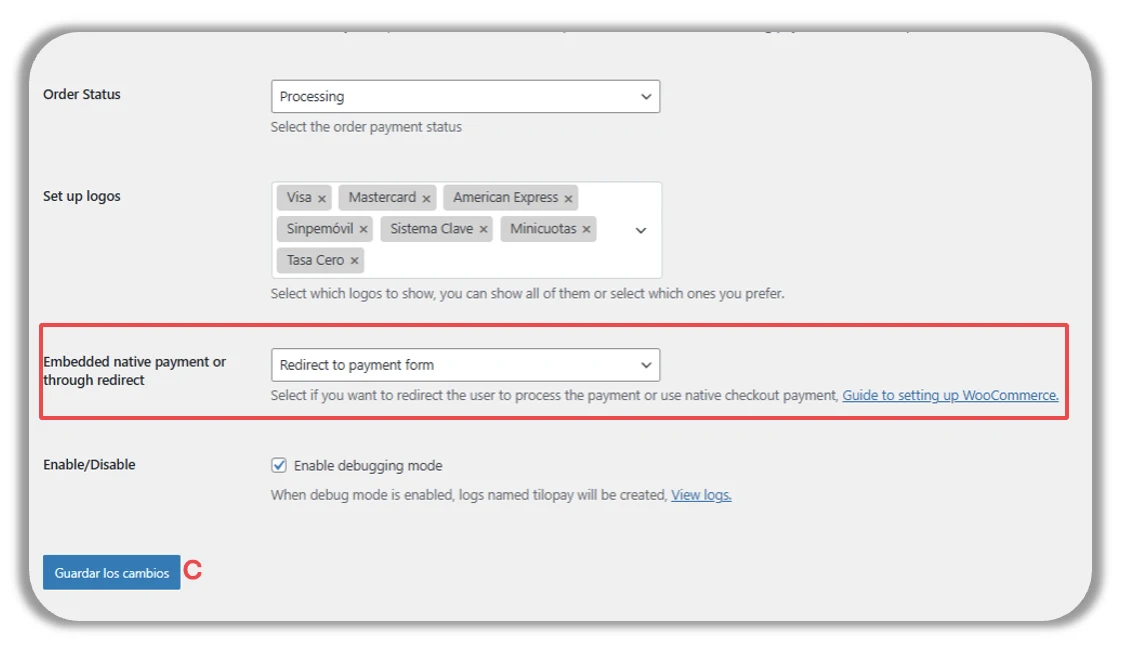
Hacia el final del formulario para integrar la Plataforma de WooCommerce, tienes la opción para seleccionar dónde quieres que tu cliente procese su pago:
Directamente desde tu tienda Woo al seleccionar la opción de Pago Nativo.
Directamente desde Tilopay al seleccionar la opción de Pago Redireccionado.
Enable debugging mode: Cuando esta casilla está activa, Tilopay y WooCommerce obtienen acceso a los logs de las transacciones, lo cual es indispensable para poder responder tus dudas y asistirte en caso de que tengas problemas con alguna transacción.
Haz clic aquí para visitar el sitio de WooCommerce sobre checkout blocks.
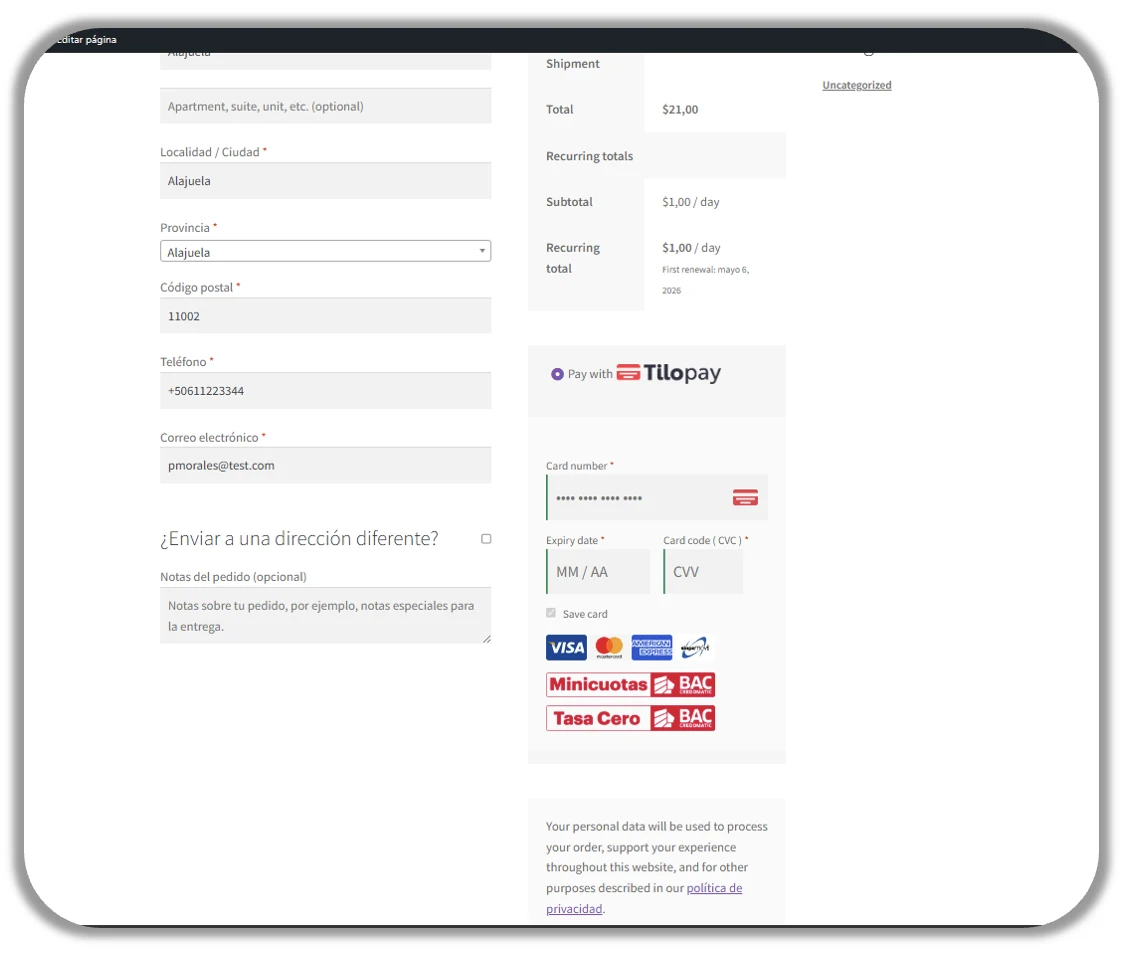
Checkout con Pago Nativo
Así es como tu cliente verá el checkout cuando hayas seleccionado Pago Nativo para pagos con métodos alternativos o locales.
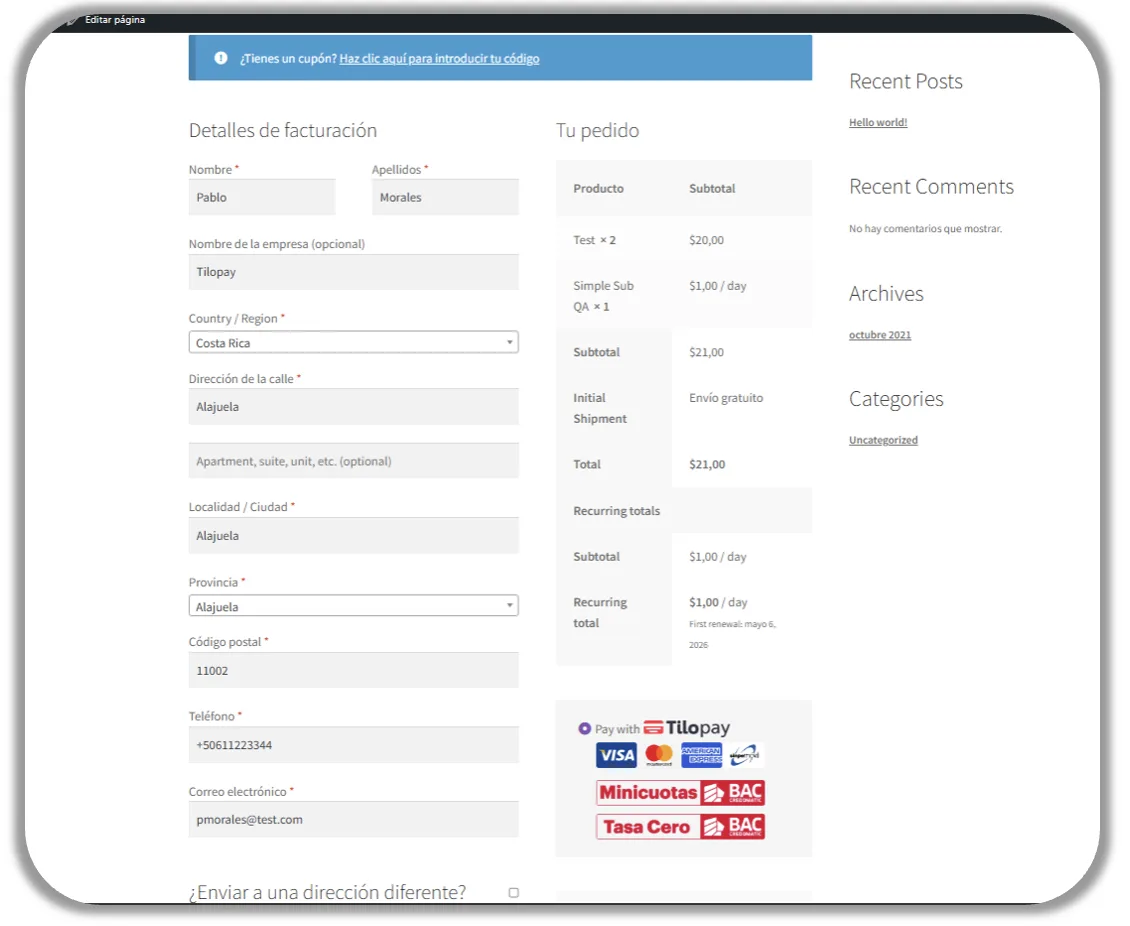
Checkout con Pago Redireccionado
Así es como tu cliente verá el checkout cuando hayas seleccionado Pago Redireccionado para pagos con métodos alternativos o locales.